

R.I.P Printy McOldTimer
The Prusa XL is up and running, as is the H2D. The Prusa works as well as it ever has, which is to say - meh. The H2D has been put to use for the last few months making alignment jigs and various construction helpers. As I finally got them set up in the printer room, the X1C won’t power on.
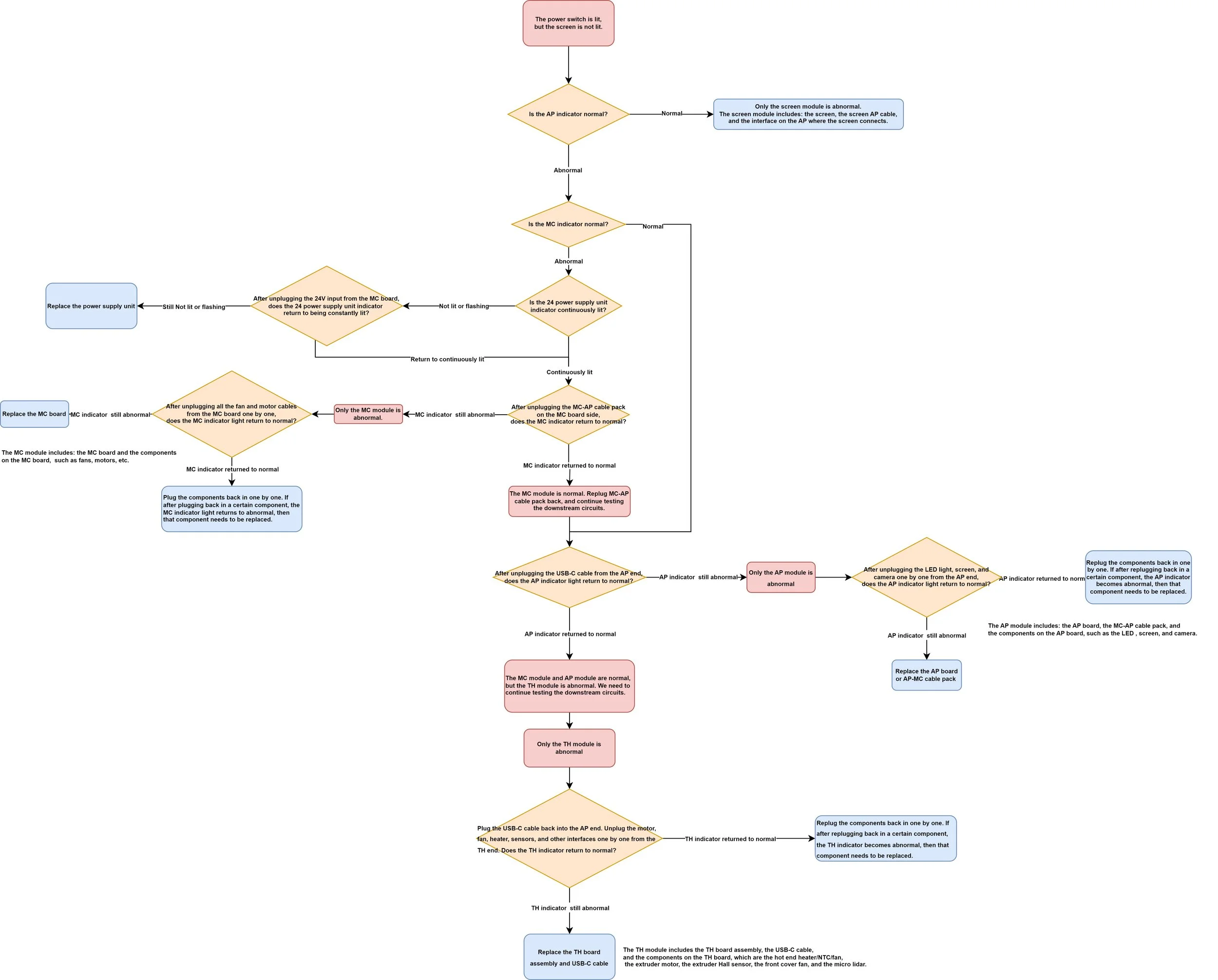
I assumed power supply but the power supply’s internal check circuit seems to indicate it is good to go and I confirmed voltages with my MM even under a test load. Following the troubleshooter through the first time led me to an MC failure. Replaced it and now it looks like an AP failure. I put the old MC back in and it still points to an AP failure. AP boards aren’t currently in stock and appear to be going for $275 on secondary online sales.
As Bambu cranks out new printers at ever competitive prices, it really creates a value down pressure for these older units. At some point, they sold them factory refurbished for $650 (though I’m not sure if that was with AMS or without).
Is it worth spending $275 to revive my trusty and long-suffering X1C? Maybe but it isn’t a slam dunk. I really hate the idea of spending more than something is worth but then again resale value isn’t the same as utility value. If the AP boards come back in stock at $150, that is probably worthwhile but if the symptoms keep migrating to other troubleshooting loops we aren’t far from a sunk-cost-driven rebuild of the printer that doesn’t make a ton of sense.
I’m tempted to fix the X1C, donate it and put a different machine in its spot.
The X1C does seem more reliable than the H2D, though on the other hand there is the siren’s call of an H2C or the soon-to-be previewed H3C and all of the vortek goodness that comes with it. Ultimately, I just don’t really do that much in the way of full-color printing, so it is hard to justify the spend.
Making a Place to Make Things
(In Dungeon Crawler Carl Announcer Voice)
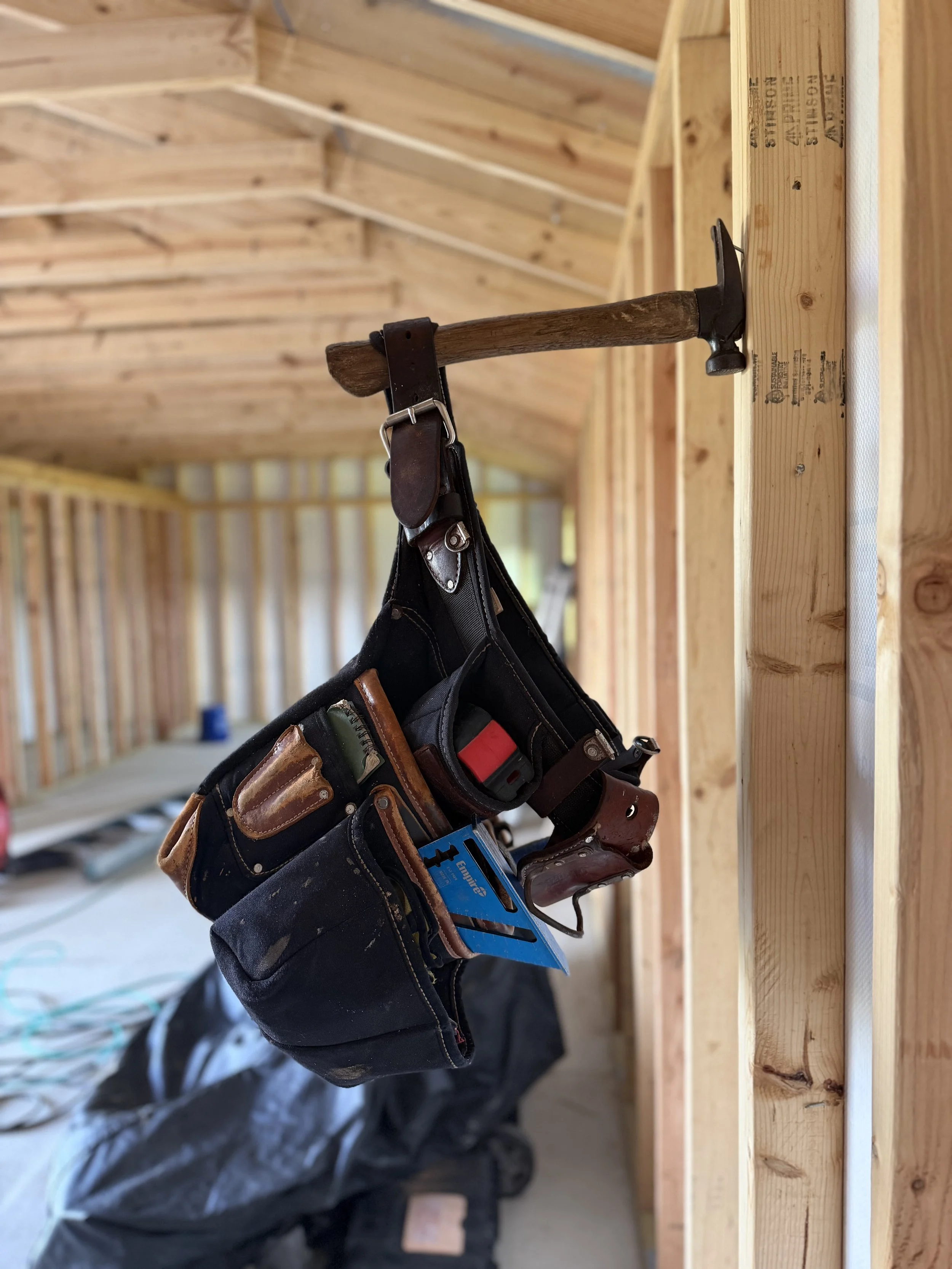
NEW ACHIEVEMENT! Leather Toolbelt of Dewalt
Congratulations, crawler, you have a difficult-to-automate skillset. This perk gives the wearer + 10 Sore Arms and +20 Carpal Tunnel. Should not be wielded with shirt-and-tie unless on date night.
Design Notes
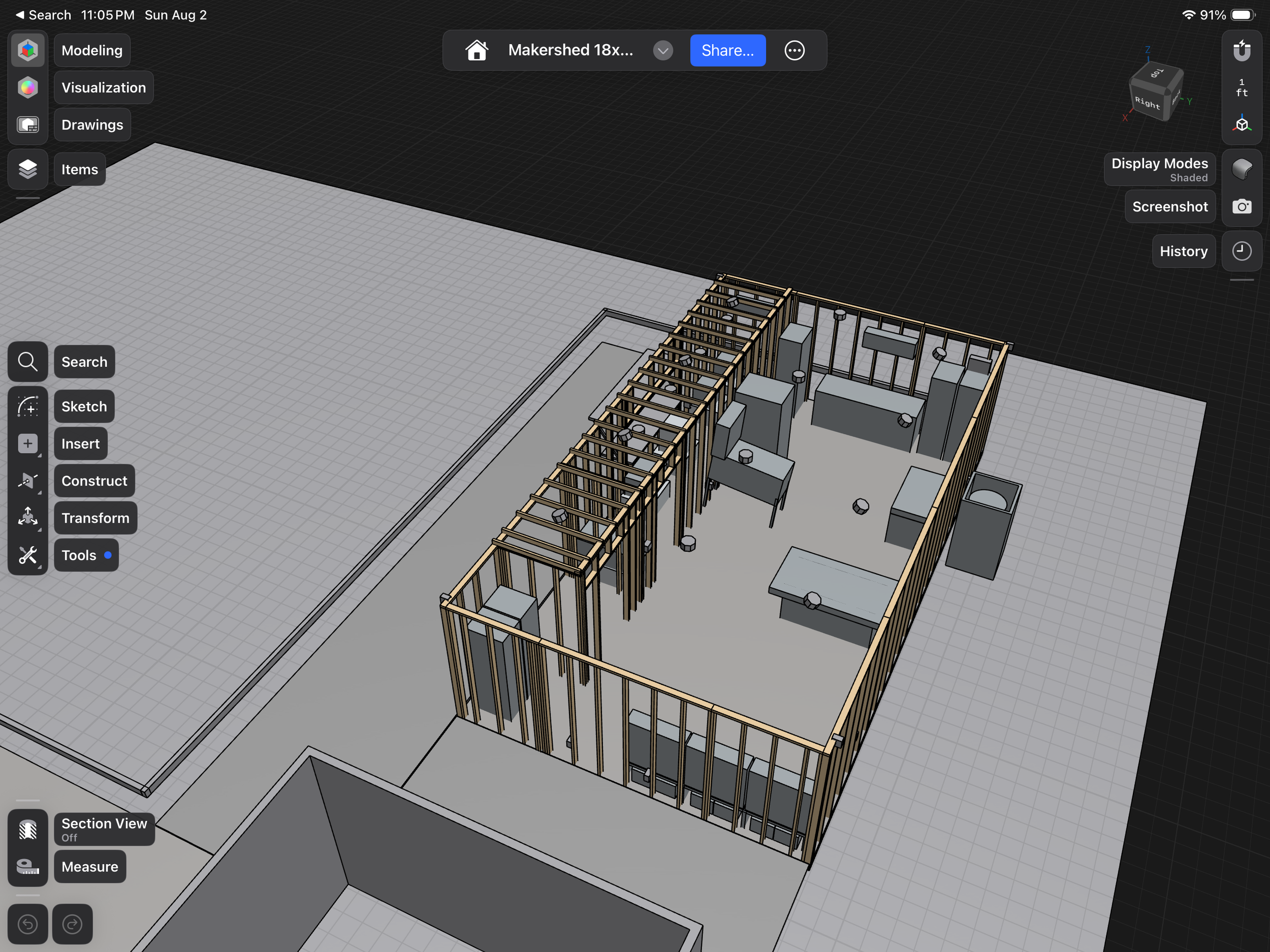
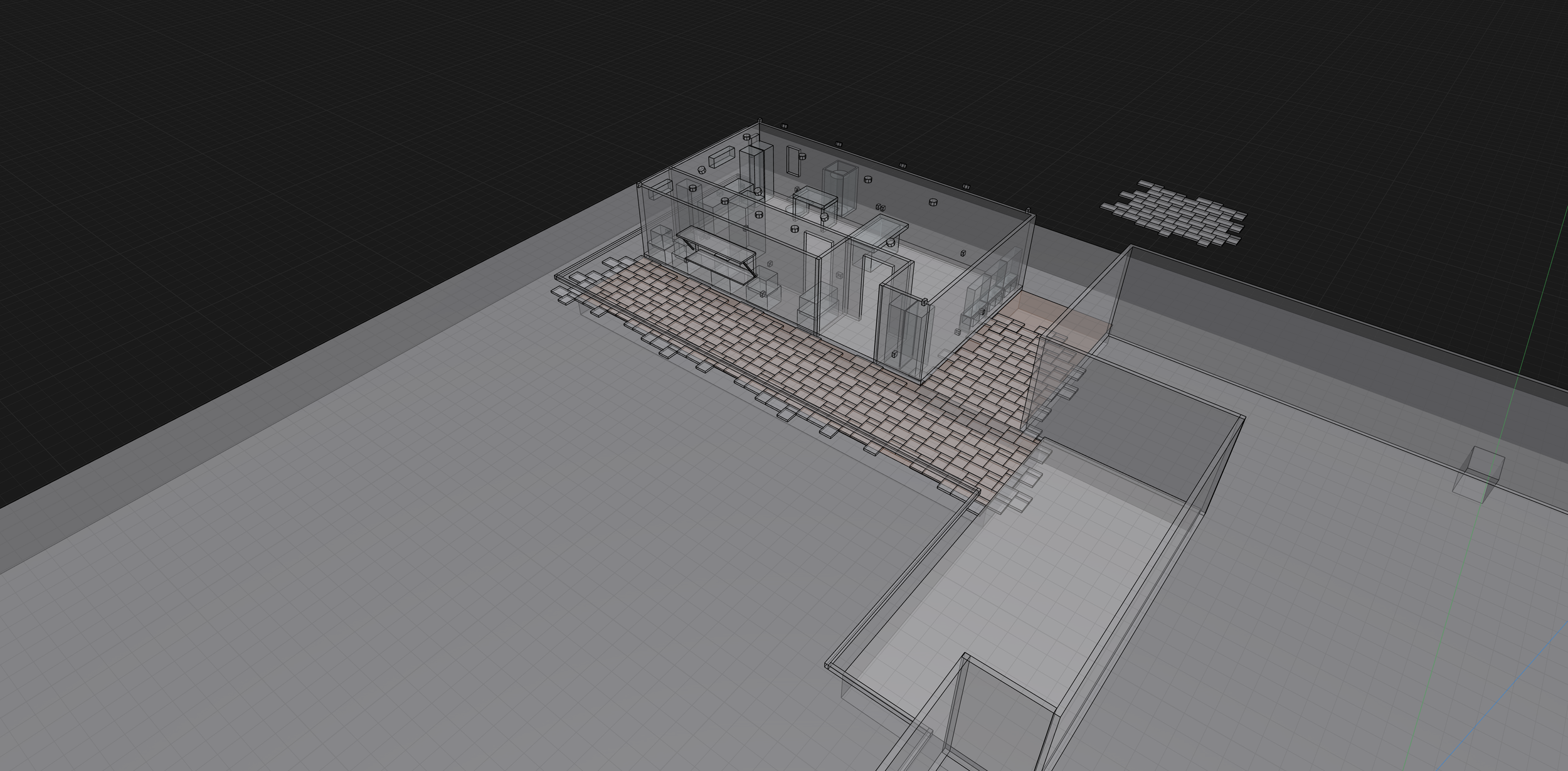
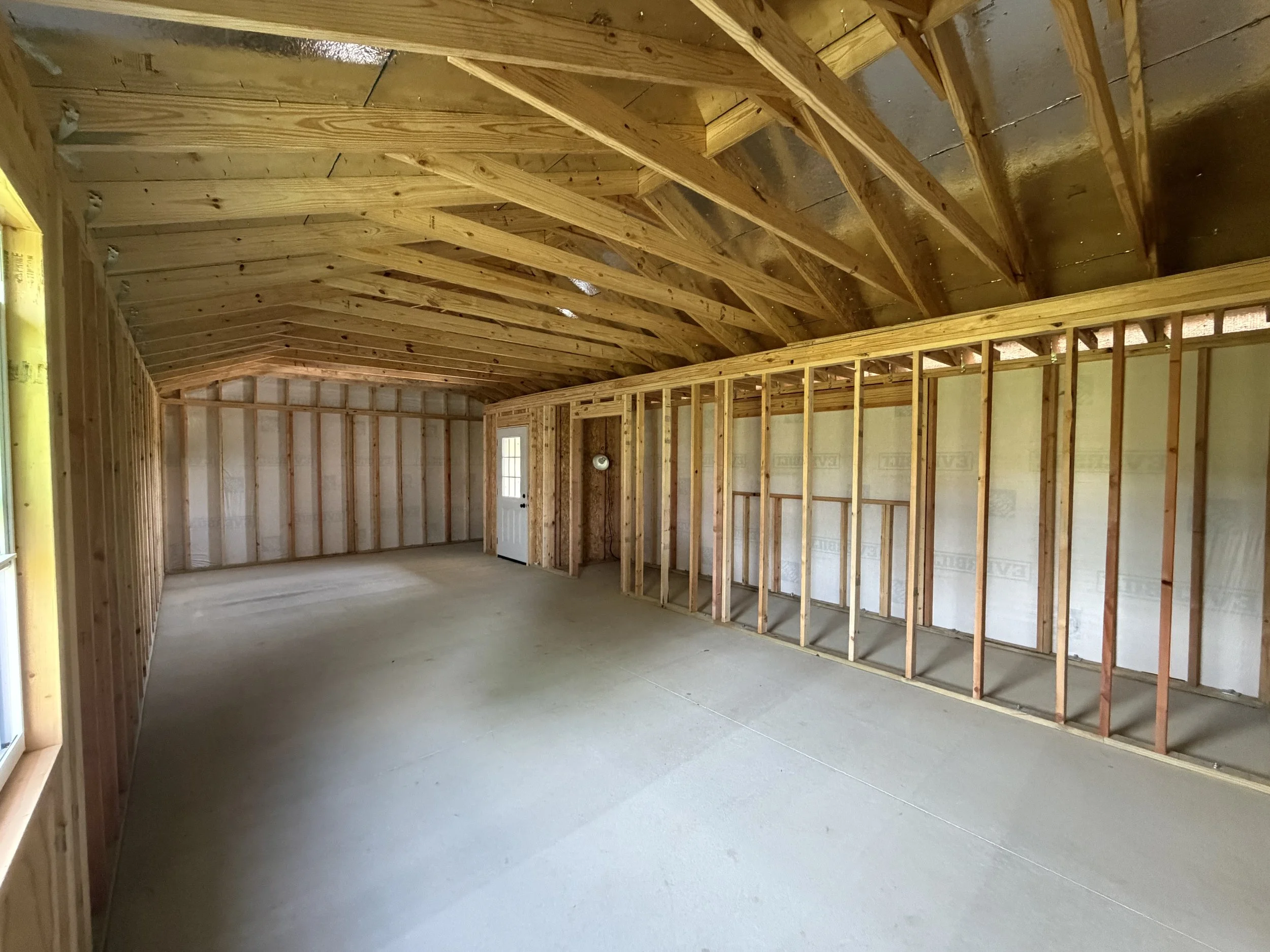
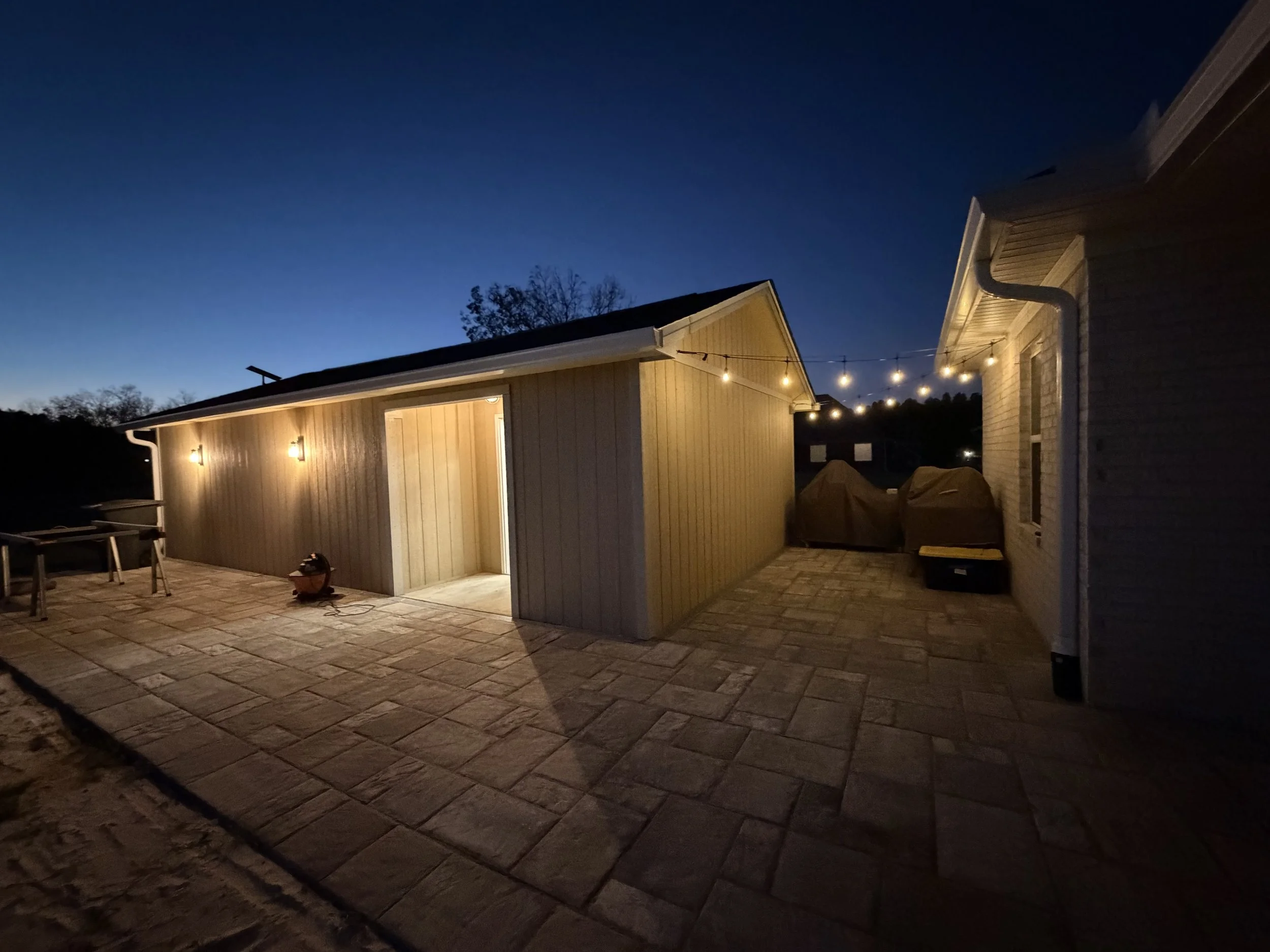
Working within the constraints of budget and a tiny yard, the north star of the project was Adam Savage’s workshop. The tiki bar concept more-or-less helped to sell our last house, so I incorporated a future-state pool house / cantina bar conversion concept into this. This level of detail really helped with the permitting process, which was mostly painless.
Paver Patio
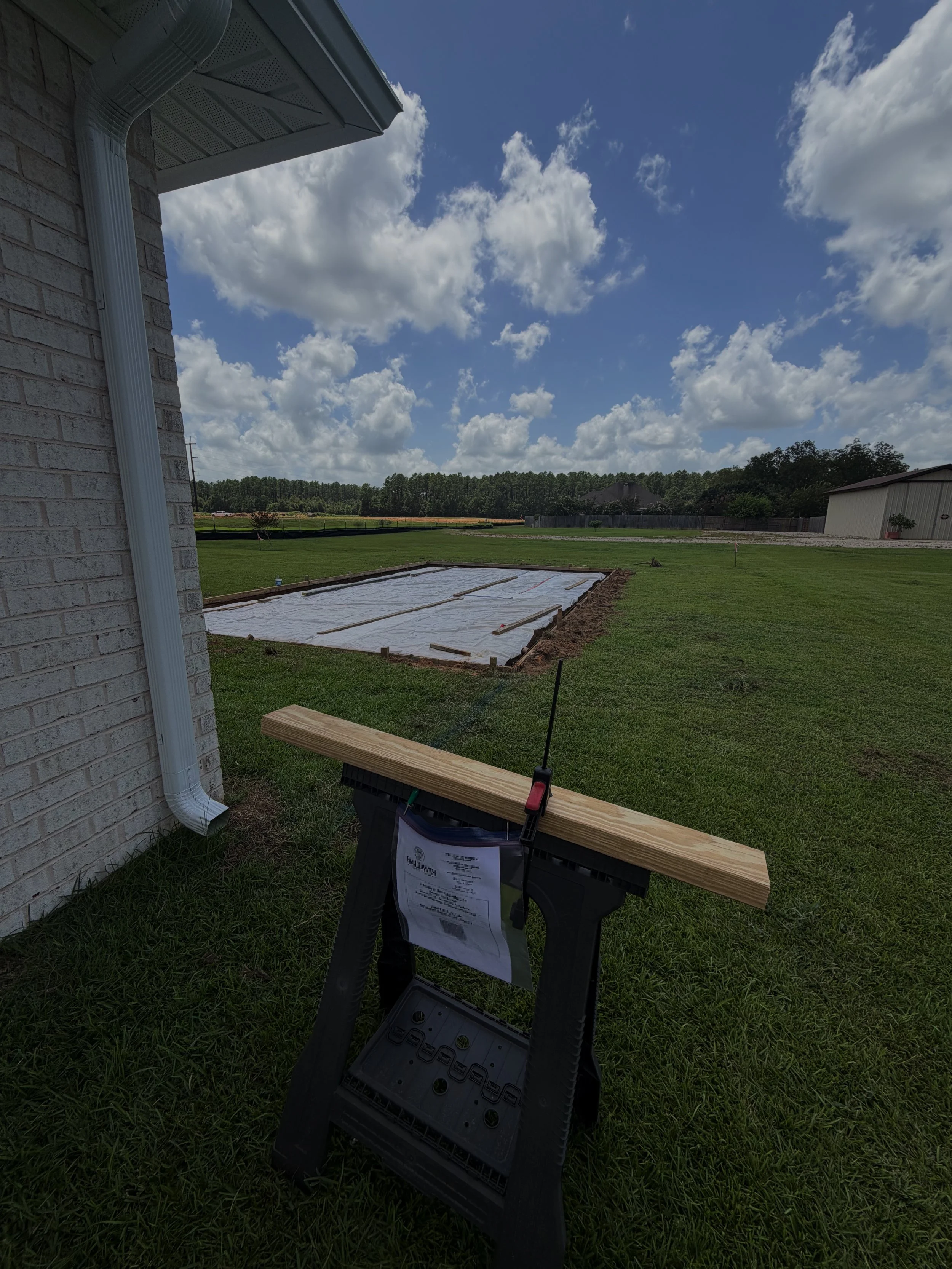
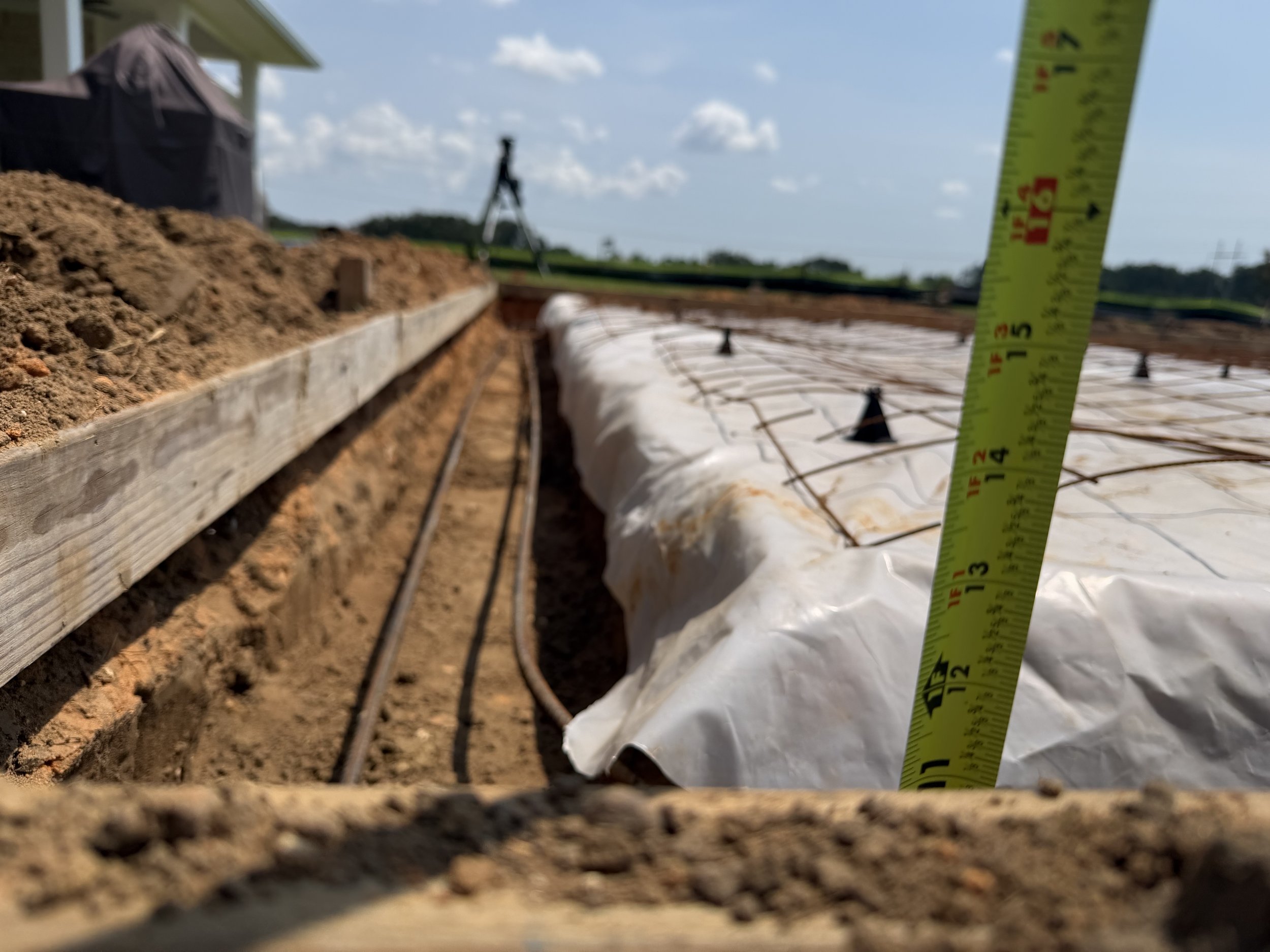
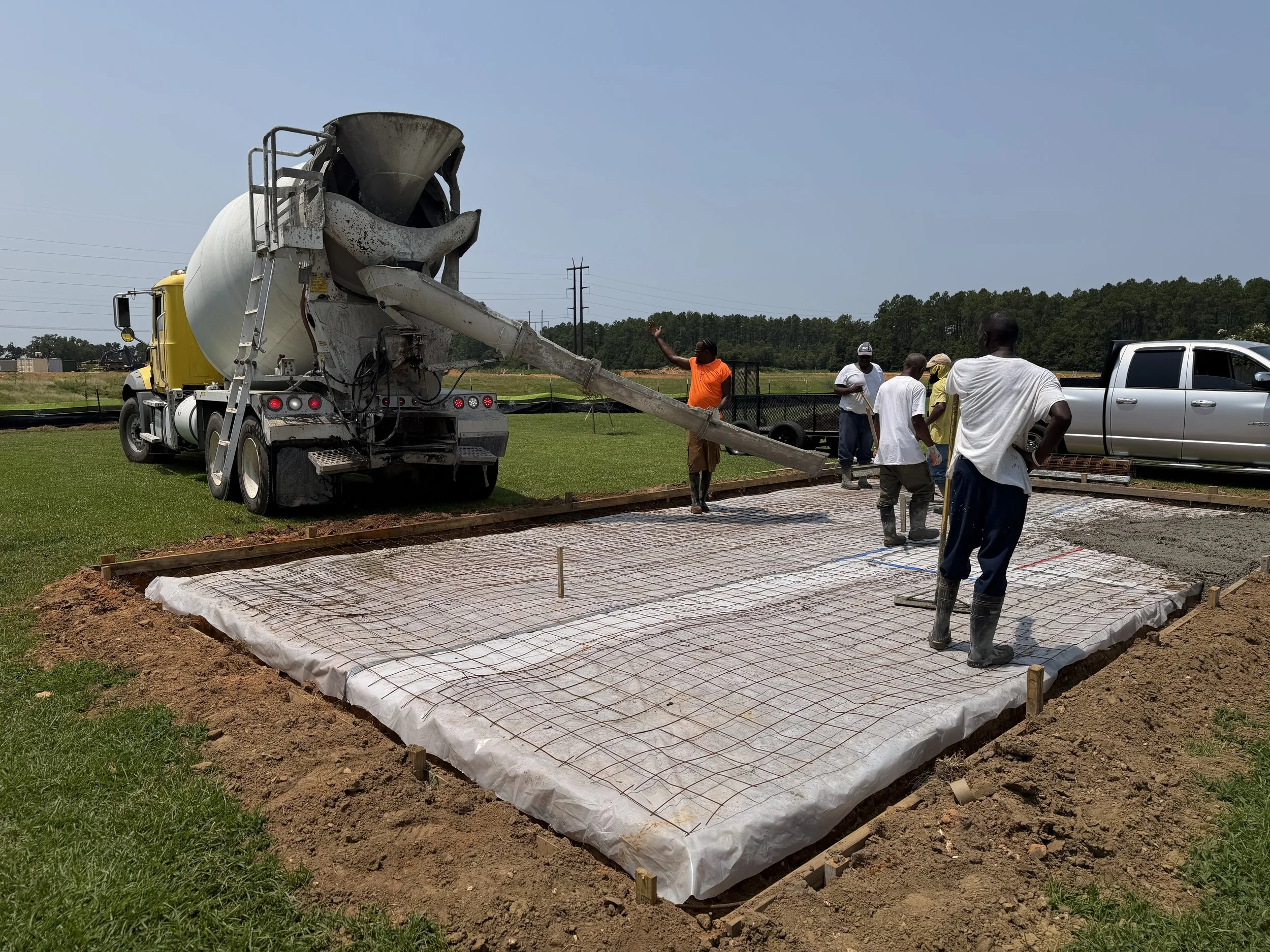
One tradeoff I wanted to make in dedicating 1/3 of our tiny backyard to this project was to establish an entertainment-alley and a hard surface patio connecting the back porch and new building.
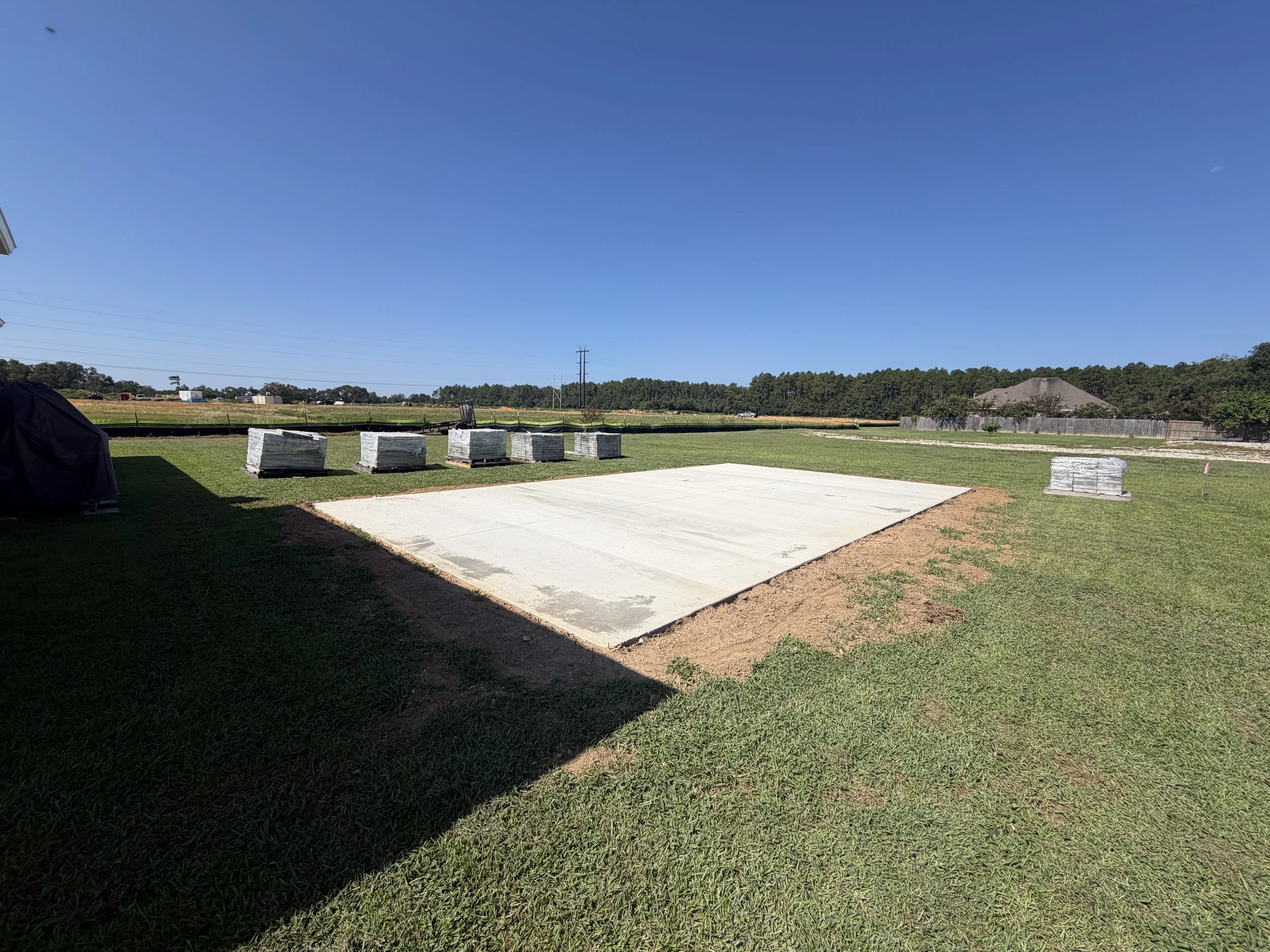
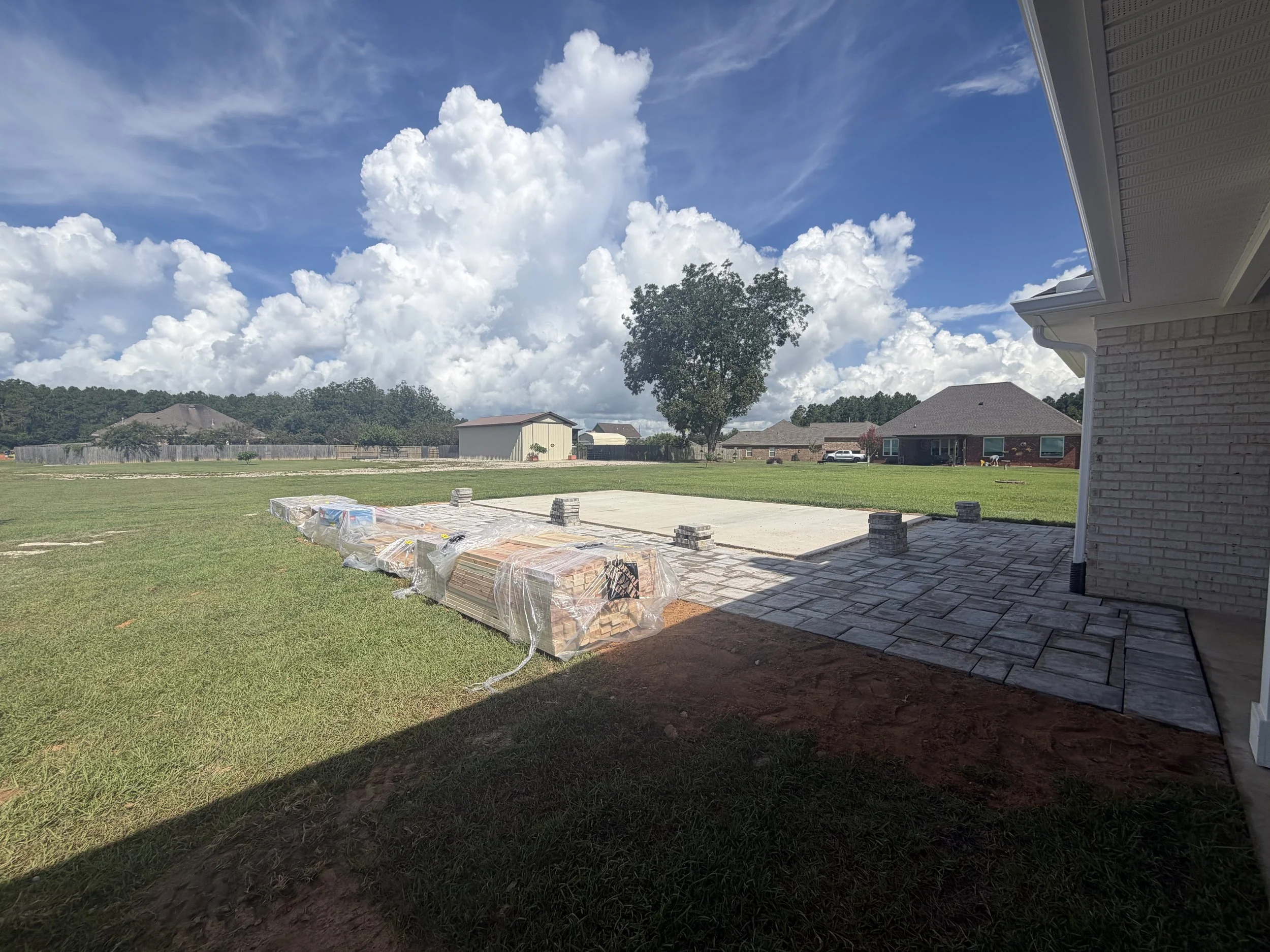
Introduction of hard surface introduces potential water runoff concerns. All of this ground is relatively level but I didn’t want my maker-space shenanigans to create a problem for new neighbors nor do I want to be fighting a flood-prone situation during the next hurricane. I did hire someone for the paver process due to the mini-excavator and haul-away needed to do it right. The guy we hired was bad at water run off engineering and didn’t follow directions very well, even with the aide of a translator. He was a really nice guy that really seemed like this was his first job despite having 15 years of experience. Baffling..
As as result, I’m pretty good at cutting and laying pavers, now. I also got a pretty good workout in the August sun. I still don’t own a mini-ex and while I could rent one, I still have no idea where I’d haul several yards of topsoil and sod. At least he handled that portion of job… ¯\_(ツ)_/¯
Working with a Builder
Could I frame and build this myself? I could.. probably. maybe?
I have done a variety of construction tasks in the distant past. At framing and roofing, I’d be an amateur emulating Youtuber projects that I’ve followed over the years.
By myself, this sounds alot like a recipe for
“it never gets done and I potentially die in the Alabama heat.”
..or.. a recipe to abuse my relationships with willing friends and overstay my welcome while accumulating a lifetime of IOU’s.
After a month of phone calls and emails..
Built offsite and Delivered
This is the Graceland, Stor-Mor, etc approach. They build what you ask for offsite, assisted by a framing machine and all sorts of convenient in-the-shop shortcuts and they deliver the building to you, on skids. Delivered on a trailer and placed on blocks with a specialized forklift called a Shed Mule.
Built onsite by a Contractor
Proverbially, I stood in the middle of a local builder-supply store and asked “Will anyone here build me a building?!” The replies were more or less variations on excuses to justify homebuilder prices for what amounts to a He-Shed.
Tuff Shed Garage
Home Depot partners with Tuff Shed and in addition to sheds they can build detached garages.
Customizations, though - vexed them. I found myself being pinballed between various sales flunkies that “will check and get back to me.” They are also a higher-cost option but some of their reference work that I drove around looking into - looked good. Very good in some cases.
On-site shed and accessory building builders were rather sparse. I considered trying to siphon some workers from nearby DR Horton subdivisions under construction. Recent experience with working with a contractor using a translation app between us had me think better of this.
Finally, I found the guy. THE guy.
Louis Szittai @ Smart Sheds in Pensacola.
A series of texts and calls pretty much went like this:
Me: I want a building.
Him: Okay, lets go.
(begin loop)
Me: I have these odd customizations though.
Him: No worries.
(end loop)
Me: When can you start?!
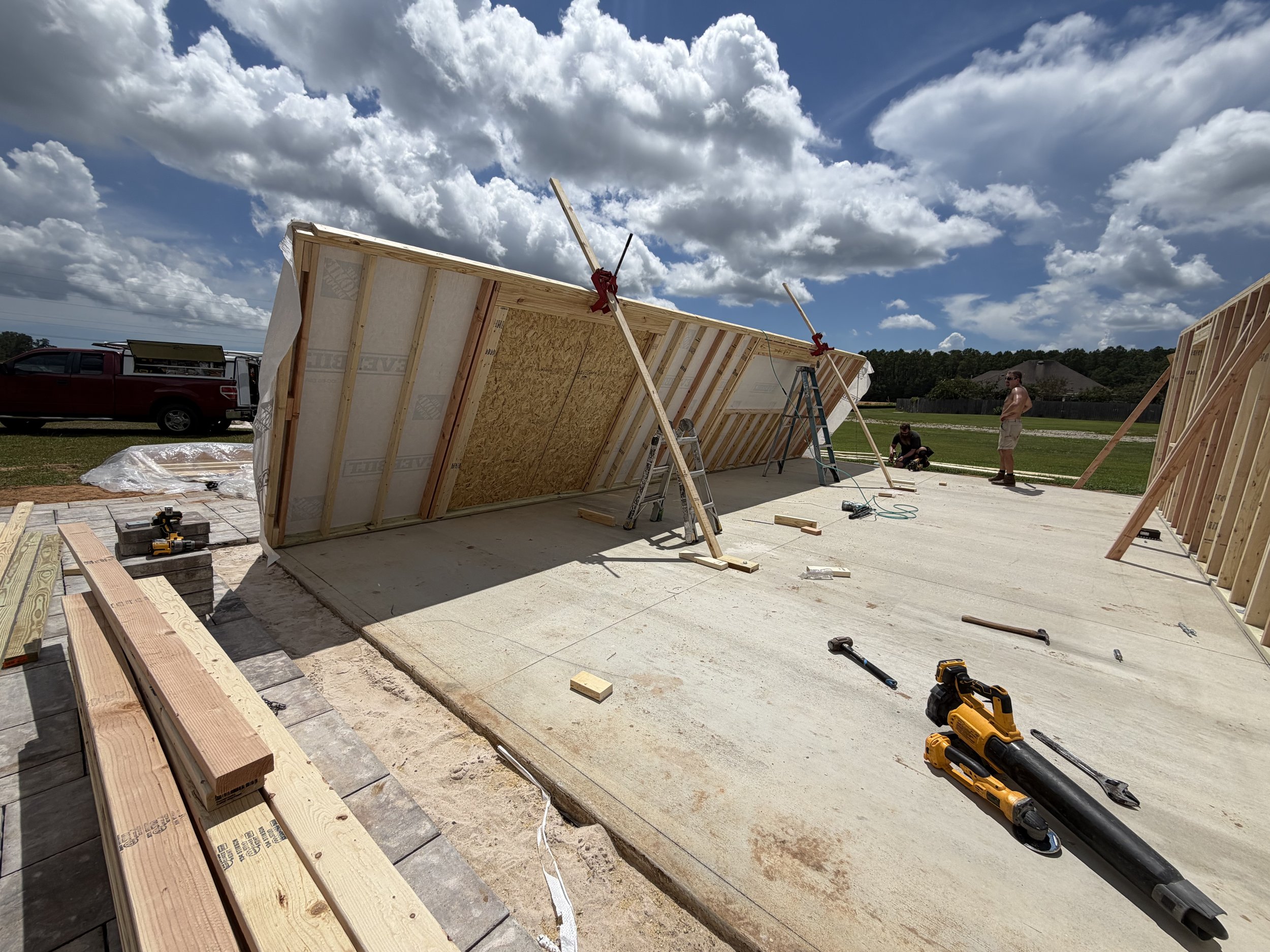
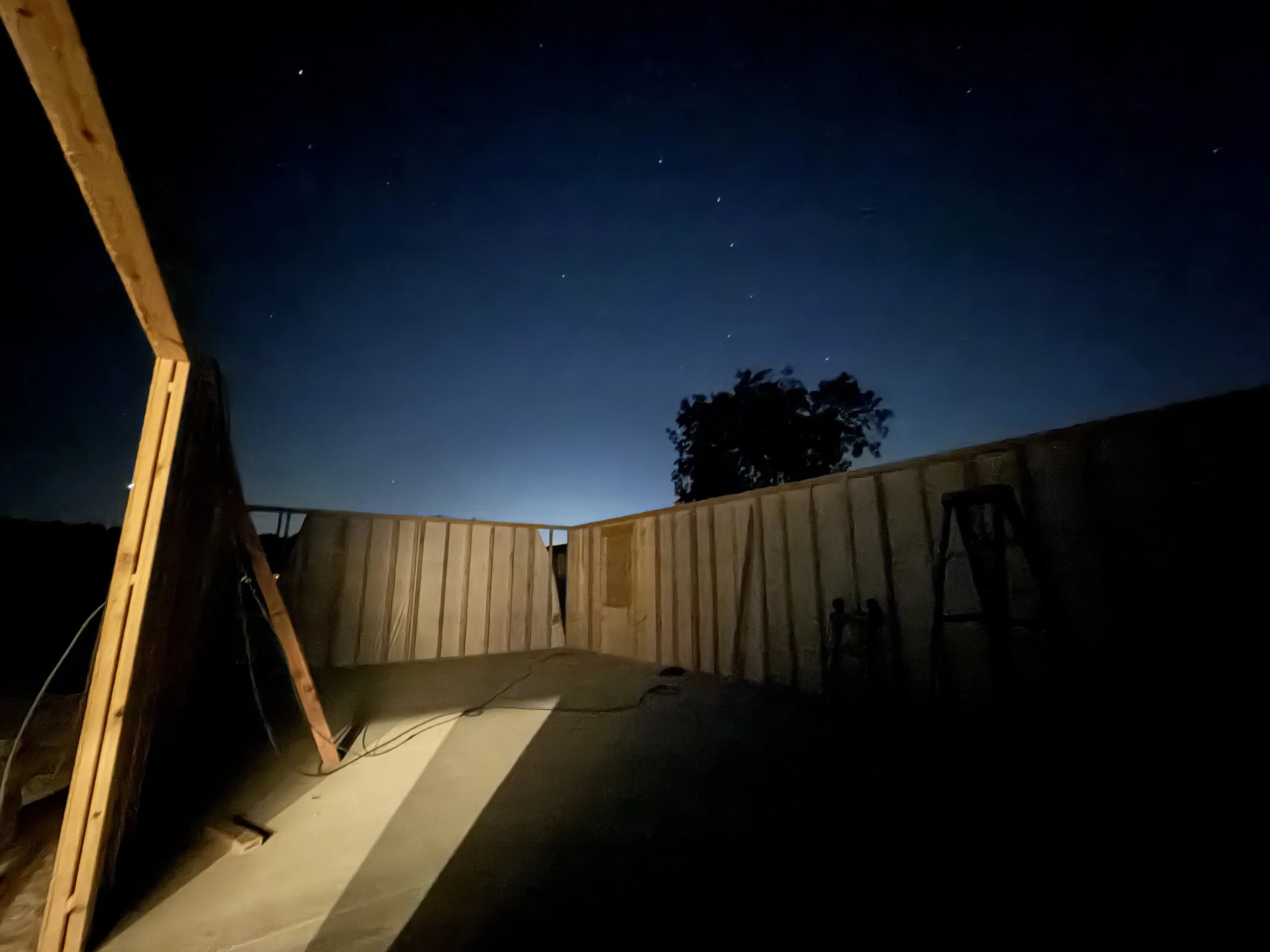
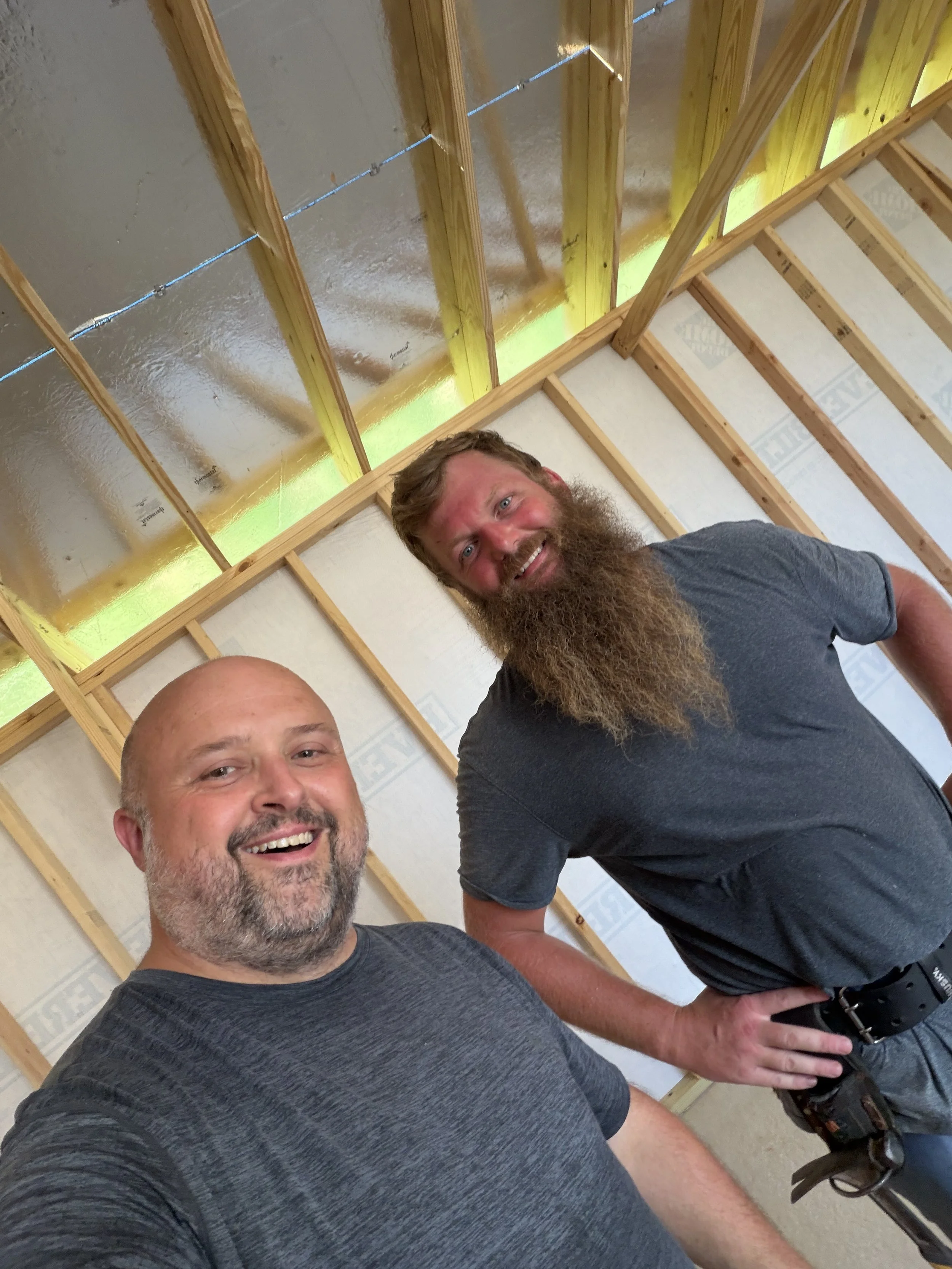
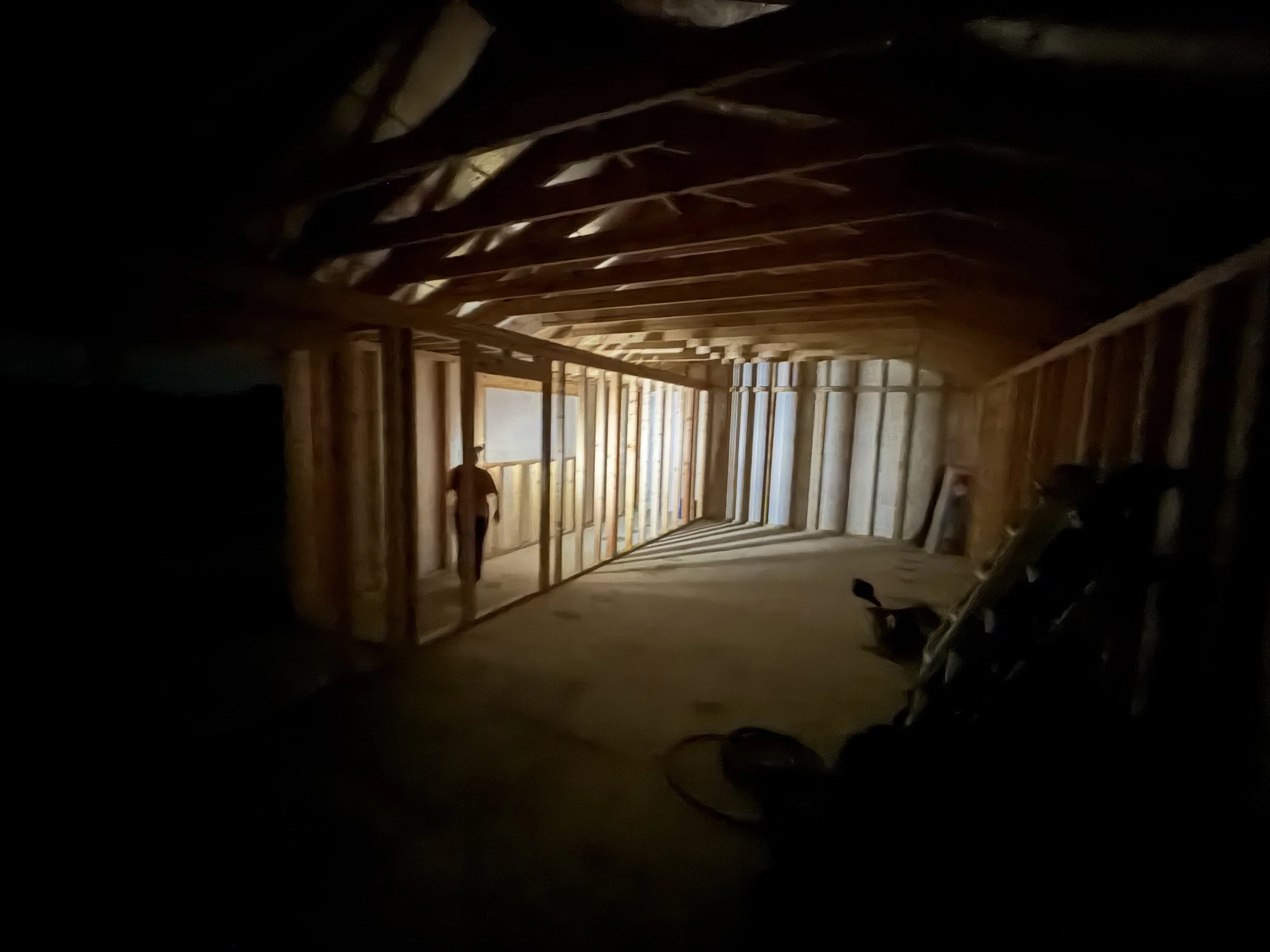
Electrical
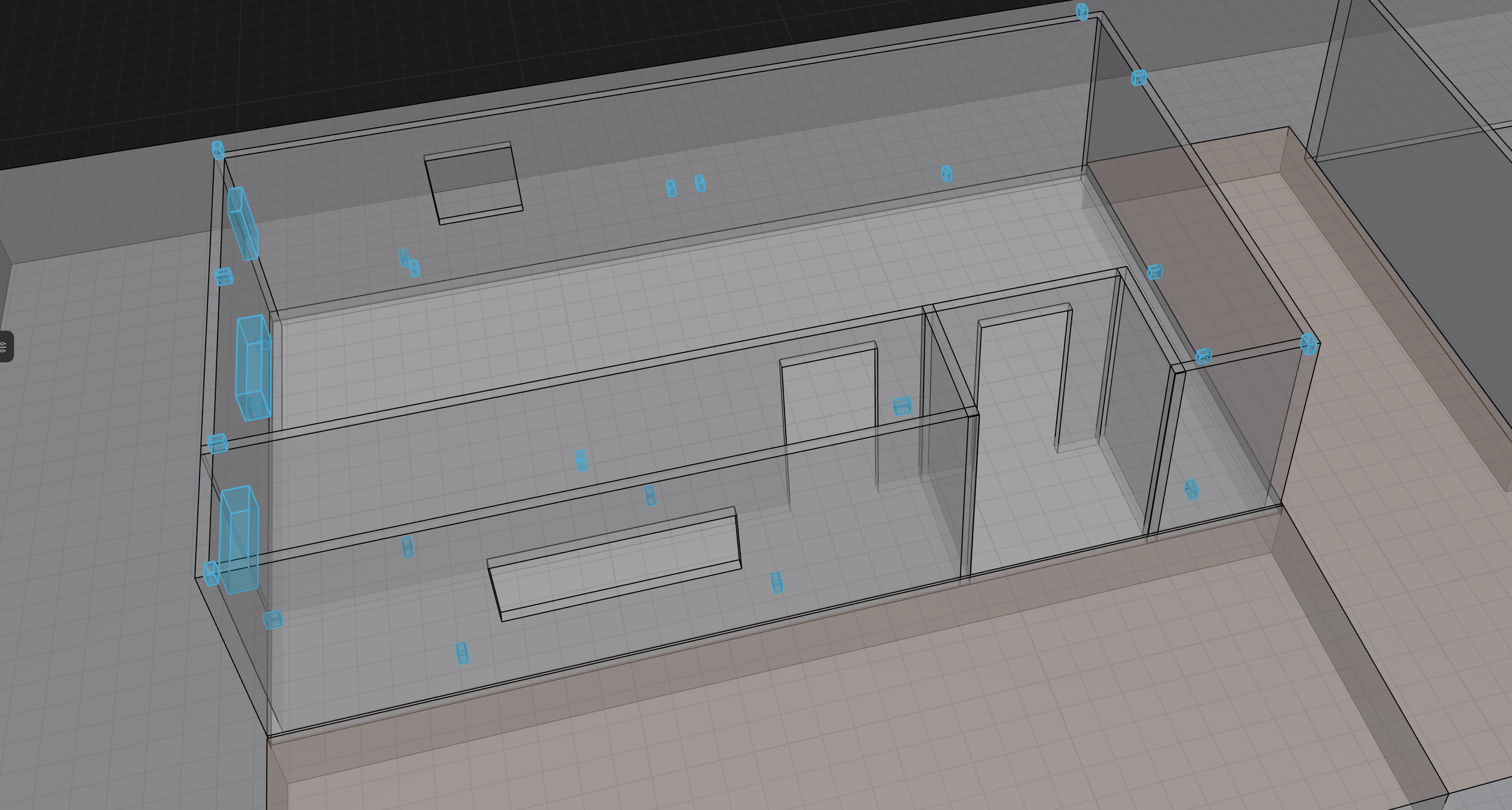
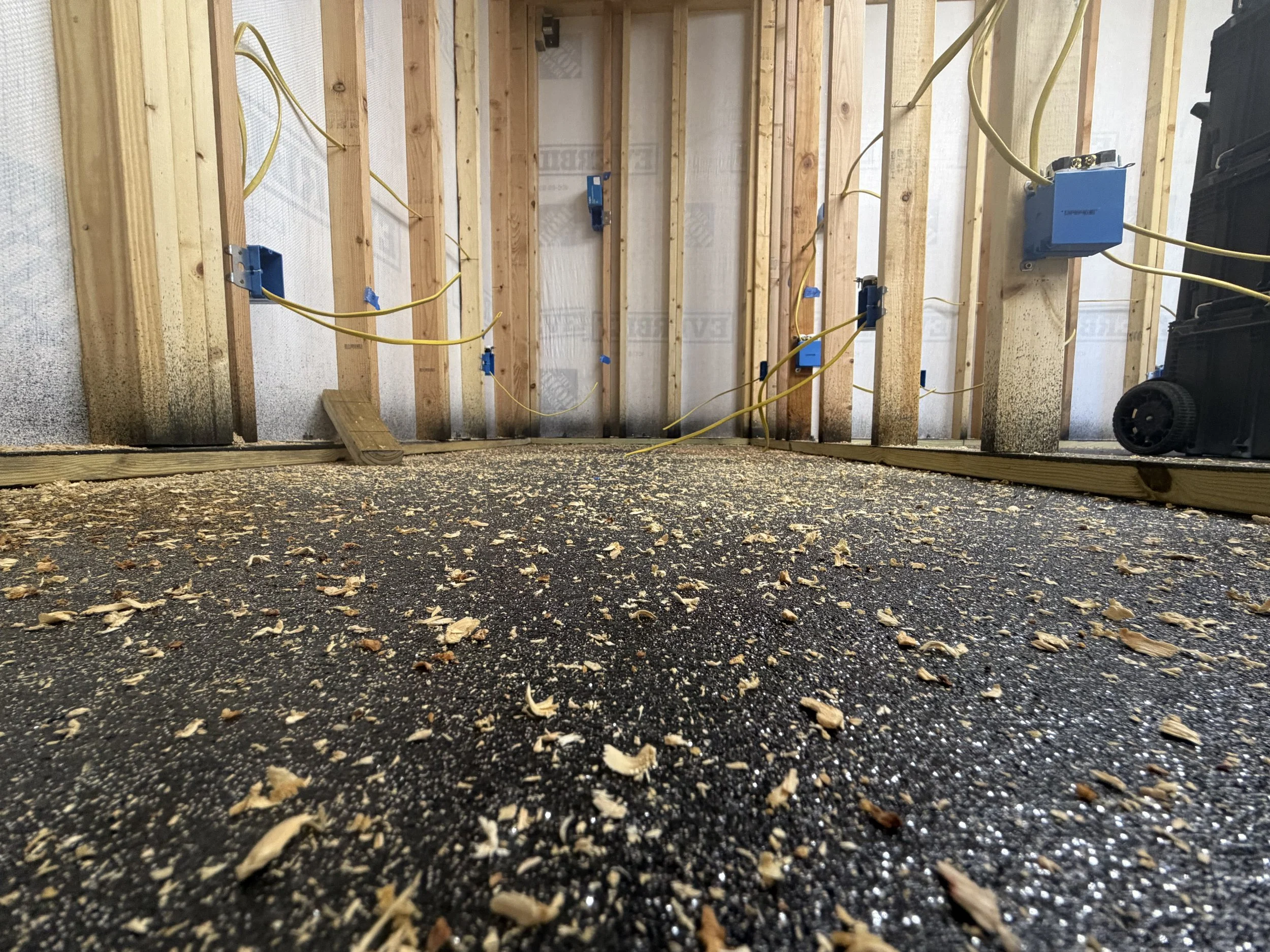
I spent a considerable amount of time on electrical design and distribution and landed on something similar to this. Three zones of standard outlets, a zone of overhead lighting, a zone of exterior lighting and power to drive external features like cafe lights, security devices, etc. A dedicated double-pole breaker feed for a dual zone mini split and another double pole breaker feed for an industrial fab device, cnc mill spindle, welder, etc.
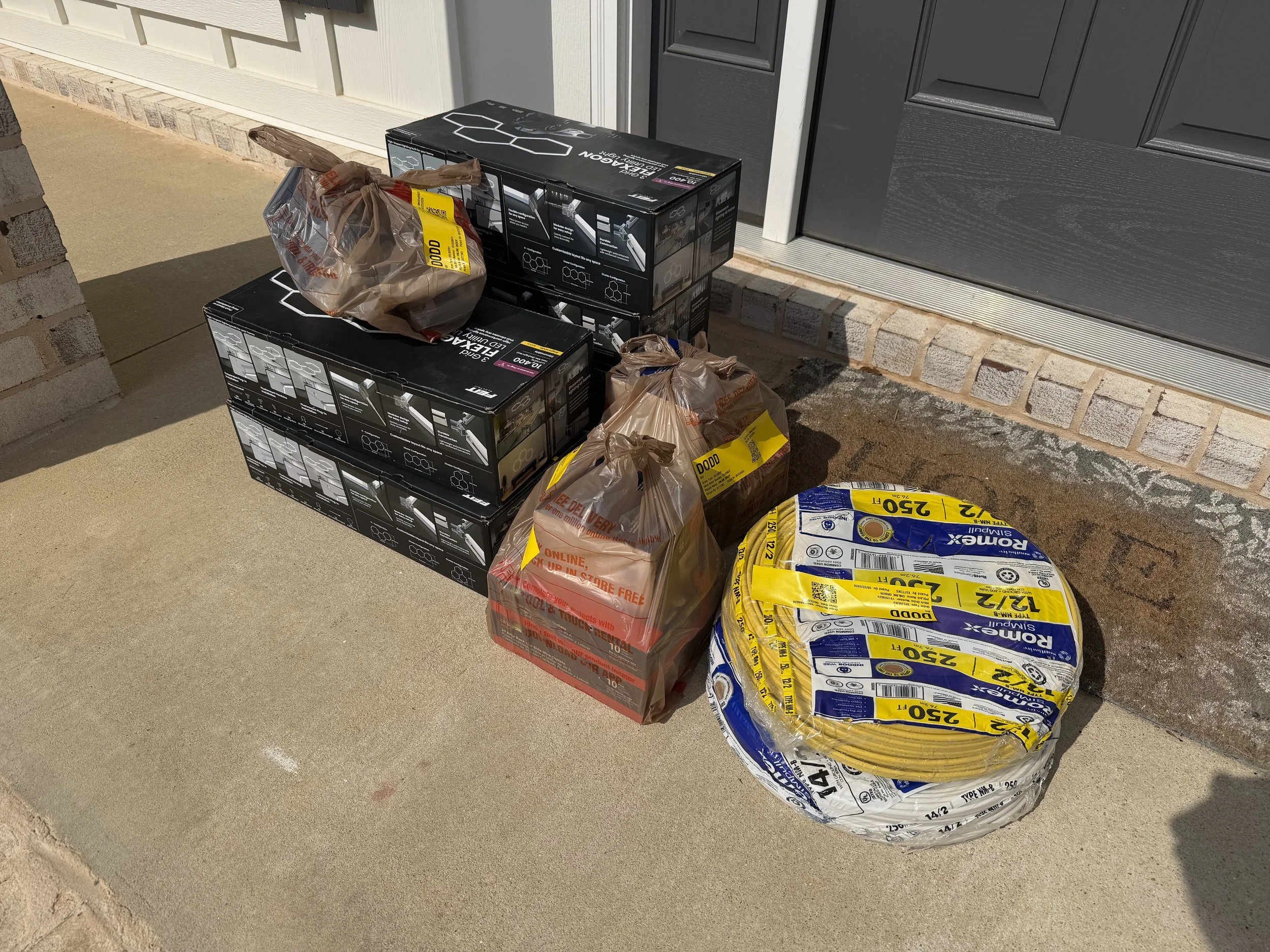
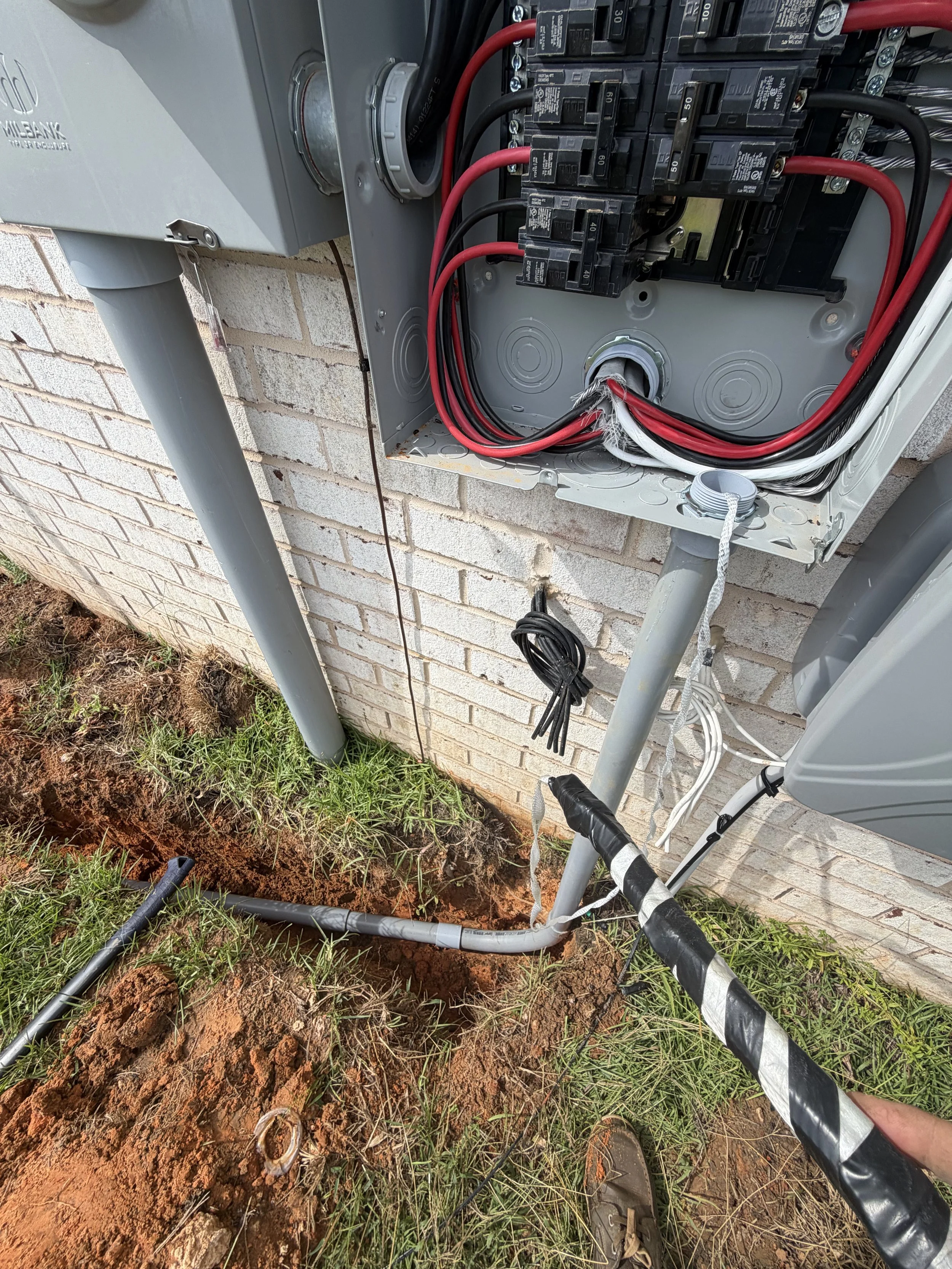
The address has 200A service. A 100A subpanel in the workshop will be fed by an 80A double pole coming from the main. The main breaker gets its load reduced by the introduction of a natural gas tankless water heater and stove. It is fed by a 2-2-2-4 feed bundle buried in conduit. Code calls for 18” depth for conduit burial.
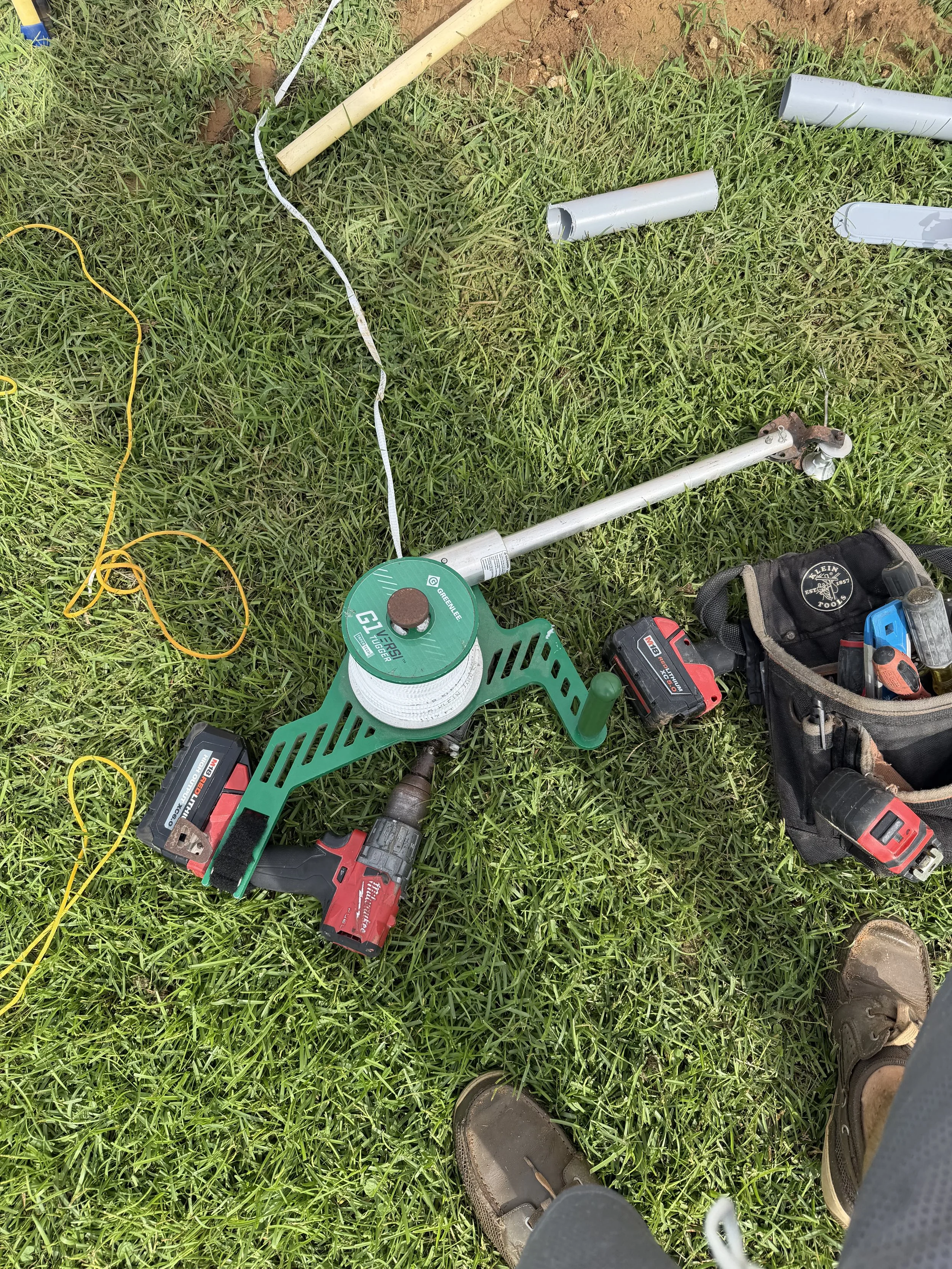
Pro-tip, don’t rent the 18” trencher for an 18” trench. Rent the heavier 24” trencher and save yourself the headache and time pushing through the trench multiple times to get appropriate depth.
HVAC
The first AC I ever used in the gameroom was a roll-around portable unit that came from my sailboat.
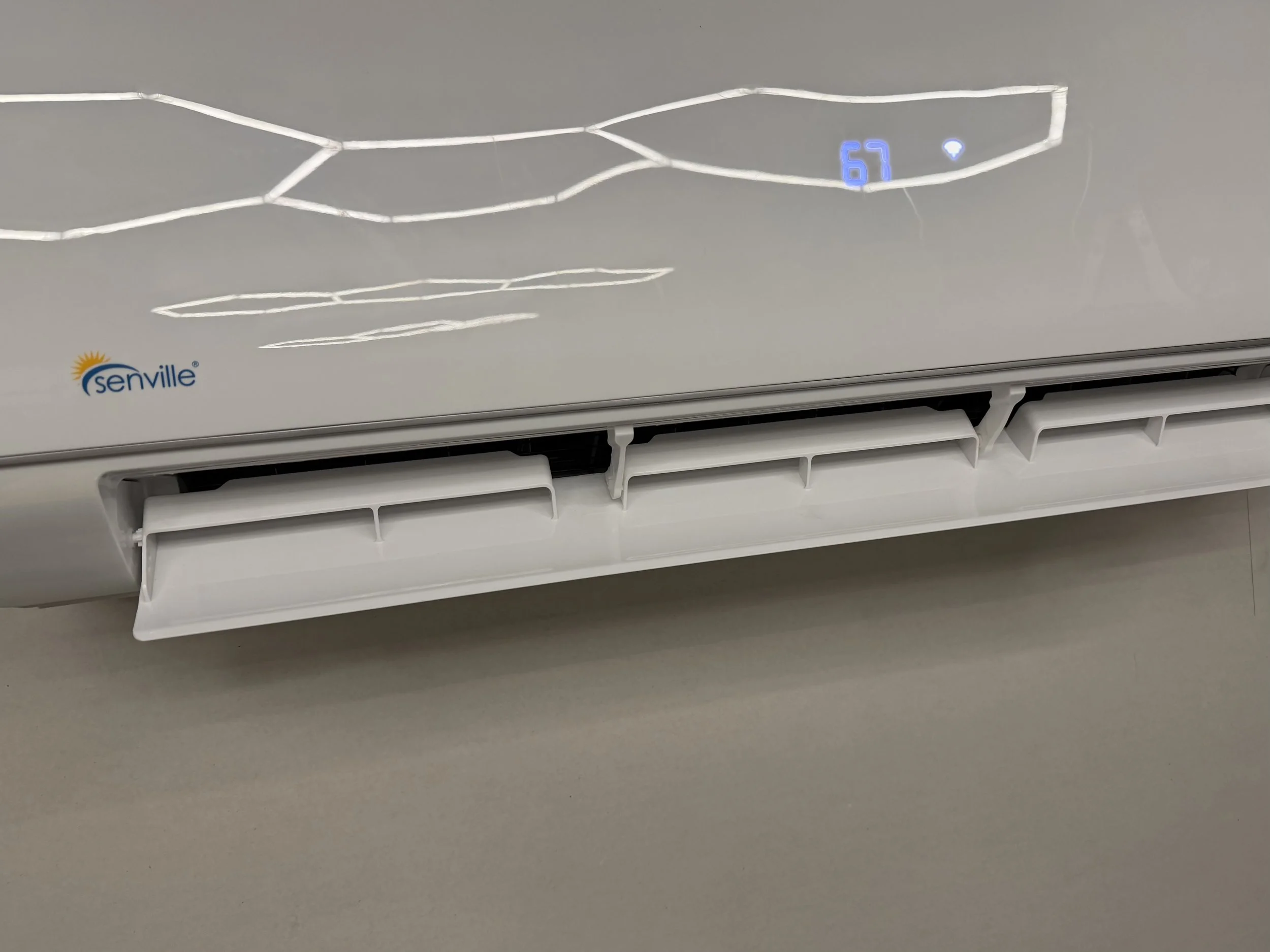
A hard-earned rule of AC units: any unit where the compressor and the air exchanger share the same space is wildly inefficient. This goes for portable AC, Window Units and Hotel-style All-in-one half-wall units. For the old gameroom’s second A/C unit I purchased a Senville Mini Split for $1200. At that time, the Mitsubishi splits were running about $6000.
Over a decade of use, the Senville unit was quite efficient and their support was quite good. Twice, critters suicided themselves in the outside unit boardset. Senville’s replacement parts were always available and always reasonably priced. It didn’t matter that I was just a homeowner without an active HVAC license. They stood behind their product.
I wanted to reward that record by going with Senville again.
Calling around for HVAC folks and saying “I want to use a specific brand, I’m happy to buy it from you” seemed to always result in some frankly bad-faith responses based more in their own pet peeves or brand-bias than any ground truth.
One guy that came through a recommendation no-showed me, then got all defensive and phone-quoted me $1800 to install the unit. $900/hr for a labor-only install is good money if you can get it, I guess.
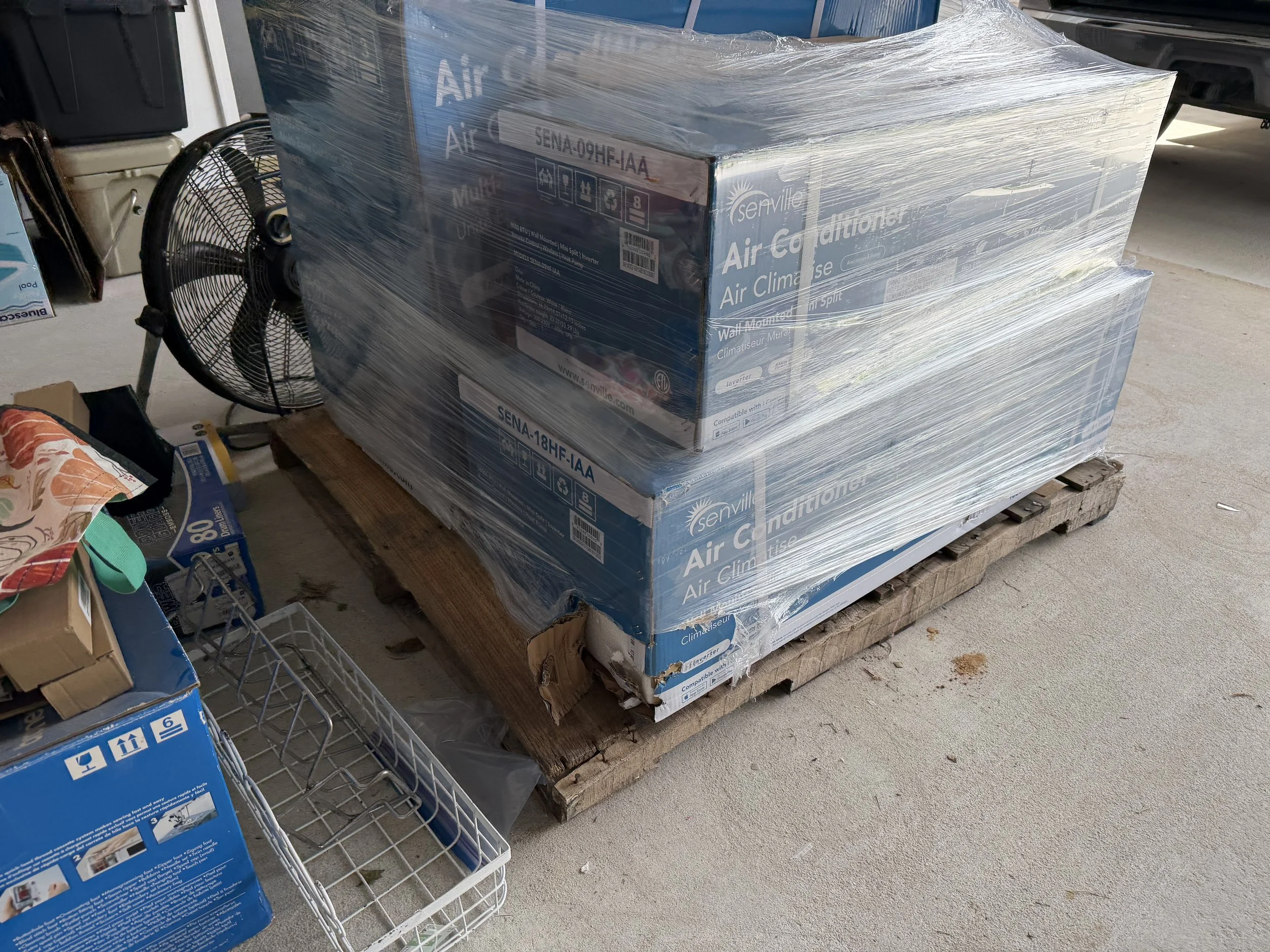
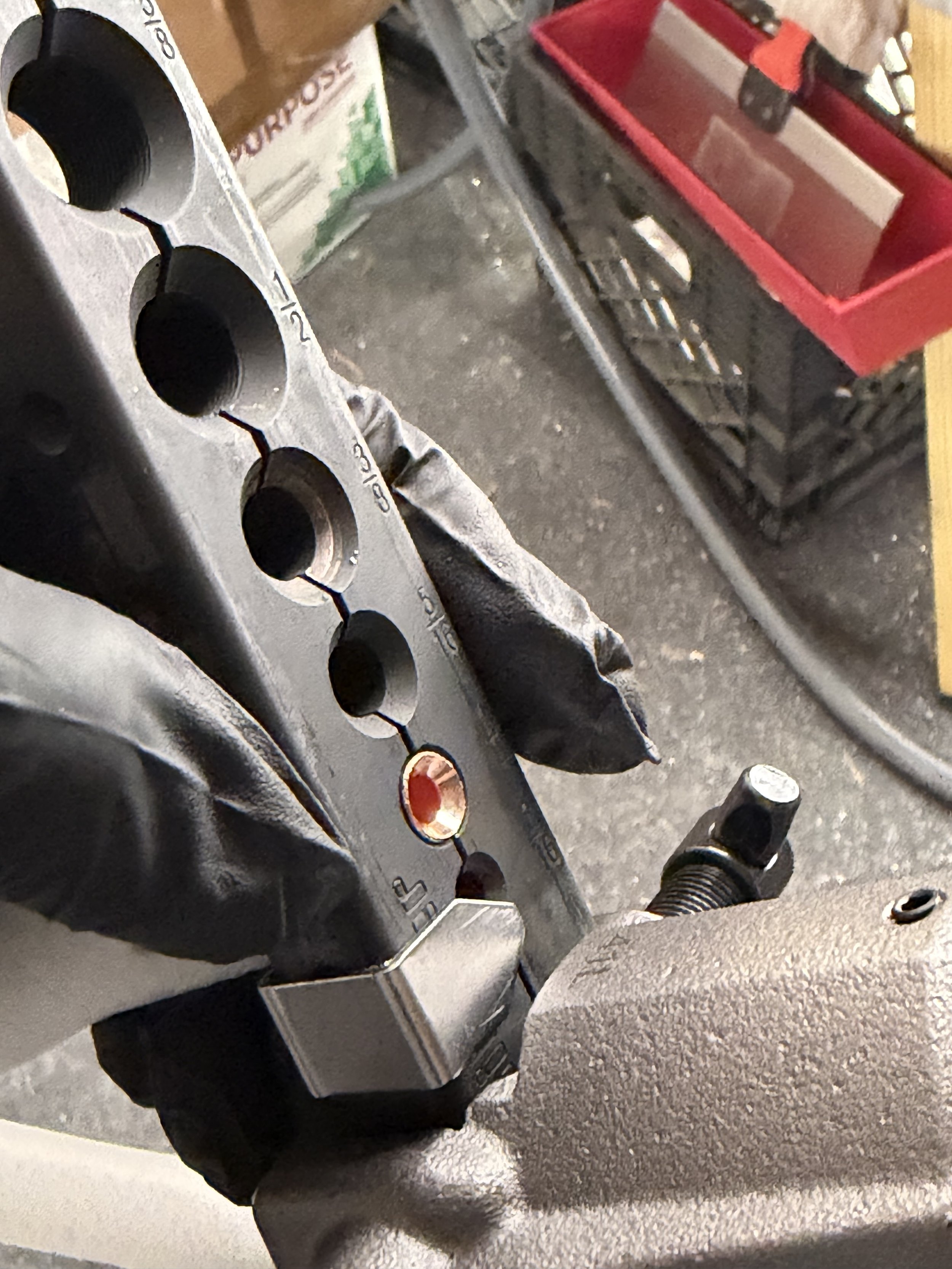
So, um.. yeah. I now have all of the tools and skills necessary to do A/C work. This includes a supply of spare refrigerant because apparently all of those pesky “rules of society” we used to have just do not apply any more. You can literally just have anything delivered, I guess.
Insulation
If I lived in a less humid climate, I’d have bought denim insulation. It isn’t really any more expensive than any other insulator, is easy to work with and has some great sound-dampening properties in addition to being a great insulator. In a humid climate, I was worried it would just wick moisture out of the air and mold. I planned to go with Rock Wool. I found competing opinions on how it would perform in the southeast climate and it was a special order item from the supply house.
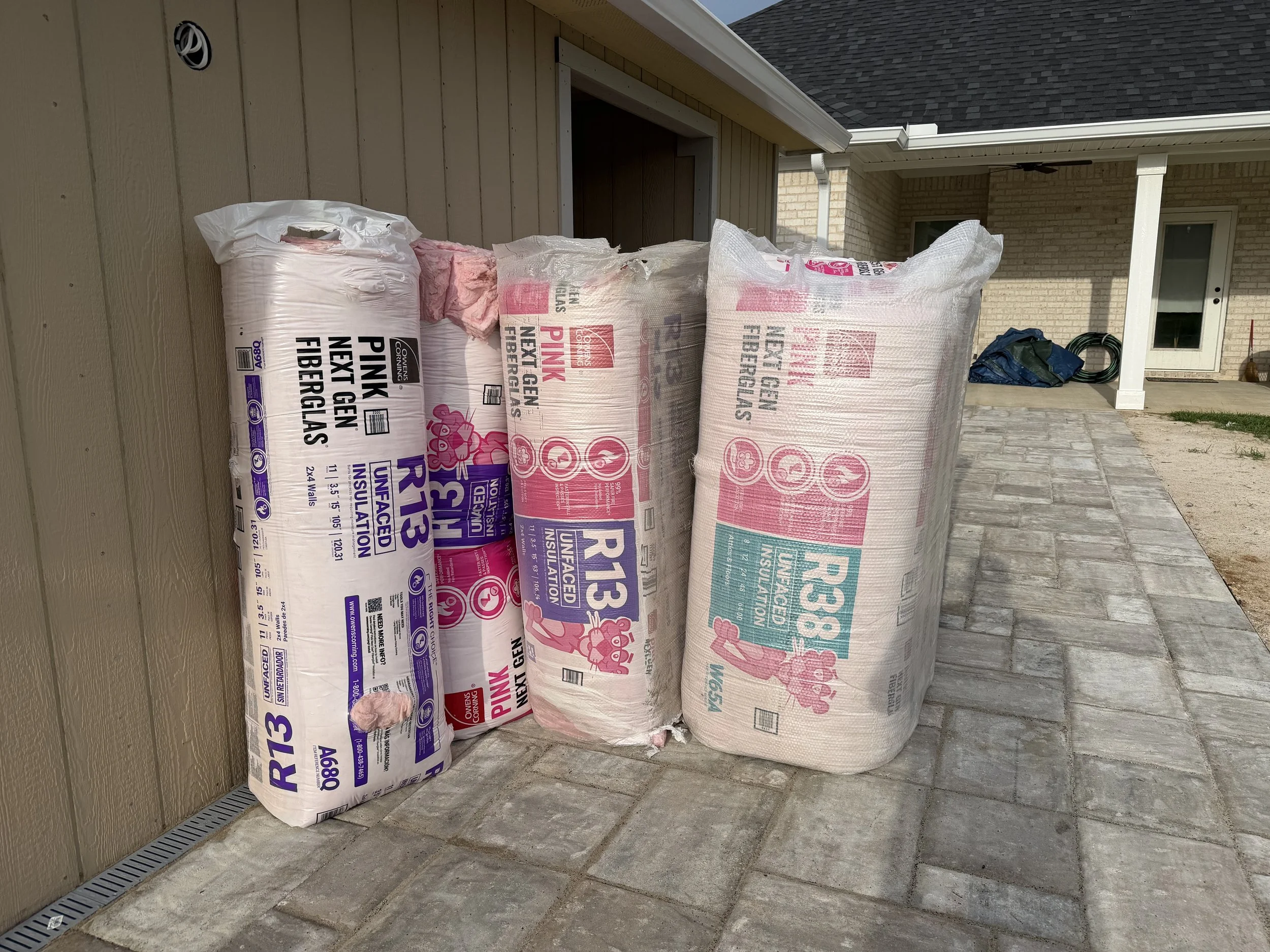
Mostly because of cost, we ended up going with standard pink insulation. I’d have chosen faced insulation but we found a pretty good deal on this unfaced pink Corning product. Deck boards have radiant barrier laminate layer. It is genuinely baffling how many professionals will throw closed cell spray foam right over a radiant barrier. Radiant.. means to radiate. C’mon folks, works have meaning.
We designed the building to have 1 ft vented eaves and a ridge vent. Eave spacing baffles installed, r13 and then r38 over top the cross braces. It creates a very small hot attic for ventilation travel through the eave vents and out the ridge vent while maintaining radiant spacing. If needed, I can cut and install gable vents and a temperature-triggered multi-stage blow through vent fan but so far it hasn’t been necessary despite a very hot summer.
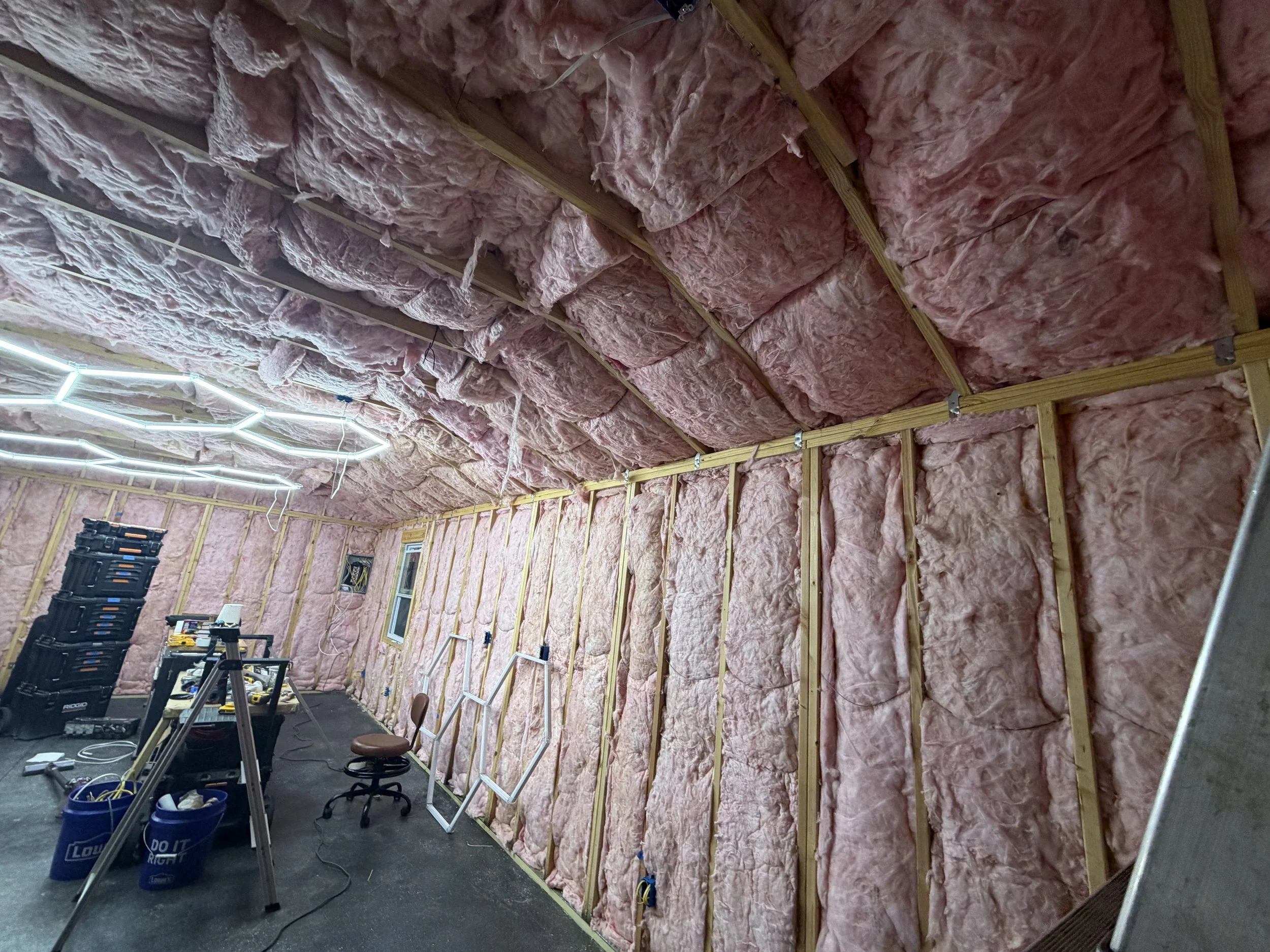
Wall coverings
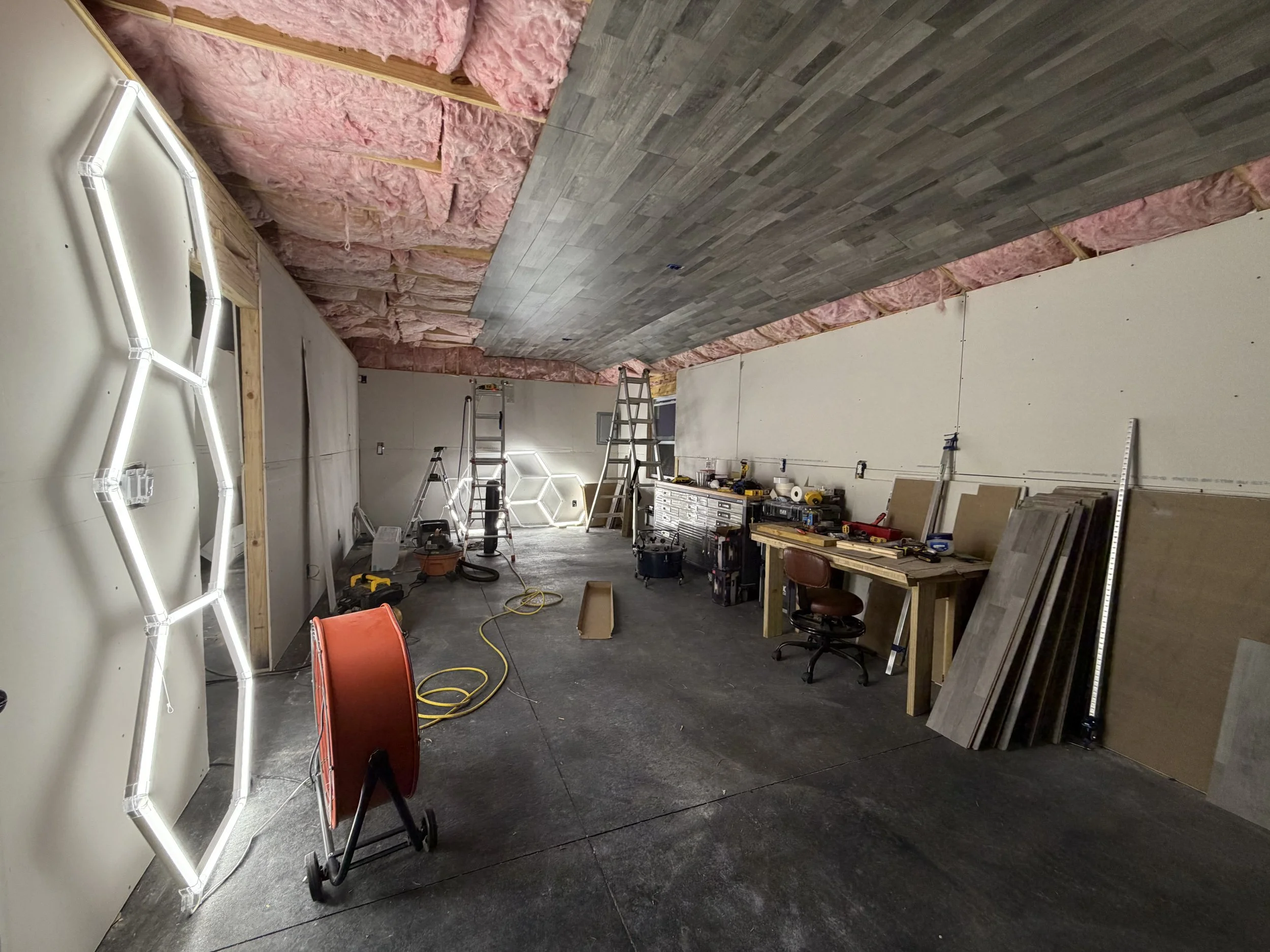
Constrained by budget, I originally intended to essentially just staple some weed-fabric to the walls and ceiling and call it “phase one complete.” Several problems with that approach, though. Unfaced fiberglass insulation will slough off fiberglass microfibers through air movement. Then, you breath that garbage in. Not great, Bob. Another problem is it is kind of a fire hazard.
For the walls, the cheapest DIY opportunity was 1/2” sheetrock. For the ceiling, I used labor-day-sale click-lock planks installed with a brad nailer. As it turns out, 7mm planks have sufficient dimensional stability at a decent enough weight ratio for the task. Installing them was an incredibly tedious process and I still need to add some trim boards. I like how it turned out but I can’t say that I’d recommend this. Seriously, overhead click-lock plank installation on a ladder by myself was extremely annoying and not worth the cost-saving.
Arcade Shenanigans, Finale
A new chapter. You’d note that the majority of my arcade-shenanigans posts over the last few years have been less arcade and pinball specific and more about prop making, maker builds with a few tangents to get off my chest in film, tv or gaming.
Trying to get a better handle on our expenses and re-establish some balance, we downsized this summer.
A final walk through of the game room before we sold the home to a very lovely family.
A look ahead at what I’ve been working on this summer, despite the 110F heat index.
(In Dungeon Crawler Carl Announcer Voice)
NEW ACHIEVEMENT! Memory-board of Hobby Past
Suck it up crawler. It is just stuff.
Stranger Things
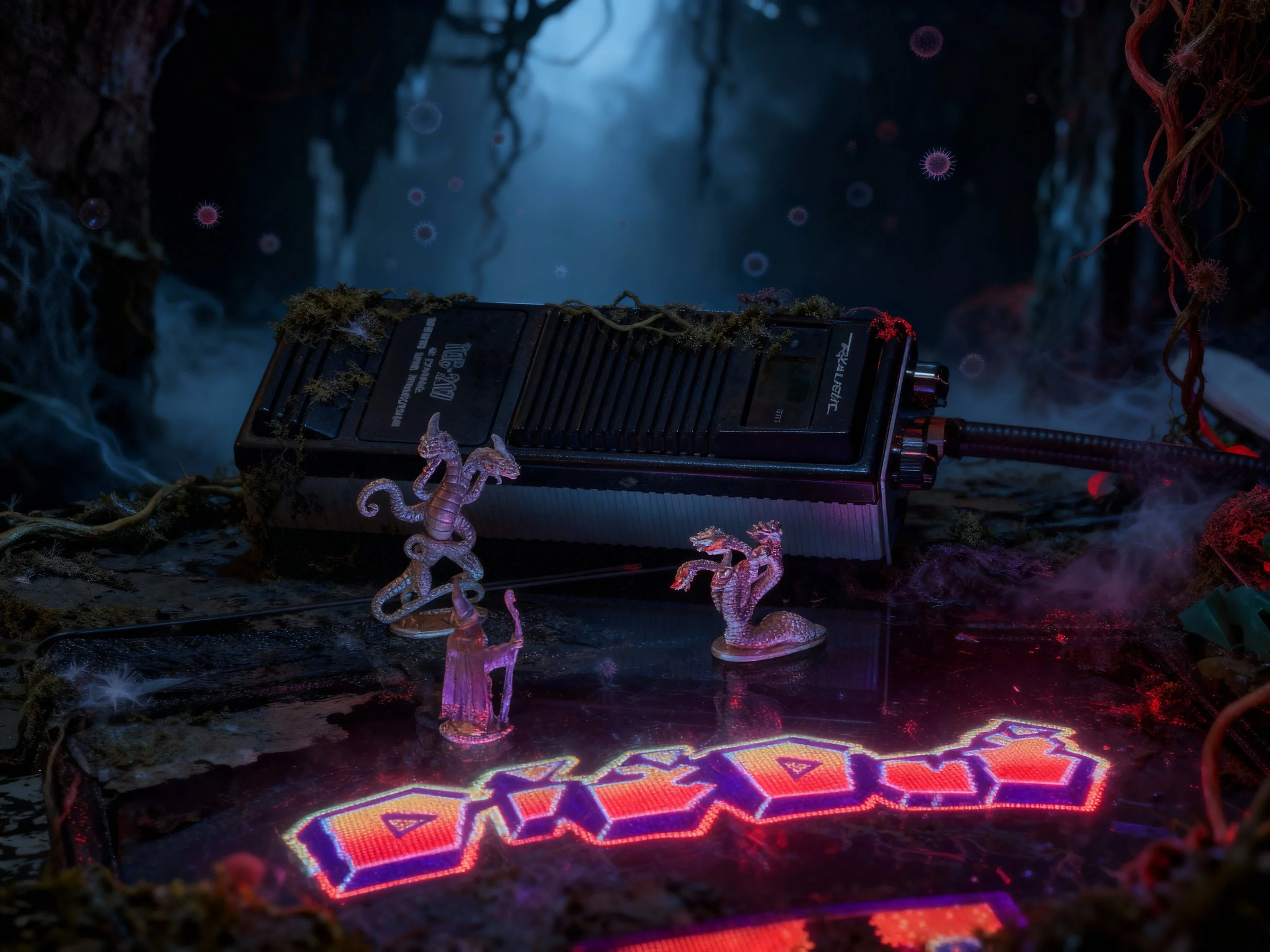
As Stranger Things final season wrapped, I recently went through a full rewatch.
Growing up in Rural Indiana in the 80’s-90’s, Stranger Things is the sort of show that feels like It could have been made in a secret DOE lab aimed specifically at my inner 9 year old. Living in the southern Indiana boonies in the time frame where this show was set, I guess 9 year old me would have fallen somewhere between Mike & Derek’s cohort. My tiny friend group was more focused around adventures in the woods and building forts out of small stacks of discarded semi trailer tires than playing D&D.
The kids living within bike ride of one another and the corner store really seemed like they had charmed lives. I did get to nerd out in my own way but more through BBSs, electronics and chemistry sets. That Spielberg-ian or Goonies-essque vision of kid-adventures powered by bike rides to the friends’ houses and nearby town were always just out of reach.
I follow a lot of film and tv review content. Over the holidays, the overwhelmingly negative response the S5 midpoint and finale have been turning over in my head and need to be vented before I move on. Here are my thoughts on Stranger Things as a whole, the ending and the nature of discourse around fandom collapse. Stream of consciousness; Spoilers, probably.

I see Season One as a near perfect outing of Television; a storytelling Fabergé egg.
Expertly capturing the environment of small-town Indiana, establishing the friend group of characters and the central premise, everything just hits. Less is more. The realization from Jaws that the unseen shark is scarier than when seen drives the brilliance of the horror tension around the Demogorgon. The more of a monster that you leave just off screen, the more you encourage the viewers’ imaginations to craft individualized tailor-made feelings of dread. The monster in the walls is the monster from your developing psyche. The monster under your bed, in the shadows; a monster without a face. The sound design, environmental design, lighting, jump-cuts and auditory slam-cuts are very effective in putting you into the story. Strong character archetypes portrayed by charismatic actors navigating a compelling story with real stakes and an engaging mystery.
El puts our her hand and screams, vanquishing the monster, saving the day and saving her friends but with personal cost.
What Worked for Me:
All of it. RIP Benny and Barb
It is pretty clear to me this was the original story and always the inevitable conclusion for the series.
But: streamers’ gonna stream. The content assembly line demands more!
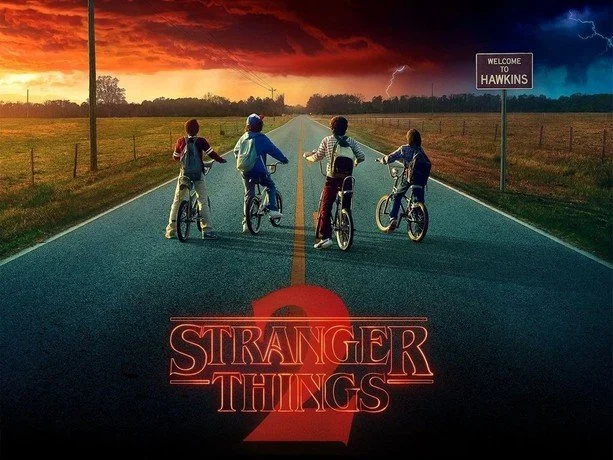
As an arcade enthusiast in the Southeast, I heard through collector friends in the Atlanta area as the production sought arcade machines for Season 2. I enjoyed season two but started to see the narrative cracks. Max was a great addition to the party.
I felt Billy was written to be over the top in a caricature’d 80’s bully way.; an MTV music video encapsulated into a fictional character. He is apparently a fan of attempted vehicular homicide on normal days, he’s an underage smoker and drinker with a dose of implied racial bigotry. He is that person we all have in our lives that seems to get away with shitty behavior because their cosmic roll for charisma or physical traits turned up with a 20.
The halloween setting is great. Thematic integration of Dig Dug into the plot is fun. The Mindflayer cloud is legit spooky. Sean Astin’s Bob the Brain will always be the Samwise to our emotional Frodo because we want nice things for this little family. This season solidifies the formula for the remainder of the series.
Divide the Characters
Introduce new Character Pairings
Mine these situations for levity and Character development
Characters work towards harmonic outcomes through parallel efforts
Re-Combine the Characters plus new Character Pairings
Mine the recombined group for emotion (levity, sadness)
El puts our her hand and screams, vanquishing the monster, saving the day and saving her friends but with personal cost.
What worked for me:
Bob and Max were great character additions to drive other character motivations. Noah’s portrayal of Will’s possession is haunting.
What didn’t:
Kali’s found family of freaks and miscreants were poorly placed in the series lineup, bled tension from events at the lab.

Season 3 abandoned the cold dark months for bright summer days at the mall. The mall nostalgia fuels a more spy-kids like tone in the day and the Thing-inspired gore of the meat-flayer is a different kind of horrific. Hopper is unrecognizable, seemingly pulled from a sit-com. Max and El’s girl time provide essential character development. We are all Hopper in our discomfort with teenage romance.
What worked for me:
Dustin and Steve; the broader Babysitter Steve shtick.
Alexi and Murray was a fun pairing. Billy’s possession is well done. The Door, 3-inches Hopper monologue is great emotional extraction.
What didn’t:
Hopper’s cheesy Magnum PI analog, Weird Tonal Shifts
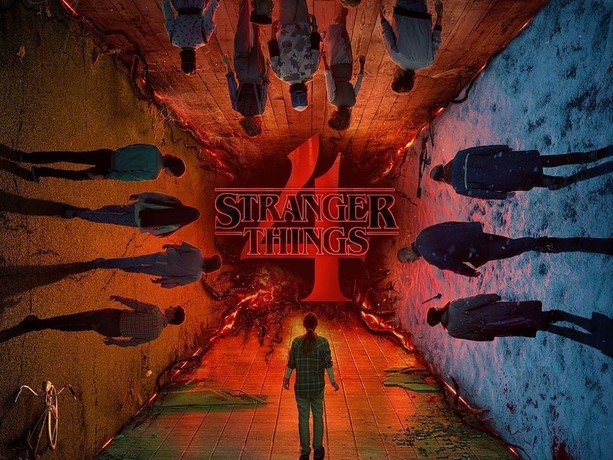
Season 4 was a return to form, blending scenes aped from Nighmare on Elm Street with genuine body horror and character tension. Vecna / Henry / One (VH-One) personifies the horror. Unraveling the mystery of this personified Villain with horrific capabilities brings real stakes for central characters. Every time a VH-One victim levitates, bones snap, their eyes are imploded and faces horrifically distorted I was mortified. The J-Horror blend of Psychological and Supernatural curses really works.
The bullies are relatable, as are the particular blend of freaks and geeks represented by Eddie. The pretty-boy jock douchebag with a plastic smile covered in false virtue versus the leather-and-stud clad counterculture types is a solid well from which to draw conflict and tension. [Hypocrite] + [Cosmic wood chipper] = [Chefs Kiss]
What worked for me:
The D&D Campaign Finale juxtaposed against the Championship Game is brilliantly done.
Everything Max.
The Murray and Joyce Roadshow.
The arm-up and off-to-war bike ride scene to a great Separate Ways remix.
The Hopper and Eleven Reunion. Epic visuals. Epic needle drop.
What didn’t:
The manner in which Hopper survived S3 and the Soviet contingent escaped Indiana was executed with the Soap-Opera level storytelling.

The writers’ room for Season 5 started to break the season in August 2022 and production was scheduled to start in May 2023 but was delayed by the WGA and SAG-AFTRA strikes. Production started in January 2024 and wrapped filming in December 2024. The year of shooting included any necessary reshoots. The show underwent additional adjustments after release like CGI airbrushing of an Under Armour logo.
In an attempt to recover some of the reported $480,000,000 production cost Netflix slated the release of Season 5 to be smeared over the 2025 holiday season. I guess the thought here is that if you weren’t already a Netflix subscriber, they’d get you for at least 3 months by spreading the release of Volume One on Thanksgiving Eve, Volume 2 on Christmas and the finale on New Years Eve.
Season Five has generated a lot of discourse and the internet speculation hive mind has been busy over the last 3.5 years theory-crafting on these characters and plots. The internet mobs sort themselves into various camps because the algorithms turn everything into shirts vs skins.
Some are looking for Kardashian-esque relationship dramas. The Jancy and Stancy camps can bore you to tears with their takes on who Nancy should end up with while others are engaged by the second-screen identity classes of the characters.
Some of us just wanted one-last Goonies-like adventure and a send off for these characters.
.. I think that is what they delivered but not much more.
Season Five had an uphill climb worthy of a Kate Bush single.
A stretched story that was originally set to conclude at the first season.
(It was originally envisioned as an X-Files like anthology with the first season centered around the Montauk Monster)
An over-engaged fandom precious about their own pet theories, obsessed over identity topics and relational pairings.
A streaming juggernaut with studio notes focused onprotecting the crown jewel of its intellectual property portfolio.
Show runners, directors and performers that recognize the career risk of pulling a GoT-level ending.
A Thessalhydra of content reviewers fueled by engagement and fed by underwear ads, supplemental vitamins and Patreon subs.
What worked for me:
The characters you love are still here, though you make have to squint to find them
A lot of fan service
The Turnbow Trap Episode was fun
Mr Clark is back and integrates into the party
Henry’s Whatsit Persona allowed Jamie Campbell Bower to give great performances without the Grinch/CGI Groot suit
The new kids were charming additions, grounding parts of the story back in kid-logic
A satisfactory conclusion for the main kids characters and central story
A pretty effective passing of the torch, coming of age epilogue with healthy themes around maintaining connection
What I didn’t like:
Uncanny Valley character CGI in the season prologue.
Internet discourse, especially around Will -don’t feed the trolls.
Chump-bait character death fake outs
Bad / repetitive / inconsistent / overly expositive dialog
The second half is unevenly paced with some odd storyboard and editing choices
The military characters were badly written NPCs.
Lore plot holes large enough to drive a Bradley’s Big Buy truck through
A few actor appearances took me out of their character roles completely
- 20-somethings that look like 30-somethings, playing 15-year olds. I get it, aging out of kid roles is inevitable. The makeup trailer can only do so much to cover up inter-season lifestyle and cosmetic choices.
I didn’t like the flow of the final boss battle.
I’m uncomfortable with “Suicide as Escape” story beats.
Considering this season cost more than Avengers Endgame, I don’t think the fandom is unreasonable for expecting more than we got.
Concluding Thoughts
Season One of Stranger things effectively transports you to a small Indiana town in the 80’s. You can smell the cigarettes, an aroma of 3 day old Schlitz and polyester clothes. From the Tupperware to the Christmas decorations, it is 80s as f&ck. Everyone in the production is on program to bring this environment to life. You believe these kids play D&D and ride their bikes everywhere instead of playing Angry Birds on iPads.
The intervening seasons add great new characters that and it becomes an exploration of adolescence and unfolding of a compelling mystery. The love letter to Spielberg moves to include elements and styles of John Carpenter (via the adults), John Hughes (via the teens) and others.
Eventually, the lore of the shot is stretched beyond the original scope. Season two with its Exorcist themes, Season three riffs on The Thing and Season four with Freddy Krueger. The antagonist is retconned from an otherworldly Eldritch horror to a supernatural serial killer.
By season five, the setting is still set in the 80s but less so than other seasons. By this point, the modern sensibilities have crept into the lore, the monsters are visible in full light and some of the actors and writers appear to be phoning in their parts. Still, some of the core party get moments to deliver solid performances and hopefully have plenty of A-list opportunities in front of them.
The character focused conclusion is a great send off for the party and rewards the Stranger Things fan for the time spent in this universe. It’s time to close the campaign binder and put it on the shelf for awhile but I’m sure the content vampires back at HQ have other plans.
Making A Prime Radiant (again)
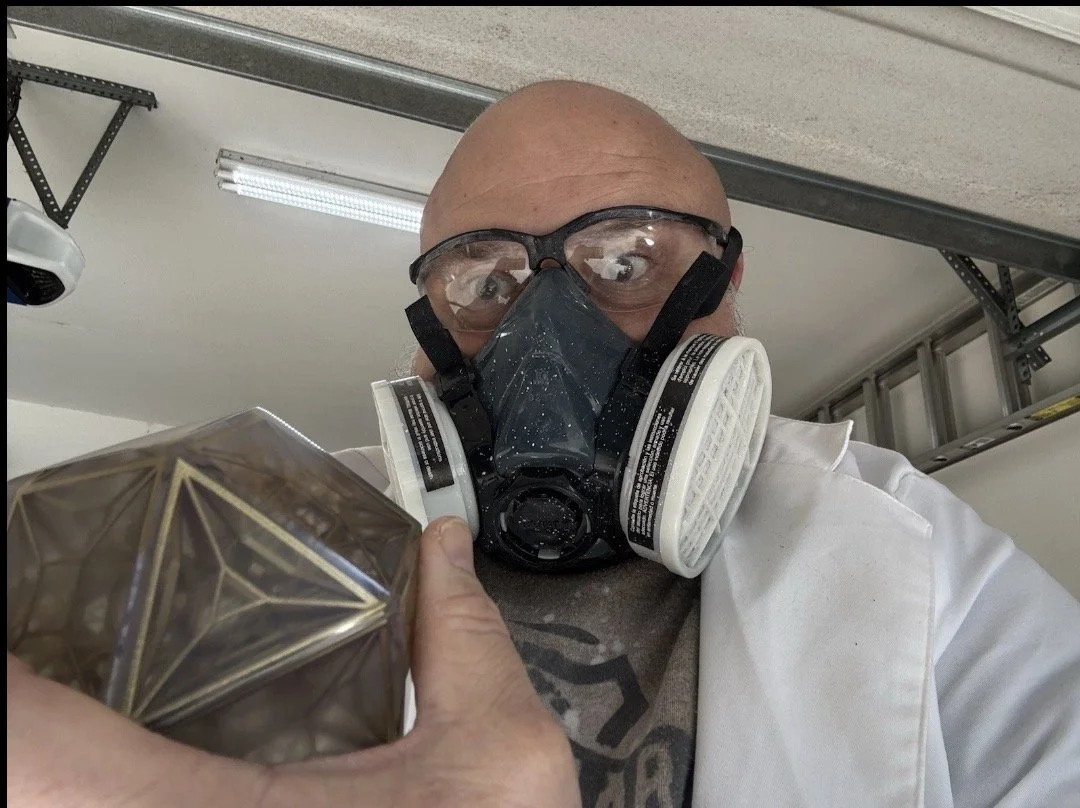
The Prime Radiant from AppleTV's Foundation Series.
The Prime Radiant:
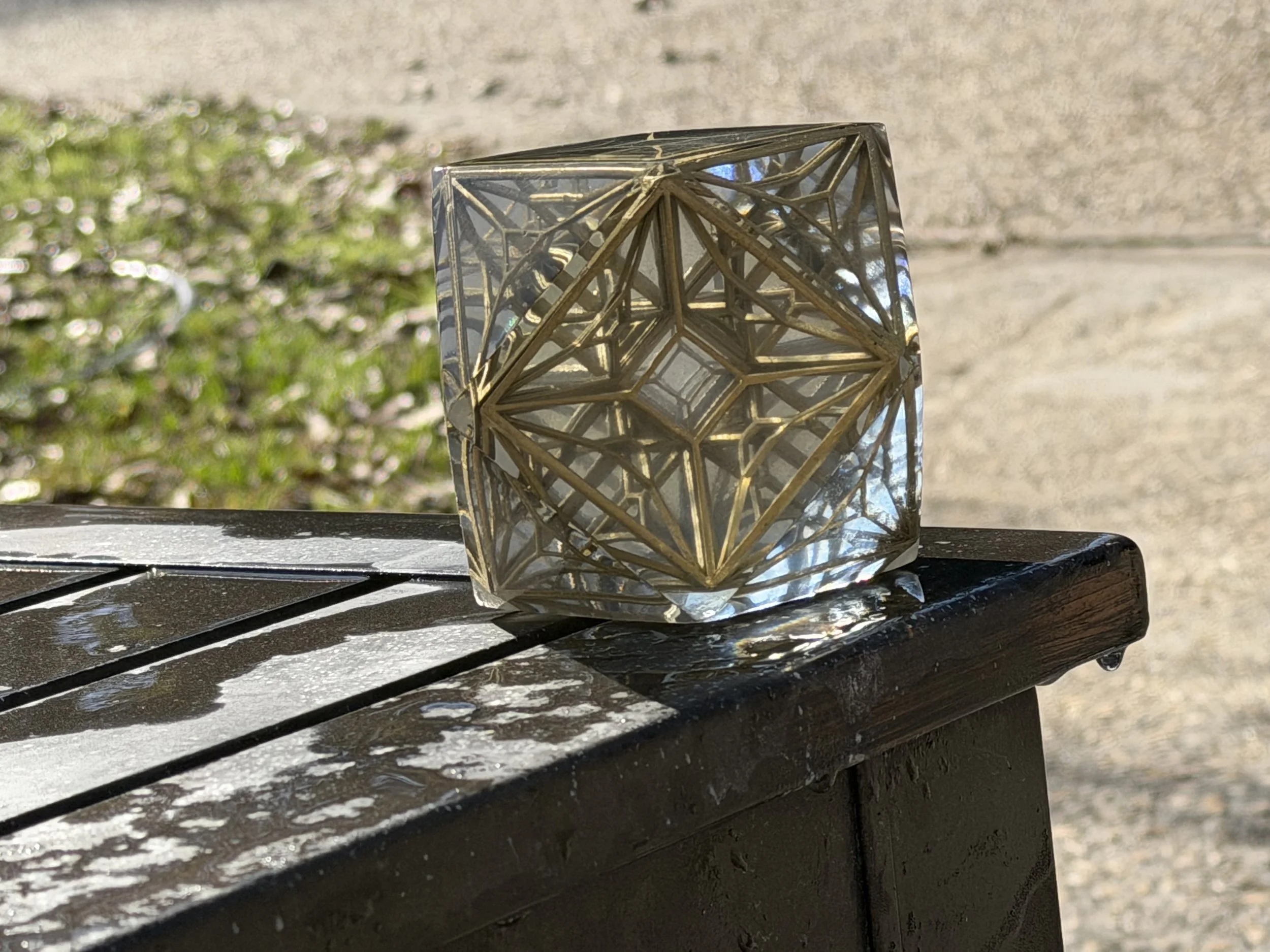
An Archimedean solid, cuboctahedran made of six square faces and eight equilateral triangles.
The internal lattice is created by projecting the edges inward toward the center. A 3d lattice constructed from perspective shifted 2d projection. Thematically satisfying given that the Radiant is supposed to be third dimensional projection of a fourth dimensional quantum computer. Conceptually similar to a tesseract...
I know there are some other models out there but I really wanted to make my own, to explore the geometry a bit more and use it as an introduction to casting workflows.
Up front: this is a challenging build and a good example of a mixed-process make that blends 3d printing, post-processing and casting concepts.
You'll need:
Platinum Silicone, 15A or above; for example:
https://www.amazon.com/dp/B0CXTF535N?ref=ppx_yo2ov_dt_b_fed_asin_title
Transfer Tape:
https://a.co/d/bVCK6Oc
Duck Tape or really sticky packing tape:
https://a.co/d/b5ChHmL
Epoxy Resin, (Deep Pour advised); for example:
https://www.sunlu.com/products/crystal-clear-epoxy-resin-kit-48oz-resists-yellow-no-bubbles-perfect-for-diy-gifts-casting-coating-decorating-river-table-top
Primer:
https://www.hobbylobby.com/crafts-hobbies/craft-paint-stencils/spray-paint/krylon-colormaxx-spray-primer/p/81039819
Gloss Coat:
https://www.hobbylobby.com/crafts-hobbies/craft-paint-stencils/spray-paint/glossy-krylon-fusion-spray-paint-primer/p/81209783
Gold Leaf or Gold Metallic Paint of your Choice:
https://www.hobbylobby.com/crafts-hobbies/craft-paint-stencils/spray-paint/krylon-premium-metallic-spray-paint/p/1393?srsltid=AfmBOori83Wu446ze0DBsM4z1zQkIjzHimzLna9mDRAOoYvCSU8mDvMD
2k ClearCoat; for example:
https://www.amazon.com/dp/B00W2D83K2?ref_=ppx_hzsearch_conn_dt_b_fed_asin_title_1
3" Air Polisher; for example:
https://a.co/d/43a544K
A step-sanding / polishing kit; for example:
https://a.co/d/2dxSMZv
Epoxy Polishing Compound and Cleaner:
https://a.co/d/jbY99yW
Petroleum Jelly: https://a.co/d/dpQJICH
-or-
Mold Release spray: https://a.co/d/7lLczhP
Nitrile Gloves:
https://www.samsclub.com/ip/EQPT-Blue-Powder-Free-Nitrile-Gloves-2-pk-300-ct/13943808234?classType=REGULAR&from=/search
Paint and Body Respirator Kit:
https://www.harborfreight.com/paint-and-body-respirator-kit-large-56983.html
Safety Glasses or Goggles:
https://www.harborfreight.com/safety/vision-protection/safety-glasses/premium-safety-glasses-57503.html
Advised but not absolutely required:
A degassing solution, for example:
https://a.co/d/cKOB5KR
Make Process
The Shell
Print the shell to act as your casting mold master.
I printed mine in PETG.. If you have the ability to print it in resin you might be inclined to do so but just be aware that naked resin doesn't play well with Platinum Silicone and will (still) need to be covered with a high gloss finish first.
Sand, prime, paint your master.
This part is key:
The shinier and more mirror-like this master shape is, the clearer your casting(s) will be and the less post-processing they will require.
For mine… I printed it in PETG. Lightly flame polished with a hand torch, then sanded it lightly (800 grit) by hand, primed it, painted several coats of gloss paint, re-sanded until smooth and covered with several applications of the 2k Clear (Activated 2 part Clear Coat) and let it sit until hardened. .
Then I wet sanded from 800 grit → 1000 grit → 1500 grit →2000 grit →3000 grit →5000 grit → 7500 grit → 10,000 grit
Alternatively, you could print the outer tiles or cut (acryllic, glass) tiles using these as templates, then use the tile jig model to join the tiles. If you have access to a glass print bed based 3d printer (like an Ultimaker) you could print these tiles face down on the glass to reduce the amount of sanding before casting.
The Lattice
Print the lattice halves. Make some spares, they are fragile. If printing on FDM you will likely need to use dissolvable supports like PVA or have magic bridging capabilities on your printer. I printed mine directly on the build plate in Resin on a Jupiter 6k. Join the halves (glue them). Prime them, paint them, clearcoat them. I recommend the same 2k clear but you can probably get by with a automotive store brand 1k clear like Duplicolor.
TIP: If you don't let the lattice dry, cure and clear- the heat from the epoxy cure can ablate the finish off of the lattice, making the resin pour cloudy or even introducing gold flakes.
Making the Molds
Print some casting keys.
Print the half mold form. Print the full mold form.
I used 5" infill, gyroid fill and printed it in PETG but PLA is fine too.
A similar sized PVC pipe for the full mold is also completely doable.. You can also form PVC art sheets into a similar sized tube.
For the half mold, I recommend sticking to this half-mold form model though. It is sized so that you can hide any seams at the hemisphere of the model.
You could split the mold form halfway down the side to make it easier to demold but… the Platinum Silicone is the most expensive ingredient in the make. Anything that might make it leak seems not worth trying to preserve a $0.20 print :)
I printed some petg platters for the following step but you can use anything really, a crawfish platter, a plate - doesn't really matter it just needs to be level and flat. The silicone is typically food safe and will come off when it dries.
Onto your plate, platter, whatever you chose: Lay out the transfer tape, sticky side up. Push the half mold form onto the tape. Try to make a good seal. I recommend that you cut corner slits into the excess tape and fold it upwards onto the outside of the mold form and then wrap the whole thing in a loop of duck tape.
At this point you will have the half mold with a transfer tape bottom and the top is wide open.
Stick two of the key prints to the transfer tape bottom, near the inner wall of the mold form. Place your master model (triangle tile down) into the half mold. The triangle side that you stick to the transfer tape here will end up being your top after the second silicone pour is complete.
Mix your silicone according to instructions.. Pour around the master until the half mold is full, even overflowing a bit. You can add more 3d printed keys in at the edges on this side, floating at the top or you can cut some later.
Place it on a level surface for 5-7 hours, according to your silicone instructions.
After it sets… cut the mold form print off the side of the half mold. Leave the master in the half mold.
Coat the inside of your full mold with petroleum jelly or a mold release spray.
(Petroleum Jelly is perfectly fine for this step.)
With the half-mold laying on a flat surface, if you didn't already add 3d printed keys to this side in the previous step you can add them now:
Use a hobby knife to cut a couple triangle or square chunks in the outer edge, maybe ½" into the half mold and ½ to ¾" deep. Just be careful not to go to deep towards the center so as to cut your master.
If you had added keys to this side (the halfway point of the mold) you can remove them now. Use a gloved finger or swab you can now coat the surface around your protruding model with more petroleum jelly. Get it into those key holes too.
Then, add this petroleum-jelly lubricated half-mold into your full-mold form. Mix up another batch of silicone and pour over top until the model is covered sufficiently.
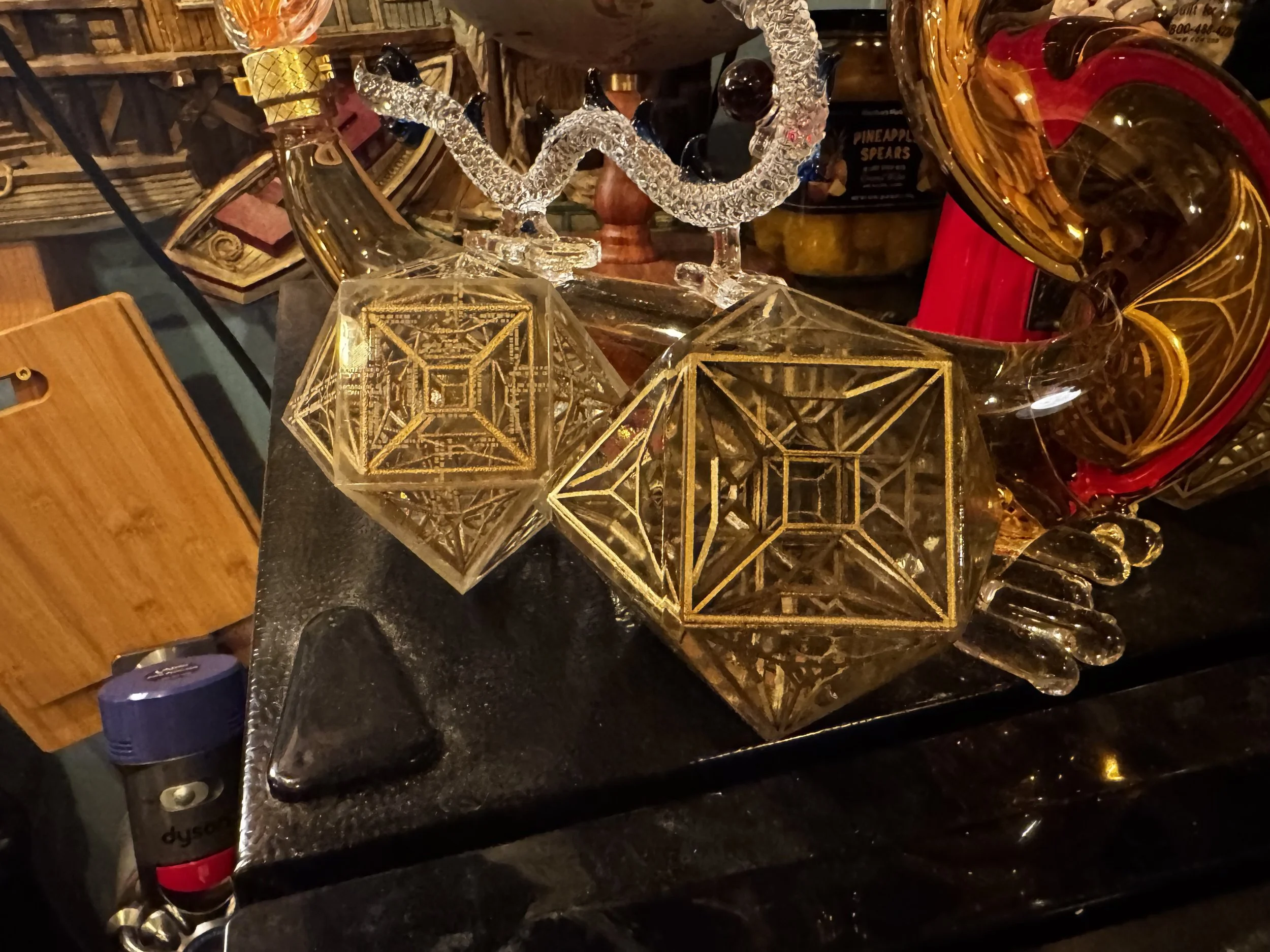
Working with Pearl
I’d be a terrible salesman. Promoting things; compelling a call to action; these just aren’t part of my default behaviors.
But: short attention spans? That, I understand. So I’ll but the result right up front, this time.


Trying to implement abalone or mother of pearl in the Dial of Destiny prop builds has bothered me since I started on it. I never found a great 3D printing solution for a true pearlescent effect though I found a pretty good workaround for the white rings.

I set up a two color print with a black backing and the top layers with a silk white. The glyphs in the rings are cutouts, that reveal the black beneath. Silk filaments have a directional polarization to their reflection that becomes evident if you print the same part in two different orientations.
It occurred to me that part of what gives pearl its beauty is that it also polarizes and reflects at different angles based on the organic matrix of the intricate growth patterns of the material. People are like Bass, we like shiny things. It roots back to evolutionary selection for pattern matching cognitive behaviors developed on the Serengeti. (Probably)
As 3d printers put down layers, you can control the patterns of movement by setting various travel and fill patterns. The printers often use faster (but less visually consistent) patterns for interior structures and then switch to monotonic patterns for top layers in order to try to provide a uniform finish. If you think of a 3D print as an Oreo, the bottom and top layers have one pattern and the filling can be something else entirely. Yummy. I’m not sure what the milk is in this metaphor…
Anyway.. so, I had this idea. What if I reduce top layers and let some of that patterning through; especially considering the visual properties of silk white filaments. To get this effect, I could reduce the top-layer counts of a print or even just pause and top the print early when it looked “right.” It worked out pretty well and gave the Dial’s white features a pearlescent effect. I’d typically spend a day making nothing but the white parts for future builds using this trick and my build plates have the wear grooves to show for it.
One limitation is that the effect is diminished in larger surface areas. I tried to account for it with various holographic skateboard paints but lets be real. Actual Pearl always beat plastic.
Glyph Disc
Last year I started including a mother of pearl glyph disc option with the Dial of Destinies that I made for people. The process was timing consuming, the material is costly and can be a challenge to work with. I started by ordering 240mm x 140mm Mother of Pearl Veneer Sheets. You can get them from Amazon, from Etsy, from specialty suppliers and prices vary from $75/sheet on the top end to about $8/sheet when buying in bulk from a sketchy part of the internet. I applied the veneer sheet to a backing material with adhesives. I cut the pearl circle by hand with a hobby knife. I went through alot of hobby knives.
Pro-tip that I learned while cutting floor tile. A piece of masking tape (on both sides) of the area you plan to cut, then cutting through the masking tape -and- material at the same time can help sharpen the cut lines and keep it from crumbling. It works for marble and tile floors and it happens to work for mother of pearl as well.
Marking the glyphs onto the pearl is a challenge.
I tried various approaches at using hand-made stencils but most were underwhelming. Anything from 3d printed stencils to vinyl cut stencils. The vinyl-cut stencils mostly worked but the Cricut is my wife’s toy. She has a job -and- keeps the kids alive when I’m mad science’ing in the garage; doesn’t need me adding to her Cricut cutter backlog.
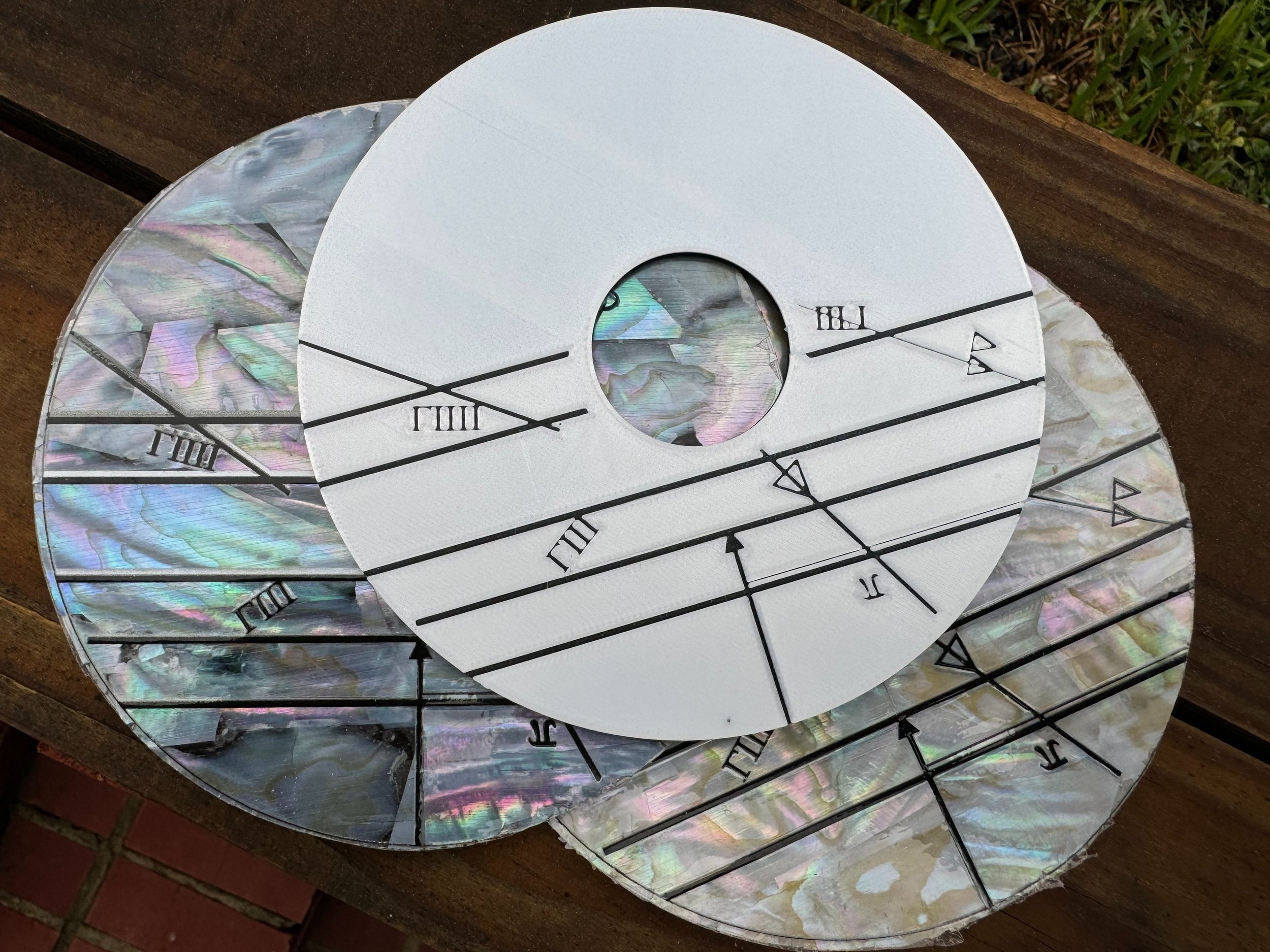
Top, unpainted plastic print. Middle, Dark pearl. Bottom, Light pearl.
I had Dry Transfer Decals made from the glyph design. At bulk, I ended up with two giant rolls for a few hundred dollars from different brands.
The first vendor, Ninja Transfers misprinted the first order, got the middle order correct. They sent the entirely wrong product type on the third order, which was a reprint from a QR code of the good roll. The print and cut quality is really good. From the customer perspective it feels like a fully automated print on demand business with bugs in the print provisioning pipeline. Their customer service was so unhelpful that they may already have been replaced by chatGPT agents. ¯_(ツ)_/¯
I had another batch made from a local sign company.
The challenge with dry transfers was that their transfer tape was too sticky. Removing the transfer tape pulls and cracks the upper nacre layer of the shell sheet.
Heat transfers work but have to be applied before the shell is applied to the backer. The backer becomes warped from the 380F heat press.
I can get 1 1/2 glyph disc per 240mm x 140mm sheet of MOP. I seamed together each scrap at the up-arrow and used these in discounted (fused Dials) aimed at Cosplay. The single piece, went to the more expensive complete Dials that I sold. This is why there was a price difference between the two.
Sharks with Laser Beams, Sans: Sharks
I think that there are some clear signs in the film production prop that at least some of the pearl markings were done through a laser-engraving or laser-etching process. Those parts were likely laser cut, especially the outer glyph rings.
So, how can we mark directly on the pearl?


One problem: Laser etching a shell nacre, doesn’t turn it black, it oxidizes white.
Another problem: The detail in the outer rings is such that a punch through cut isn’t really feasible, especially with such brittle material.
Ideas

Idea:
Use Liquid Masking on the face of the pearl. Stencil the liquid mask with the laser. Stencil-Paint the glyphs with an airbrush.
Result:
As you might predict.. Burning rubber is a big downside. The liquid mask doesn’t adhere well enough for a smooth application, requires several coats for a smooth finish. This would work but the drawbacks outweigh the benefits.
Idea: Mark the pearl with sharpie to increase the heat absorption and to see how the heat interacted with the underlying material.
Result: The laser just cleans off the sharpie. There wasn’t a noticeable improvement in the etching depth.


Idea: Rub graphite into the laser etchings. Seal the graphite in with a top coat.
Result: A bit messy. The graphite has great color. It did have a staining effect on the surrounding pearl that would require extensive, meticulous clean up.
Idea: Use a laser marking spray. They make laser marking sprays that are water soluble but react to the heat of the laser in such a way to bond to smooth surfaces (like glass).
Result: The laser intensity settings that react most favorably to the marking spray in terms of color-change, did not trigger an adequate bond to raw shell materials.
Powder Coating
From the pinball and arcade hobby I got pretty familiar with the concept of powder coating. After a usually torturous surface prep process, electro-static charged powdered pigments are applied to a (usually metal) surface and then baked to achieve a semi-permanent bond. This is also reminiscent to how a laser printer functions. Toner isn’t just ink, there is a static charge relationship between the toner and the paper, then the fuser bakes the toner into the paper.
Can I use powder coat or toner to mark the pearl with the laser? Absolutely. Any drawbacks?
It is so… very… catastrophically messy. Especially when you are unable to disable the ventilation fan on the laser engraver.
Direct Printing
At production scale, Screen Printing or UV Printing would be a solid choice for marking these. The brittle nature of the materials would likely create potential for a high defect rate. The large format resin printer and laser engraver already have me in a $7500 hobby-hole. If I were to add a $25k UV printer to the tally, I’m pretty sure to get a visit from a divorce attorney..
So… I’ll find another way with the tools that I have..
Laser Ablation

In the process of engraving a God of War coin for my son, the idea came to me. A common step is to let the laser do low power cleaning pass on the coin to remove any surface contaminations like oils or burs from previous engraving passes.
The Process:
Cover the pearl sheet in a desired dye, paint or stain
Create a negative of the glyph design
Do many (10-20) cutting passes first
Follow by 2-4 lower power engraving passes using the negative vector of the designs
The Pros: Extremely crisp results. Reasonably simple execution with single color prints.
The Cons: Burning paint is the stuff of burn-pits and cancer. Make sure you follow a good ventilation-filter-capture protocol. Do not breath this shit in.

There were several a-ha! moments working out how to make the Dial of Destiny props. The kind of thing where you start to see reinforcements that you are walking in the right footsteps. (In Latin, Jehovah starts with an I). One such moment was the repeated geometric harmony with 60 degrees on various design aspects of the model. Another, was the the notion that the largest pearl pieces just barely manage to fit on a 240mm x 140mm sheet of pearl inlay.

There are certain lettering stutters to the film props' glyphs that work to enforce the weathering realism and create an appropriate sense of a completely handmade object.
I achieved something similar in early testing by defocusing the laser or intentionally misaligning the pearl for extra cleaning passes. The result is that some letters get truncated while others are left alone.
Putting it All Together

My resin printers are [currently] working night after night on parts for my 2/3 scale Ark of the Covenant build and the FDM printers are mostly busy making my son’s Storm Trooper armor.
I will make a very limited number of pearl-based Dial of Destiny props. As of the time of writing, (late June 2025) there are 3 in the wild. The pearl is fragile and a little expensive and frankly I didn’t want to get over my skis with a very experimental process.
The stack on the right in the photo above are all in-progress builds that need more sanding and detail work before I add the white parts. Most of them aren’t spoken for yet (again: I’m a terrible salesman) but I’m having fun taking my time and applying these new processes to create what I consider to be a very-top-shelf result.

Lima (top left) went to a friend stationed in Germany
Mike (top right) is still around. I considered swapping it into my own display because I like the extra distressing.
November (middle left) went to south Florida.
Oscar (middle right) went to a place near the Alps on the German side.
Papa (bottom) also moved across the pond, jealously now closer to the Guinness Brewery than I am.
XL Filament Printing (live Draft)
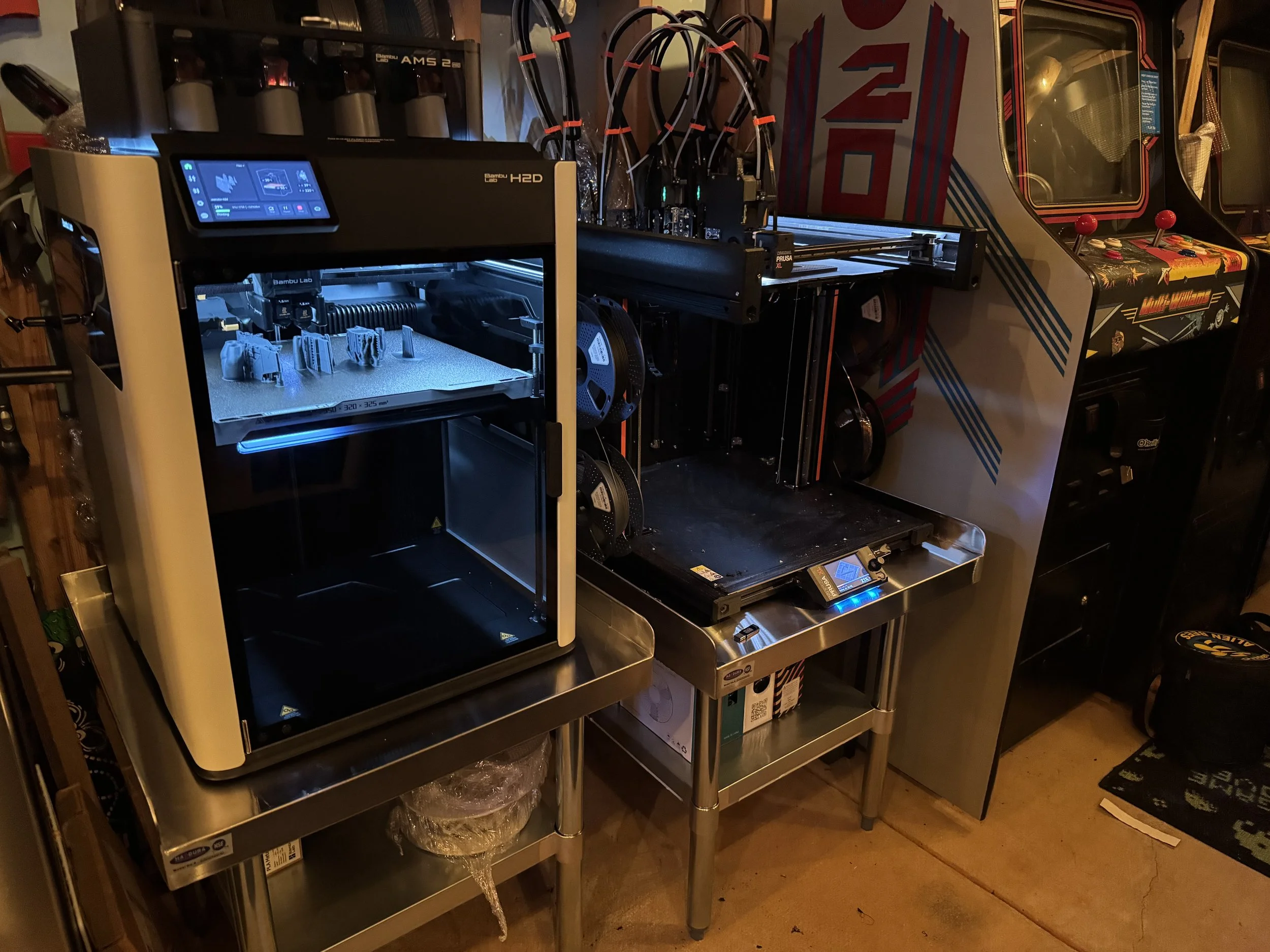
Printing big things
Some of my favorite 3D prints are somewhat large items. You can print giant things with normal size printers, there are some great builds out there of everything from full-size Darth Vader’s to life-size museum-quality Dinosaur skeletons.
The Bambu X1C has a 256mm x 256mm x 256mm build volume. You can do a lot in that amount of space, especially if you are dedicated to the project. My own desktop Bambu X1C has over 6000 hours of print time, everything from small fidget toys to Cosplay pieces and prop weapons.
Smaller build surface equates to more seams, more post-processing. Sometimes you just want to one-shot print a Mando helmet for a friend and not worry about seaming and sanding. This need has fed the recent trend towards accessible filament printers with larger build plates.
In this post I’m going to share my experience with two popular XL filament printers. I have some strong opinions, so it is probably best that I’m not sponsored in any way by these companies.
Printing Complex Things
In addition to larger build volume, the recent wave of printers introduce or expand on multi-material printing capabilities.
As an engineering problem there are a few ways to achieve multi-material printing.
The Bambu AMS allows users to load 4 different materials per AMS unit and has the ability to chain multiple AMS units through a series of material hubs. Lets say you wanted to print Odie from Garfield. He has a yellow body, brown ears, white eyes, black eyeballs, nose and tail. You could load yellow, white, black and brown filaments into the AMS, assign those filaments to parts of the model and print a nice-looking multi-color Odie.
3d printers assemble objects by laying down melted material layer-by-layer. The way the Bambu AMS acts like a material multiplexer. As each color change is detected in each layer, the printer retracts the current color out of the hotend by winding the spool. It then loads the next color into the hot end and purges a small amount of material into a poop chute before resuming the print.
This is really handy but it has some limitations. The most obvious is that it wastes alot of filament and time through this highly repetitive purge process. A least obvious drawback but just as important is: the thermal state of the hotend. Different materials have different extrusion temperatures and binding characteristics. Generally, the printer will heat-soak the hotend and allow the temperature to fluctuate +/- 10 degrees based on the selected material properties as encoded in the g-code file. But, when you have two materials that work well together but have wildly different print-temperatures the printer is often unable to feasibly meet the hot/cold state necessary to support both materials. One popular example is dissolvable supports. Another example is making parts that include both rigid and flexible materials.
These multi-material printing characteristics account for some design differences in the most popular printers.
The PrusaXL 5 Tool


Coming into this hobby I understood Prusa to be a darling of the maker community. Based in the Czech Republic, Prusa is known for modular design, reasonably transparent and open ecosystem and steady pace of innovation.
When the Prusa XL was announced, I was immediately interested. A generous build volume of 360mm x 360mm x 360mm is complimented by a build plate that supports heated zones and the ingenious concept of a tool changer.
Printing a Benchy in the top left of the plate, only the top left portion of the plate will be heated.
The tool changer supports up to 5 different materials running distinct hot-end characteristics per hot-end.
Instead of multiplexing the material when the printer encounters a color change, it simply parks the current tool head, picks the appropriate tool by color assignment and continues printing. The only waste generated would go to a flush-tower and that is optional.
This has a ton of potential in time-saving over a model with many material swaps. Especially as (eventually) the firmware develops and if Prusa can prep-warm the temperatures of the various tools before they are called by the carrier / gantry.
Potential isn’t always realized.
Read the Fine Print

My PrusaXL order was held for a few extra days at a local Fedex terminal but Fedex agents couldn’t explain why. Eventually, they delivered it.
About a week later I started getting emails about CBP forms that needed to be filled out and an invoice for $157 in Duties. Most of those communications seem to imply they would hold my shipment until these were paid even though the printer had already been delivery. There are so many scam / phishing attempts around parcel handling that at first I was suspicious of those communications. On deeper inspection, they are customs paperwork and duty obligations for Prusa buyers shipping into the US. I understand those duties have increased since so-called Liberation Day. :eyeroll:
PRUSA XL: Assembly and Setup
The assembly / setup time even for the assembled Prusa XL 5 Tool, was about 1/2 of a bottle of Jameson or 3ish hours. Less, probably, if you don’t have to stop working on it every 5 minutes to make some minute decision about dinner three days from now or which pair of Terry Cotton socks from Temu are likely to match a school uniform.
The assembly guides for both the unassembled and assembled versions are on Prusa’s site. I suggest you check them out before ordering to determine your own “assembled for $more or unassembled for $less” calculus and tolerance. At a glance, the unassembled version looks like it would take the better part of a quiet Saturday.
The wiki-based assembly guides are well done and include comments from other Prusa customers that are validating.
Things like: “Why am I having to install the super delicate wifi module and antenna on my assembled printer?” or “I found this other approach easier for this step.”
Mostly, assembly involves installing the Nextruders, which is all quite easy and well designed. Setup involves a number of calibration steps that require user intervention like “screw in this thing, un screw this thing, re screw this thing back in”. Nothing difficult but you are essentially trapped by your new toy while it calibrates.
PRUSA XL: Fit and Finish
Companies like Prusa are addicted to the narrative of a printer company that makes printers that are used to make more printers. I get that. It is cute in a recursive way that my programmer brain appreciates. My first nit to pick relates to this decision.


If you must use 3d printed parts in one of your flagship products, could you at least not use the shittiest print settings imaginable for those parts?

My first experience unboxing the PrusaXL was honestly:
Whiskey Tango Foxtrot
This leaves a really meh first impression.
Add some top layers, reduce the layer height? C’mon guys.
Channel your inner Steve Jobs, just for a minute. This was your flagship printer!
Prusa XL: Layer Shifts
One of the first models I attempted to print was a Mando helmet. Instead of Mando helmets, the Prusa XL made a bunch of silk black bowls with massive layer shifts.
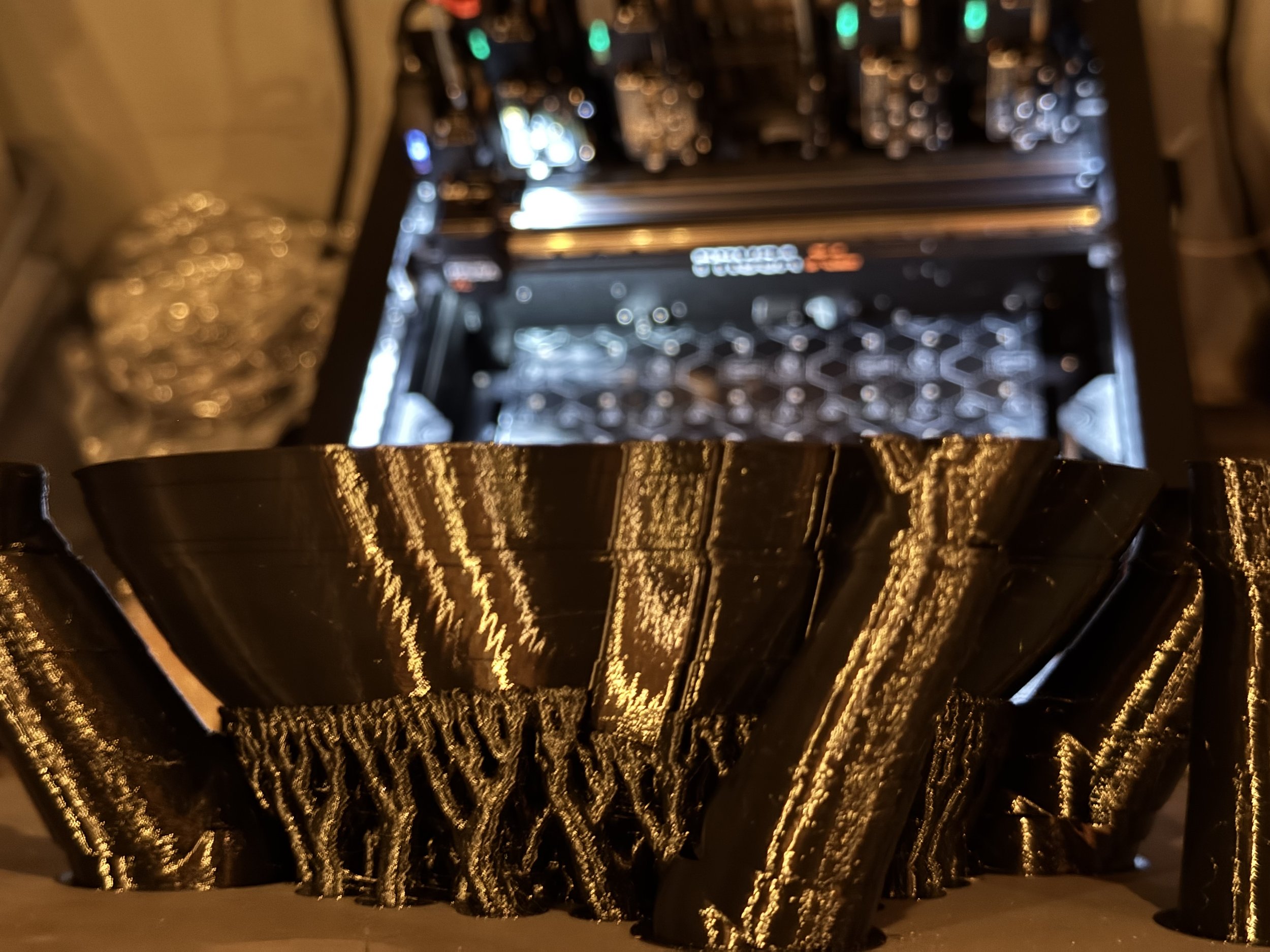

I had five consecutive failures in the attempt to make a Mando helmet with the PrusaXL. Two of these attempts included the print head being slung off of the carriage assembly resulting in an unrecoverable error. Not unrecoverable for any particular mechanical reason. Unrecoverable because of shitty firmware with many dead end errors.
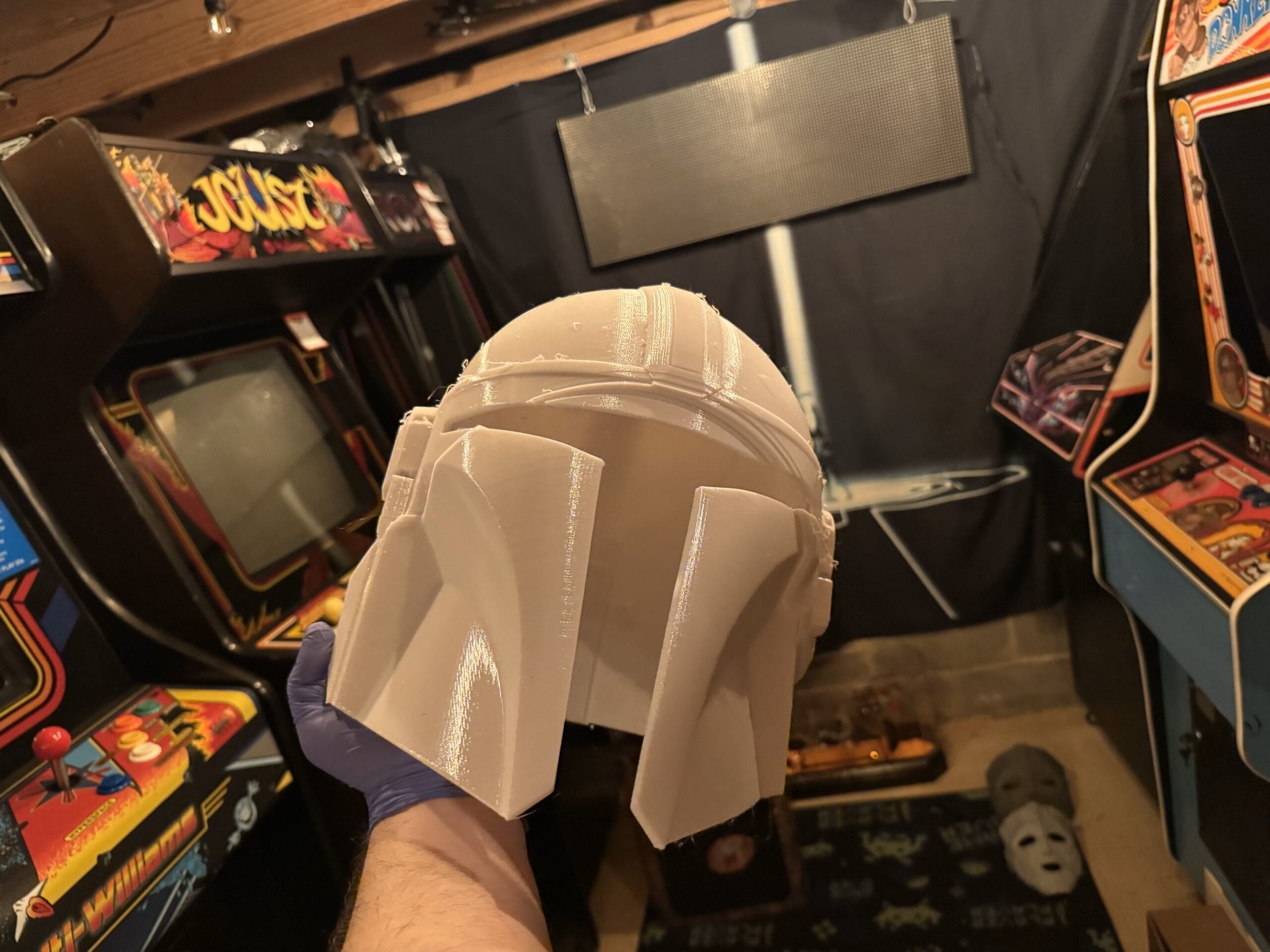
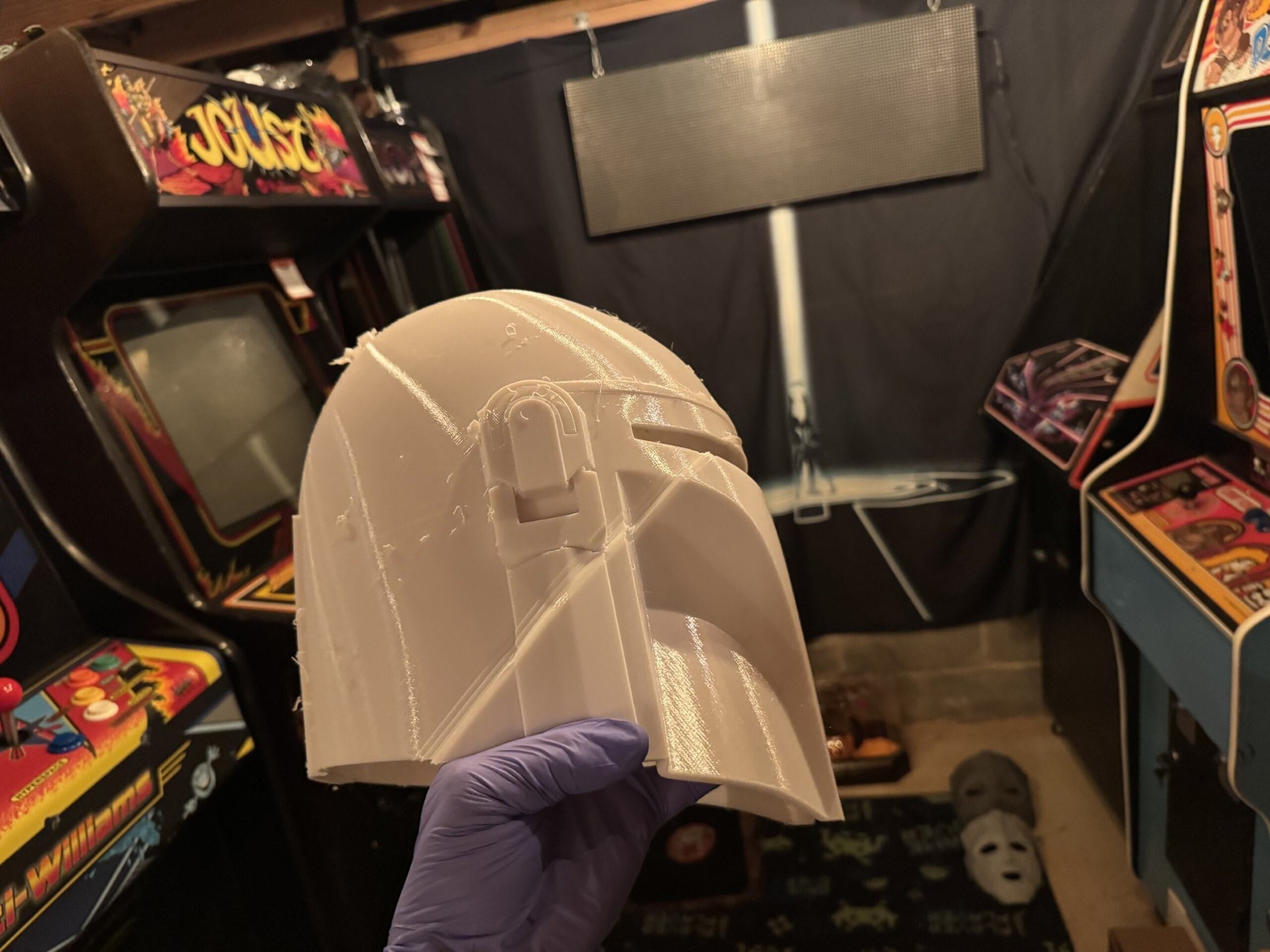
Apparently the input shaper printing profile included default non-print travel acceleration of 5000 mm/s. The belts were perfectly set but this speed in certain circumstances was causing the carriage’s momentum to hop across multiple belt grooves or the aforementioned yeeting of the tool from the carriage.
My opinion is that Prusa tried to push the print speeds in order to goose their performance in head to head comparisons with competitor machines. This marketing ambition creating real problems for customer results isn’t the sort of thing that I expect from an eingeering-forward company like this.
Success

With this problem out of the way, I went on to successfully print a scaled down Sauron helmet. At 60% gyroid infill, this was a 4 day print. It turned out pretty nice. Four days seems excessive for a single color print of this size, though.
Print Quality

In terms of print quality, I’ve had mixed results with the PrusaXL. For most things, if I print the same model with the same filament and comparable settings on my Bambu X1C - the X1C yields a cleaner print. Less noticeable layer lines, cleaner support removal. The X1C just makes nicer prints.
One of my primary goals for the PrusaXL was to use PETG prints with PLA support interfaces or vice-versa. This almost never works. They have a 20 page article about it on their support wiki. I’ve read it many times. I haven’t found a set of settings that really work for this purpose.
Speaking of PETG. The same PETG that I use on my X1C in the exact same environment is always much more stringy on the PrusaXL. I can usually tweak the nozzle temp to get the stringiness mitigated but it this is a noticeable characteristic of this printer’s nozzle and PETG. Plenty of Prusa XL users on facebook groups and reddit pages have the same issues with PETG. The fanboys will all point out that, “You gotta dry your filament first.”
To that straw man I say: “Look, I don’t have to give the same PETG a spa day before the X1C can use it. I expected at minimum the same out of this much more expensive printer. Fix your damned material profiles and nozzle.” Though, I suppose if you want your PrusaXL to look like it has a penis foreskin, you can buy the $650 enclosure.
Reliability
Prusa’s are known for being workhorses. Surely this printer is at least reliable?
Not really. The PrusaXL doesn’t come pre-loaded with cameras like other printers, though you can add them. This means that spaghetti detection capabilities of other printers are not available without 3rd party cameras.
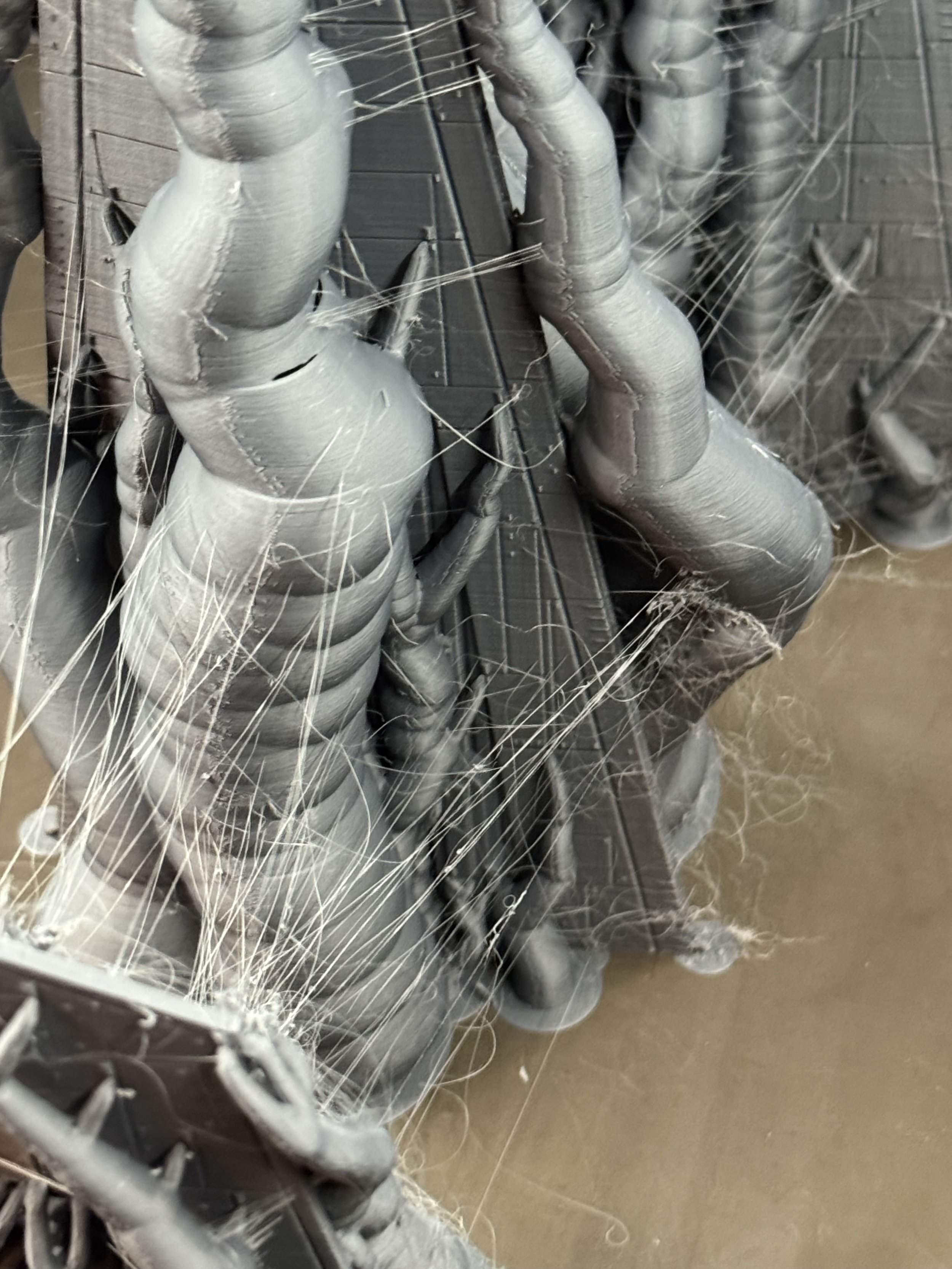
The following print was part of the Noodle Nexus AMS stacker. I printed each part twice (for a friend). This was a reprint so the same settings that yielded a perfectly serviceable part now resulted in a catastropic failure of the same hot end. The printer pulled around the melted plastic and it built up around the heater block end, partially severing the thermistor wire but this time, when I’d like the printer to detect a failure and stop - it just kept on dragging this blob around the build surface.

I wanted this.
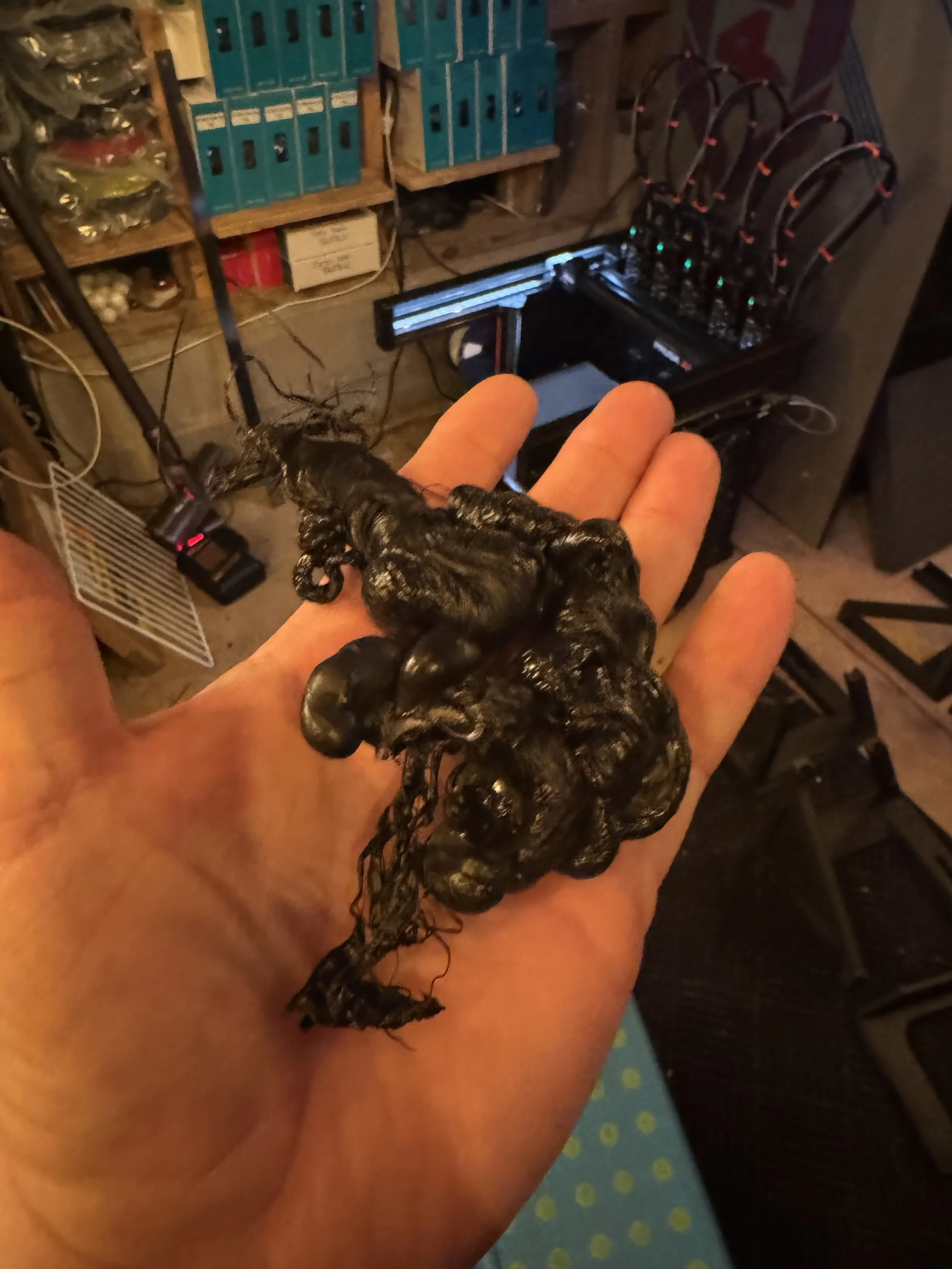
I got this.

The (initial) repair cost for this little misadventure was north of $200USD.
I like having spares, so while ordering I scoured the site to see if I could just buy a complete spare / fully assembled tool. They come in little neat packages with the printer, after all. I did not see a way on Prusa’s site to just order a completed XL Hotend Tool that is assembled. You have to work out and buy the parts individually. I see others have asked the same question and not received any guidance. They have a $350 spare parts bundle that was out of stock.
I’m glad that I paid for Int’l Priority Shipping. 6 days later, this order wasn’t even in the US, yet.
Oh, FFS


Great. Another $70 shipped and week delay.

While I wait on those parts, at least I have four perfectly good mounted print heads to use, right? RIGHT?
Sort of.
With 1 tool offline, I can’t print anything to this printer over the network.
With Tool #3 removed from the printer.. despite the gCode not using that tool, PrusaConnect’s derpy matchy-matchy logic for qualifying this printer to show up in available resources is busted.
I get the privilege of sneaker-netting the pen-drive into the basement whenever I want to make a print. Party like its 1995.

I broke one of the rules of Murphy’s Law by not breaking down the assembly in order to check the level of the above print failure more closely before ordering the parts above.
As the filament glob climbed the heater block, it snagged and pulled the connector sideways on the Dwarf board, shearing one of the pins from the PCB itself.
I thought to myself..
“Self (that’s what I usually call me), This PCB is completely repairable, this is just a sheared off pin.”
So, I opened this support chat with Prusa to see about ordering the pins. No path for repair. Can’t sell you the pins.

Admittedly, these pins will be available at any electronics component shop and I probably have something close enough in my arcade-pinball repair stuff. With easy access to desoldering tools, a hot air rework station - this is a super simple fix. But, I thought the very least I could do is offer to buy it directly from them so they could save me the research of hunting down the exact pin for this connector type.
NOPE.
I’m so glad that I watched all of these Youtube factory tour fluff pieces about Prusa making their own boards in house and the benefits of that vertical integration to their customers.
Random Errors == Sundry Frustrations

Another one from the duh files.
Loading and unloading filament should be easy. This is a chief interaction between the customer and your product. So, for a filament runout sensor you have a PTFE tube mated on each end to the sensor block with very cheap collars. There is a travel gap inside the sensor block. 3d Printing filament is delivered from a spool and has some amount of shape-and-bend memory.
As the spool finishes (usually the tightest-curl of the filament wire) and the wire runs past the sensor, it triggers a filament unload cycle from the Nextruder. This filament unload pushes the curliest part of the filament in reverse through that sensor gap and the curl of the filament catches internally and the filament remanent doesn’t fully unload and/or creates strain at the cheap-ass collar and pops the PTFE out of the sensor block. This happens in -almost- every filament unload/reload cycle. I guess if the filament came in a tense straight line like the filament production rig, it wouldn’t be a common problem. This is just a bad design.
The 3d print community saves the day with this mod:
https://www.printables.com/model/699934-xl-filament-sensor-blocks-3x-and-6x-with-pc4-m10-p

This $4200 machine sure does blue screen alot.
Firmware != [Solutions for Mechanical Connectivity]


https://www.printables.com/model/1124941-secure-xl-nextruder-cable-connector-solution - 3d printable fix for this mechanical connection issue.
Yet another dead-end error that can occur at random intervals that puts this printer in a state from which it cannot resume printing.
I received this “Extruder Motor not spinning on Tool [n]” error several times, each case it was late within a print cycle, wasting filament and time. This particular error tends to happen more frequently on Tools 1 or 5 - because of the angles of travel involved with the cable management loom. The QR code here will take you to a support wiki that includes a fraternity of other frustrated commenters with exactly the same problem and the head-dizzying implication that this problem has since been solved in firmware.
The real problem stems from the dwarf-board connector coming partially disconnected at certain angles, shutting down the extruder stack for that given Tool.
The notions of tweaking the firmware to “adjust the tolerances” is completely bullshit. If Prusa wants to solve this with Firmware, I have a Galaxy Brain idea:
Allow an escape hatch out of this error so that the error can be cleared and printing can resume. Perhaps by.. dunno just riffing here.. reassigning the active tool to one of the other 4, mid-print.
Prusa3D: Final Thoughts
I know, I know: these are spicier takes than my usual faire. The first six months with the PrusaXL has been frustrating in a way that resonates with some of my particular pet peeves.
I joined a few subreddits and Facebook groups for PrusaXL owners and observe the usual internet-standard ratio of frustrated owners and snarky shills. I’m sure there are plenty of PrusaXL’s cranking out quality prints for makers but there appear to be just as many people grappling with avoidable issues like these. Given the potential of this printing platform, that is a real shame.
Over six months of intermittent use, some frustration and many tweaks, I feel like I’m just finally starting to get workable prints from my PrusaXL. The rational move would be to cut my losses and sell it. I’m not quite there, yet.
Would I recommend a PrusaXL?
Not based in my experience.
The Bambu Lab H2D
Clickbait thumbnail and title aside; I think FauxHammer’s thoughts after living with the H2D for a bit more or less resonate with my own.
I share the perspective that I’m not into 3d printing for 3d printing’s sake. I want a tool that works for the job that I assign it. The more attention I have to pay to the printer, the less that my attention is focused on the goal of a particular set of makes.

That gash in the box? Yeah, that is where the glass front is. Thankfully Bambu packed it well.
The Bambu H2D answers the “Big Stuff” print challenge with a 350mm x 320mm x 325mm build volume. Personally, I was hoping for something close to the PrusaXL’s dimensions. The H2D continues on the X1C’s answer for multi-material with a slightly upgraded AMS. Instead of a tool changer, the H2D distinguishes itself in waste reduction and solves for more complex material combinations with a two-nozzle design very similar to my old Ultimaker.
The H2D comes in variations with or without AMS and with or without a laser-module and related laser-safety features.
I hope that Bambu didn’t set themselves up for a support tsunami with those additions.
The laser module, drag knife and pen plotter are interesting but laser smoke-debris opens up a level of chamber contamination I’d prefer to avoid. I’ll stick to a Cricut and my garage-exiled xTool F1 Ultra (device name: Stinky Pete) for those features. For now, anyway.

Step 1) Unbox the Printer
Step 2) Let the robot calibrate itself
Step 3) Print a thing
… and it just works.

Vader’s Ship
My first test print with the H2D was ResinEngine’s Executor.
Print Profile: 0.12mm Fine
Infill: 42%, Gyroid
Supports: Auto, Organic
Print Time: 35.6 hours
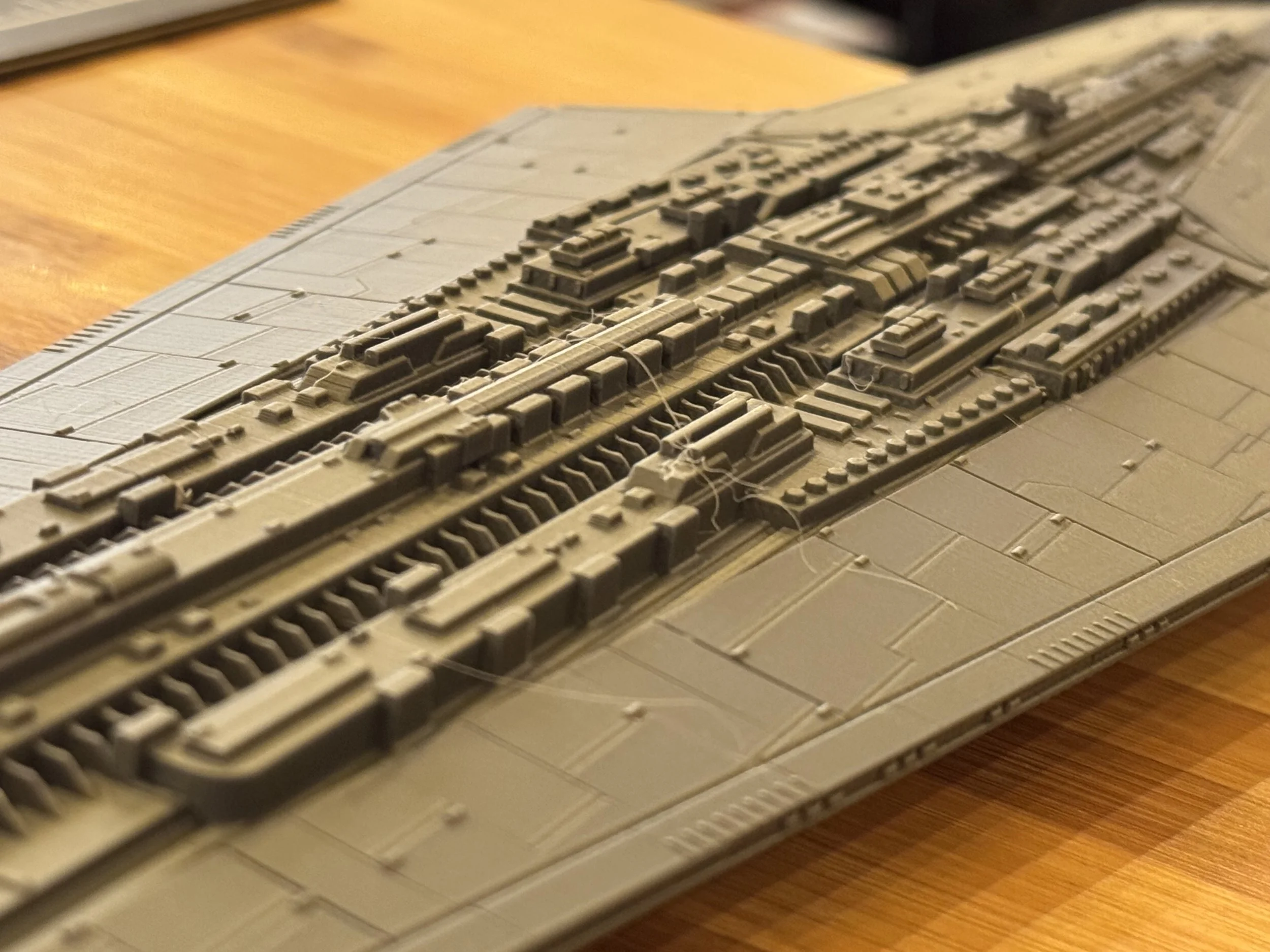

Mando Helmet

The second print test is the V3 Mando Helmet.
(in progress)
Print Profile: 0.12mm Fine
Infill: 42%, Gyroid
Supports: Auto, Organic
Print Time: 35.6 hours

Far from perfect but I’ll be able to make this work. I’m tempted to lower the table to reduce vibrations, recalibrate and try again.
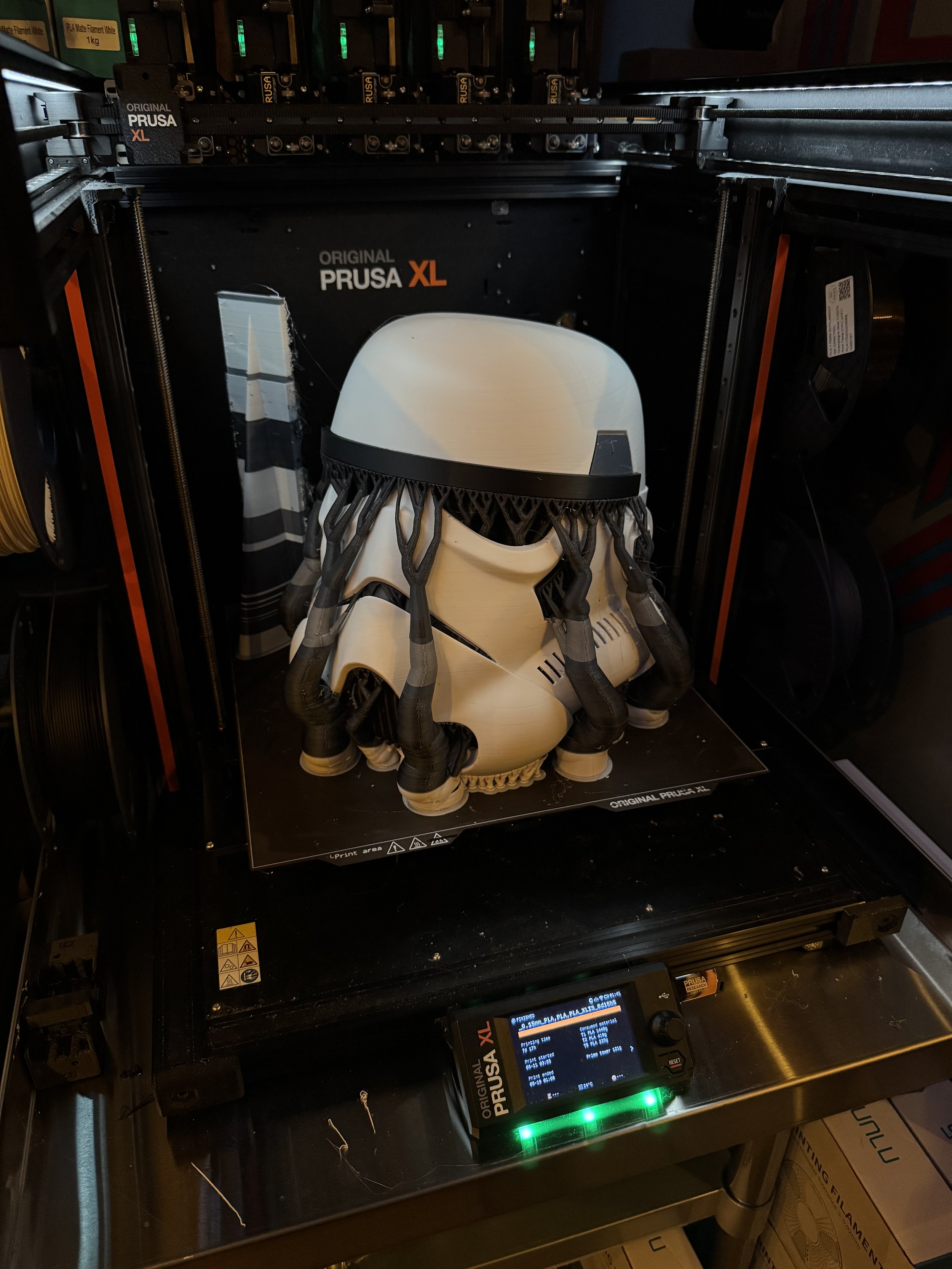
PrusaXL vs H2D Head to Head Prints
Over the next few weeks I’ll do some tests on both printers to see how they come together.






XL Resin Printing
I must admit my first resin 3d printer left me underwhelmed. I just didn’t get it.
All of the extra process and mildly-toxic material handling didn’t seem worth it to me. I felt like the build plate was tiny with limited utility. It also seemed easier to screw up and make expensive mistakes. Like, printing a Cinderella castle in an orientation where the extremely sharp parts puncture the film. (ahem) Though, I had a specific use case for a transparent part and the printer serviced that need well enough.
I’d likely have felt differently if I was into tabletop gaming but alas, that life is not for me. Not for lack of interest, my family and work schedule seem consistently too restrictive to allow for multi hour gaming sessions several times per month. I’m jealous, really.
Size Matters
Large format resin printing brought the utility and flexibility I was looking for to justify the extra processing. For parts that required a uniform translucent material, resin is a good answer. Resin is great for sub-millimeter accuracy. Resin also expands your toolbox of material properties with some cured resins exhibiting characteristics of ceramics rather than typical thermo-plastics but easy use of ABS-like resins when that is your need.. Most electroplating services can be dubious of filament for fear of spoiling their acid baths but happily accept resin parts. For prop-making, I’d often found myself using high-infill rates or building sand/concrete-pour channels to add weight to FDM-printed models. Making a resin print solid doesn’t require any infill pattern shenanigans that might introduce seams or sacrifice the surface quality. When making batches of parts, the ability to run large plates of parts is really nice.
Because of these characteristics and a side-adventure into prop making, within six months I had a significant amount of the Elegoo outer solar system represented in Resin printers. Two Elegoo Saturns, two Elegoo Jupiters and a Phrozen Mega 8k on pre-order.
Having spent some time with all of these printers, these are my notes.
Saturn Ultra


The Saturn 3 Ultra is a good machine. In many ways the advertised 12k resolution was more gimmick than practical. The ability to issue print jobs over the network from within Chitubox was nice. The Saturn 3 Ultra’s network printing features are pretty basic, however. Closer to “drop a file via sFTP” than a tight integration with full machine and job management and status callbacks. Network printed files get uploaded to the Saturn’s local storage which is limited and fills up pretty easily, requiring intervention.
The 12k panel costs more to replace and the results aren’t significantly better than every other printer in this class. The black hood looks nice. No hood would be better. The mask LCD is attached to the surrounding frame with adhesive which makes replacing the panel and re-leveling for accuracy somewhat of a pain.
Ultimately, my chief complaint with this printer was the limited build volume. (218.88x122.88x260mm)
Elegoo Jupiter (OG, 6k)

To answer the need for volume, I ended up moving to the Elegoo Jupiter 6k. An absolute workhorse, the Jupiter is massive - about the size of a dorm fridge and twice the weight of such. I liked this printer so much that I went off and bought a spare, having grown to rely on it. The 277.848x156.264x300mm build volume brings alot of utility opening up for some massive prints.
The metal-box construction includes two USB ports and still has an optional punch out for exterior ventilation. The O.G. Jupiter didn’t include wireless capability and I found it to be picky about USB thumb-drives. It didn’t perform well with my Sandisk drives but is rock solid with these PNY thumbdrives.
The LED light in the cabinet is quite handy.
Door beats hood, every time. It is so very nice to not have to find a place to stash a hood every time I removed a print. The tinted plastic does a reasonably good job of keeping UV out but since I operate these in an open garage I still opted to attach blackout cloth with magnets whenever resin is in use. Sustained, direct UV will penetrate that tint. Speaking of UV leakage, Elegoo seems to have made no attempt at preventing UV leakage from the lightsource in the machine. The fan vents let alot of the UV out, so keep this in mind if you have nearby uncured resin.

The taper-design of the build plate works well to keep resin from pooling above the plate. The vat is well built with so.. very.. many set screws. The vat includes a clever bottle-refill attachment that I’ve literally never used but appreciate the simplicity.
Leveling is achieved with 4 horizontal set screws. I found leveling to be pretty easy but a common complaint is that over-tightening the horizontal set screws can engage the threads beneath and bring it out of level. If you experience this - put airsoft BB’s in the set screw hole to act like plastic bushings.
I’m not really sold on fast-printing or fast-resins but the Jupiter is effectively twice as fast as the Phrozen Mega 8k. The default resin profiles for the Jupiter have two-stage lift speeds of 65mm/min accelerating to 180mm/min. You can sort of think of the Jupiter as a larger, heavier, Saturn 3.
I think the current standard for fast resin printing is 300/1000 mm/min.
Reliability
In my experience the Jupiter has been a reliable machine. My main unit ran in the garage with an almost-commercial workload of 1-2 bottles per day from Fall of 2023 through the Summer of 2024. From cold winter nights and blistering hot summer days, it just ran. I only ever had to use the spare machine for a few weekends to get caught up. I have encountered two failures with these machines.
Screen Failure

In late July, after hundreds of kg of resin in this one machine, it had a screen failure. The failure didn’t seem to correlate with any particular print failure but it was insanely hot at the time. I suspect that the cause was de-lamination inside the LCD panel itself.
The replacement panel was $180 shipped directly from Elegoo and was extremely easy to install. Unscrew the mounting screws, attach the ribbon cable and re-fasten the mounting screws.
MOSFET FAILURE
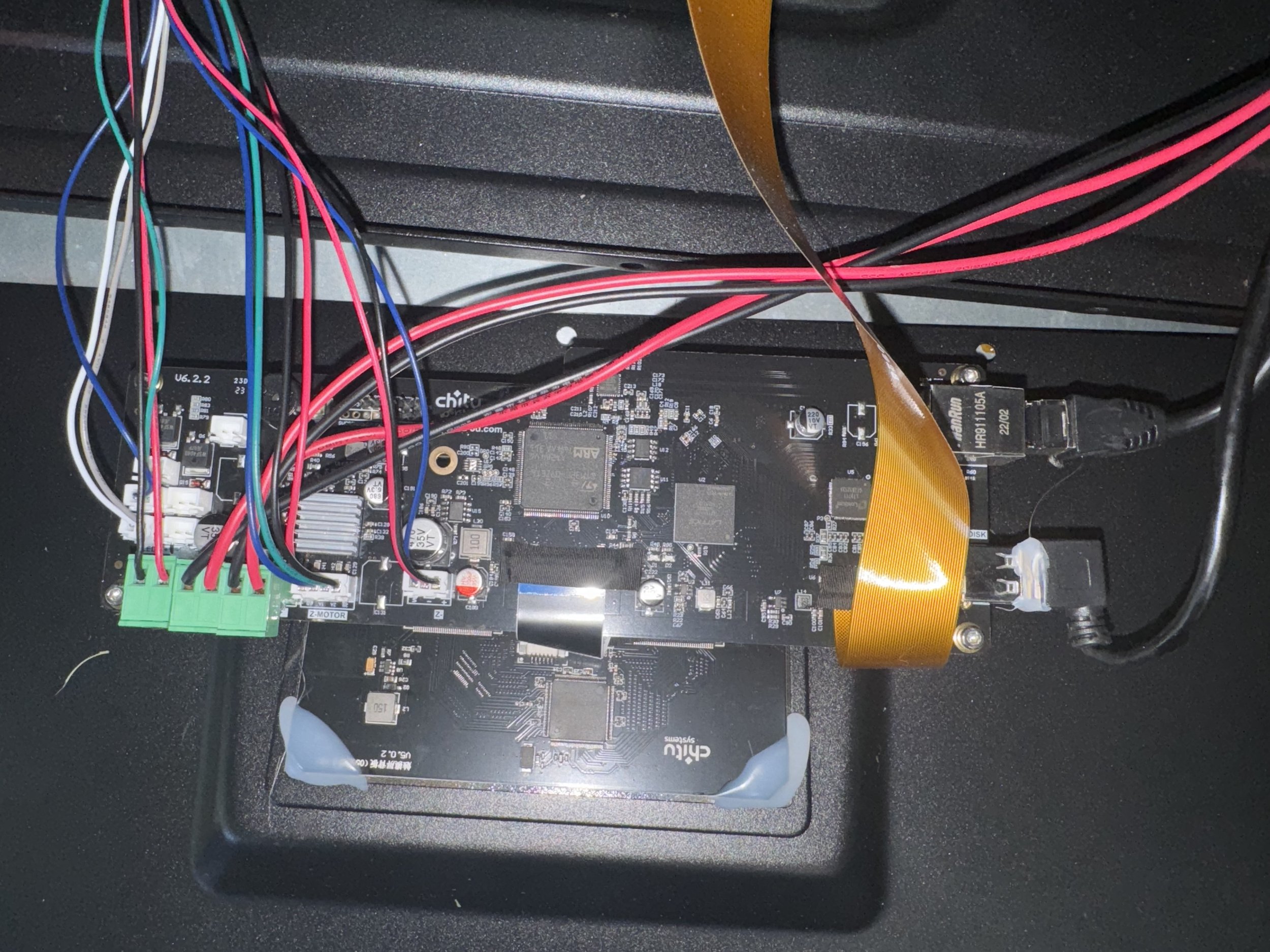
I switched my remaining workload to the backup machine, which was more or less new by comparison while waiting on the replacement parts. This machine experienced a failure, symptomatic of the UV light remaining on regardless of machine state. Evidently, this is a common issue and relates to a MOSFET (like a transistor) shorting to remain on. Here is a pretty good blog post about it: https://blog.honzamrazek.cz/2021/06/fixing-the-backlight-always-on-problem-on-elegoo-saturn/
The machine was still under warranty but I also ordered a spare mainboard for $58 from Elegoo.
Elegoo’s Support Experience
In southern terms, I’d put Elegoo support in the “bless their hearts”, category. I think they mean well and eventually they arrive at the right solution. My biggest complaint is the same complaint I have with most 1st-level tech support experiences: They waste alot of time. You can email support on one business day with a dense but thorough set of troubleshooting steps and some direct and reasons observations. A day later, expect a boilerplate response that has you repeating steps already covered in the first email.
You must jump through the hoops but once you do they tend to stand behind their products and out of warranty parts are reasonably priced.
Phrozen Sonic Mega 8k

The Phrozen Sonic Mega 8k sports a 15” masking LCD screen and ample build volume of 330mm x 185mm x 400mm. Phrozen’s perforated build plate design is meant to reduce suction during retract. Reading reviews, I was concerned that this flat build plate design might lend to issues with resin curing in the holes but thankfully that hasn’t been a problem.
The V2 model of this printer introduces an integrated drip hanger and there are open source models and etsy sources for retro-fit plate drip hangers to work with the V1 version of the printer. I do recommend using one just be careful to use appropriate material if you print your own. Having the plate crash down into the VAT has the makings of a bad day.
Unlike the Jupiter, the Phrozen Mega 8k build plate comes factory leveled and I’ve found their factory leveling to be very good.


The cabinet door design has its pros and cons but I broadly like it. There are more (and more powerful) cooling fans inside the Phrozen Mega 8K to keep the light source and PCB well ventilated. The PCB, Panel and Touch screen are also sourced through Chitu Systems, which provides piece of mind in the event something happens with Taiwan=based Phrozen’s ability to supply parts and upgrades.
The Phrozen Sonic Mega 8k’s $3200 price tag is pretty steep for a resin printer and seems extreme if you consider the Elegoo Jupiter and AnyCubic Max line of printers. I will say that the Phrozen support experience has been very good, though I still experience the typical lag in responses due to their offset in operating hours.

The Phrozen Mega 8k isn’t a fast machine. I find that it is easily about half as fast for the same jobs as the Jupiter. I suppose the printing profiles could be tweaked to eek out additional performance.but I’ve been very hesitant to do so. This printer is consistent but the extra time focuses the use case, for me anyway. I could make 1 Dial of Destiny prop per day with a Jupiter printer but the same job takes 2 1/2 days on the Phrozen, based on the current profile defaults. This speed is okay for my use case that favors quality over quantity but if you plan on cranking out many parts often, you may consider a faster printer.
Prop Making Posts
Dial of Destiny Ordering Info
Dial of Destiny Prop Build Update
Dial of Destiny Prop Build
Dial of Destiny Instructions
3D Printing Shenanigans
eBay Store - Etsy Store
highlighted Posts
Building a Small Indy Bar
8-Year Rule
SFGE 2019
Medieval Madness
Scared Stiff
S.F.G.E. 2018
T-Rex Gamer
S.F.G.E. 2017
Game Room Voice Control
S.F.G.E. 2016
Buying Pinball Machines
Dome Gaming Build
Pinball Industry Spring '16
Bill's Arcade Walkthrough '15
Free Play Florida 2014
“About” Posts
ARCADES
About: Mario Kart Arcade GP(2)
About: Tapper
PINBALL
About: Attack from Mars
About: Medieval Madness
About: Monster Bash
About: Scared Stiff
About: Star Trek The Next Generation
About: Indiana Jones (wms)
About: Tales of the Arabian Nights
OTHER
About: Ice Cold Beer
Contact
KLOV/VAPS Profile
Pinside Profile
Village Profile
Book-Of-Faces Profile
Stuff I'm Following
Gulf Coast Pinball & Arcade
GAPAS
The Village BBS
Kaneda's Pinball Podcast
John's Arcade
Dead Flip
Broken Token
Game Room Junkies
Pinball Undesirables
This Week in Pinball
How Did This Get Played?
GCPAC Resources
Machine Trading Post
Georgia Area for Sale (GAPAS)
Game Map
Resource Directory
Not Arcade Related but Still Awesome
Epic Rap Battles of History
Bald Move
Dan Carlin Hard Core History
Other Posts
-
October 2026
3
- Oct 18, 2026 R.I.P Printy McOldTimer Oct 18, 2026
- Oct 15, 2026 Making a Place to Make Things Oct 15, 2026
- Oct 2, 2026 Arcade Shenanigans, Finale Oct 2, 2026
-
January 2026
1
- Jan 2, 2026 Stranger Things Jan 2, 2026
-
October 2025
1
- Oct 5, 2025 Making A Prime Radiant (again) Oct 5, 2025
-
May 2025
2
- May 24, 2025 Working with Pearl May 24, 2025
- May 15, 2025 XL Filament Printing (live Draft) May 15, 2025
-
October 2024
1
- Oct 23, 2024 XL Resin Printing Oct 23, 2024
-
July 2024
1
- Jul 11, 2024 Dial of Destiny, A Year Later Jul 11, 2024
-
May 2024
1
- May 31, 2024 Tron Lightcycle Run May 31, 2024
-
March 2024
1
- Mar 26, 2024 Captain Crazy's Paradise Mar 26, 2024
-
January 2024
1
- Jan 1, 2024 Happy New Year! Jan 1, 2024
-
December 2023
1
- Dec 8, 2023 Merry Christmas Dec 8, 2023
-
October 2023
2
- Oct 30, 2023 Dial of Destiny Prop Info Oct 30, 2023
- Oct 3, 2023 Quick Prop Build: IJ Antidote Vial Oct 3, 2023
-
September 2023
1
- Sep 10, 2023 Building a Prime Radiant Sep 10, 2023
-
August 2023
1
- Aug 5, 2023 Dial of Destiny Mark 4 Conversion Instructions Aug 5, 2023
-
July 2023
1
- Jul 2, 2023 Indiana Jones and The Dial of Destiny Review Jul 2, 2023
-
June 2023
1
- Jun 3, 2023 Aviation Themed Whiskey Flight Boards Jun 3, 2023
-
April 2023
2
- Apr 30, 2023 Dial of Destiny Prop Build Apr 30, 2023
- Apr 16, 2023 Star Trek Picard Season 3 Apr 16, 2023
-
March 2023
1
- Mar 1, 2023 Home Bar Build: Tiki / Indy Adventure Theme Mar 1, 2023
-
February 2023
1
- Feb 27, 2023 Bambu X1C Feb 27, 2023
-
January 2023
1
- Jan 31, 2023 Some changes in 2023 Jan 31, 2023
-
December 2022
1
- Dec 11, 2022 Andor is Really Good (Really) Dec 11, 2022
-
November 2022
2
- Nov 28, 2022 God of War Ragnarök: A Perfect Sequel Nov 28, 2022
- Nov 18, 2022 Free Play Florida 2022 Nov 18, 2022
-
June 2022
1
- Jun 2, 2022 Modern Star Trek Round Up Jun 2, 2022
-
May 2022
2
- May 29, 2022 Stranger Things Season 4 May 29, 2022
- May 15, 2022 PS5 May 15, 2022
-
April 2022
1
- Apr 6, 2022 Bobiverse Books Apr 6, 2022
-
February 2022
1
- Feb 23, 2022 Free Guy Feb 23, 2022
-
January 2022
3
- Jan 30, 2022 Matrix Resurrections Jan 30, 2022
- Jan 22, 2022 BattleZone! Jan 22, 2022
- Jan 14, 2022 The Expanse Jan 14, 2022
-
September 2021
2
- Sep 22, 2021 Rock 'N Roll Pinball Sep 22, 2021
- Sep 1, 2021 SFGE 2021 Sep 1, 2021
-
August 2021
1
- Aug 23, 2021 Deep Crap for Deeproot Aug 23, 2021
-
May 2021
1
- May 6, 2021 Monster of a Game May 6, 2021
-
April 2021
2
- Apr 25, 2021 Mortal Kombat (2021 Movie) Apr 25, 2021
- Apr 3, 2021 Game Room Walkthrough April 2021 Apr 3, 2021
-
March 2021
1
- Mar 17, 2021 Happy St Pattys Day Mar 17, 2021
-
February 2021
3
- Feb 12, 2021 3D Printed Namco Reunion Dust Washer Feb 12, 2021
- Feb 10, 2021 BitKit Feb 10, 2021
- Feb 1, 2021 Joust Feb 1, 2021
-
January 2021
2
- Jan 26, 2021 3D Printing Monitor Adjustment Tools Jan 26, 2021
- Jan 18, 2021 3D Printing Connectors Jan 18, 2021
-
December 2020
3
- Dec 20, 2020 Christmas Vacation Dec 20, 2020
- Dec 4, 2020 Ready Player [n] Dec 4, 2020
- Dec 1, 2020 3D Printed Scared Stiff Slings (cont’d) Dec 1, 2020
-
November 2020
4
- Nov 30, 2020 Williams Indy Roto Lock Nov 30, 2020
- Nov 20, 2020 No Good Gofers Reconstruction Nov 20, 2020
- Nov 16, 2020 Mid-November Pinball Crossword Nov 16, 2020
- Nov 4, 2020 Scared Stiff Sling Reconstruction Nov 4, 2020
-
October 2020
2
- Oct 23, 2020 Upgrading our Retro Console Setup Oct 23, 2020
- Oct 12, 2020 Star Wars Squadrons is Awesome Oct 12, 2020
-
September 2020
3
- Sep 20, 2020 Sally Sep 20, 2020
- Sep 3, 2020 Going Virtual, The State of VR (dis)UNION Sep 3, 2020
- Sep 1, 2020 Blow On It Sep 1, 2020
-
August 2020
3
- Aug 29, 2020 More ICB Improvements Aug 29, 2020
- Aug 23, 2020 ICB Restarts (Conclusion) Aug 23, 2020
- Aug 19, 2020 Failed GC Attempts.. Aug 19, 2020
-
July 2020
1
- Jul 31, 2020 ICB EPROM Troubleshooting Shenanigans Jul 31, 2020
-
June 2020
1
- Jun 21, 2020 The Importance of Setup: Indy Adjustments Jun 21, 2020
-
May 2020
2
- May 20, 2020 Do the Flynn Thing May 20, 2020
- May 10, 2020 Monster Bash (again) May 10, 2020
-
April 2020
2
- Apr 30, 2020 Glass Corners (3D Print Stuff) Apr 30, 2020
- Apr 13, 2020 Hobby Tools Finding a New Use Apr 13, 2020
-
March 2020
2
- Mar 11, 2020 Pandemic Risk Mitigation & Pinball-Arcade Expos Mar 11, 2020
- Mar 3, 2020 RetroStone 2 Follow-Up (Video) Mar 3, 2020
-
February 2020
2
- Feb 29, 2020 The 8 Year Rule Feb 29, 2020
- Feb 27, 2020 Data is Beautiful, Video Game Sales Data is Sublime Feb 27, 2020
-
January 2020
3
- Jan 23, 2020 Call of Duty: Modern Warfare (2019 Release) Campaign Jan 23, 2020
- Jan 19, 2020 RetroStone 2 Jan 19, 2020
- Jan 11, 2020 Nintendo, The Over-achiever Jan 11, 2020
-
December 2019
1
- Dec 15, 2019 The Groovy Goat Dec 15, 2019
-
November 2019
3
- Nov 20, 2019 Ice Cold Beer Nov 20, 2019
- Nov 18, 2019 Fairhope Pins & Pints Nov 18, 2019
- Nov 2, 2019 Sillyness Nov 2, 2019
-
October 2019
1
- Oct 31, 2019 Introducing: This American Pinball Podcast Oct 31, 2019
-
September 2019
5
- Sep 15, 2019 Creepy Coincidences Sep 15, 2019
- Sep 13, 2019 Centipede’s G07 Sep 13, 2019
- Sep 11, 2019 A Look at the Books: Merch Sales this Summer Sep 11, 2019
- Sep 9, 2019 The Dreamcast Turns 20 Sep 9, 2019
- Sep 8, 2019 Mo’ Retro! Sep 8, 2019
-
August 2019
1
- Aug 19, 2019 Fire Marshall Bill Aug 19, 2019
-
July 2019
1
- Jul 16, 2019 SFGE 2019 or Bust! Jul 16, 2019
-
June 2019
4
- Jun 25, 2019 Southern Fried Gameroom Expo 2019 Show Info Jun 25, 2019
- Jun 22, 2019 A not particularly great game on a particularly great Pinball Jun 22, 2019
- Jun 12, 2019 Mad Galaga Skills on Display! Jun 12, 2019
- Jun 8, 2019 Playfield Protector, meet Indy. Indy, meet Playfield Protector Jun 8, 2019
-
May 2019
12
- May 31, 2019 Tempest! (A Photo Journey) May 31, 2019
- May 27, 2019 Mortal Kombat 11 (Now w/ PTSD!) May 27, 2019
- May 16, 2019 About Ice Cold Beer May 16, 2019
- May 15, 2019 About: Tales of the Arabian Nights May 15, 2019
- May 15, 2019 About: Medieval Madness May 15, 2019
- May 15, 2019 About: Attack from Mars May 15, 2019
- May 15, 2019 About: Indiana Jones May 15, 2019
- May 15, 2019 About: Star Trek: The Next Generation May 15, 2019
- May 15, 2019 About: Scared Stiff May 15, 2019
- May 15, 2019 About: Mario Kart Arcade GP & GP2 May 15, 2019
- May 15, 2019 About: Tapper May 15, 2019
- May 15, 2019 About: Monster Bash May 15, 2019
-
April 2019
5
- Apr 26, 2019 10 Minute Review: Attack from Mars Apr 26, 2019
- Apr 18, 2019 Review Shenanigans Apr 18, 2019
- Apr 14, 2019 A Good Blend of Old and New Apr 14, 2019
- Apr 12, 2019 Star Wars Episode 9, Rise of Skywalker Teaser Apr 12, 2019
- Apr 8, 2019 Upcoming Events.. Apr 8, 2019
-
March 2019
4
- Mar 26, 2019 Pinball at Game Over Retro Pub Mar 26, 2019
- Mar 20, 2019 Stranger Things Season 3 Trailer Mar 20, 2019
- Mar 18, 2019 Donkey Kong: The Re-Kongening Mar 18, 2019
- Mar 15, 2019 Ms Pac-Man Progress Mar 15, 2019
-
February 2019
3
- Feb 20, 2019 Namco 20yr Reunion Feb 20, 2019
- Feb 15, 2019 Wreck it Ralph 2, The Re-Wreckining.. Feb 15, 2019
- Feb 2, 2019 Micro Machines.. well... kinda. Feb 2, 2019
-
January 2019
7
- Jan 31, 2019 RetroAdvance, Update Jan 31, 2019
- Jan 25, 2019 Atari Star Wars Finds a New Home Jan 25, 2019
- Jan 25, 2019 RetroAdvance, First Impressions Jan 25, 2019
- Jan 20, 2019 RoadBlasters Hits the Road Jan 20, 2019
- Jan 18, 2019 Done, and.... done. Jan 18, 2019
- Jan 9, 2019 Munsters @ CES Jan 9, 2019
- Jan 3, 2019 "We have too much stuff!" Jan 3, 2019
-
December 2018
3
- Dec 30, 2018 Bandersnatch Dec 30, 2018
- Dec 24, 2018 Merry Christmas! Dec 24, 2018
- Dec 21, 2018 Seven Days in Sin City Dec 21, 2018
-
September 2018
2
- Sep 12, 2018 Fall 2018 Game List Sep 12, 2018
- Sep 5, 2018 Labor Day Pinball Maintenance Sep 5, 2018
-
August 2018
2
- Aug 20, 2018 Getting Medieval Aug 20, 2018
- Aug 10, 2018 Scared Stiff Progress Aug 10, 2018
-
July 2018
4
- Jul 23, 2018 Wake me up when you're done Jul 23, 2018
- Jul 16, 2018 Scared Stiff Jul 16, 2018
- Jul 13, 2018 God of War, A Dad's Review Jul 13, 2018
- Jul 1, 2018 My Dome / Environmental Game Pod - 4 years later Jul 1, 2018
-
June 2018
4
- Jun 21, 2018 T-Rex Gamer Jun 21, 2018
- Jun 20, 2018 The Death of Tubby Jun 20, 2018
- Jun 17, 2018 SFGE 2018 Jun 17, 2018
- Jun 7, 2018 Data East Star Wars at SFGE 2018 Jun 7, 2018
-
May 2018
1
- May 19, 2018 25 Year Old Pinball or Boxed Wine May 19, 2018
-
April 2018
1
- Apr 2, 2018 Robotron in the House Apr 2, 2018
-
March 2018
1
- Mar 29, 2018 Ready Player One Mar 29, 2018
-
February 2018
2
- Feb 28, 2018 Smart Plugs - a Year Later Feb 28, 2018
- Feb 20, 2018 Gameroom Changes, Concluded (Early 2018) Feb 20, 2018
-
January 2018
3
- Jan 15, 2018 Out with the New, in with the Old Jan 15, 2018
- Jan 5, 2018 (Sold): Revenge from Mars Jan 5, 2018
- Jan 3, 2018 Vegas Arcade-y Goodness and Amazon (AWS) Re:Invent Jan 3, 2018
-
December 2017
1
- Dec 25, 2017 Merry Christmas! Dec 25, 2017
-
November 2017
1
- Nov 2, 2017 Halloween 2017 Nov 2, 2017
-
August 2017
1
- Aug 15, 2017 Attack from Mars Aug 15, 2017
-
June 2017
2
- Jun 17, 2017 Mid-Year Game Room Progress Jun 17, 2017
- Jun 14, 2017 Southern Fried Shenanigans Jun 14, 2017
-
May 2017
1
- May 4, 2017 Star Wars Day May 4, 2017
-
April 2017
1
- Apr 9, 2017 Red Tent Goodness Apr 9, 2017
-
January 2017
2
- Jan 30, 2017 RIP Masaya Nakamura Jan 30, 2017
- Jan 1, 2017 A New Year! - A glance back and looking forward Jan 1, 2017
-
December 2016
1
- Dec 26, 2016 Game Room Voice Control w/ Amazon Echo Dec 26, 2016
-
November 2016
1
- Nov 6, 2016 Halloween Party 2016 Nov 6, 2016
-
October 2016
1
- Oct 30, 2016 Star Wars Oct 30, 2016
-
September 2016
1
- Sep 17, 2016 Arcade Move Sep 17, 2016
-
August 2016
1
- Aug 15, 2016 The Ghostbusters Effect Aug 15, 2016
-
July 2016
2
- Jul 30, 2016 July Arcade / Pinball Open House Jul 30, 2016
- Jul 3, 2016 Southern Fried Gameroom Expo 2016 Jul 3, 2016
-
June 2016
1
- Jun 25, 2016 Buying (and selling..) Pinball Machines Jun 25, 2016
-
April 2016
1
- Apr 15, 2016 A Busy Spring in Pinball Apr 15, 2016
-
February 2016
1
- Feb 23, 2016 Looking for Contributors Feb 23, 2016
-
January 2016
2
- Jan 10, 2016 Saying Goodbye to Tron! Jan 10, 2016
- Jan 1, 2016 December was Awesome - Happy New Year! Jan 1, 2016
-
November 2015
2
- Nov 28, 2015 Bills Arcade, Walkthrough 2015 (in 4k!) Nov 28, 2015
- Nov 2, 2015 Pirates! Nov 2, 2015
-
October 2015
3
- Oct 29, 2015 Halo 5 Oct 29, 2015
- Oct 24, 2015 Halloween Block Party 2015 Oct 24, 2015
- Oct 1, 2015 Dome Gaming Build Oct 1, 2015
-
August 2015
1
- Aug 3, 2015 Gulf Coast Pinball / Arcade Enthusiasts Aug 3, 2015
-
June 2015
1
- Jun 15, 2015 Some Arcade Playtime Jun 15, 2015
-
May 2015
2
- May 26, 2015 ...over the weekend.. an Epic Indy Match May 26, 2015
- May 13, 2015 Donkey Mother F#?@*&% Kong May 13, 2015
-
April 2015
1
- Apr 6, 2015 Busy Couple Weeks of Arcade Goodness Apr 6, 2015
-
March 2015
1
- Mar 8, 2015 A Look at Star Wars by Data East Mar 8, 2015
-
December 2014
1
- Dec 4, 2014 Free Play Florida Dec 4, 2014
-
July 2014
1
- Jul 14, 2014 Bill v Tron Pinball Jul 14, 2014
-
June 2014
1
- Jun 17, 2014 Star Wars Trilogy Pinball (Owner / Overview and Repair Tale) Jun 17, 2014
-
May 2014
1
- May 25, 2014 Arcade Collecting: About 3 Years In May 25, 2014
-
February 2014
1
- Feb 17, 2014 Star Wars Trilogy Pinball Resurrection Feb 17, 2014
-
November 2013
1
- Nov 15, 2013 Mario Kart GP Arcade Owner Review Nov 15, 2013
-
June 2013
1
- Jun 12, 2013 About Arcades (and Console Video Gaming) Jun 12, 2013